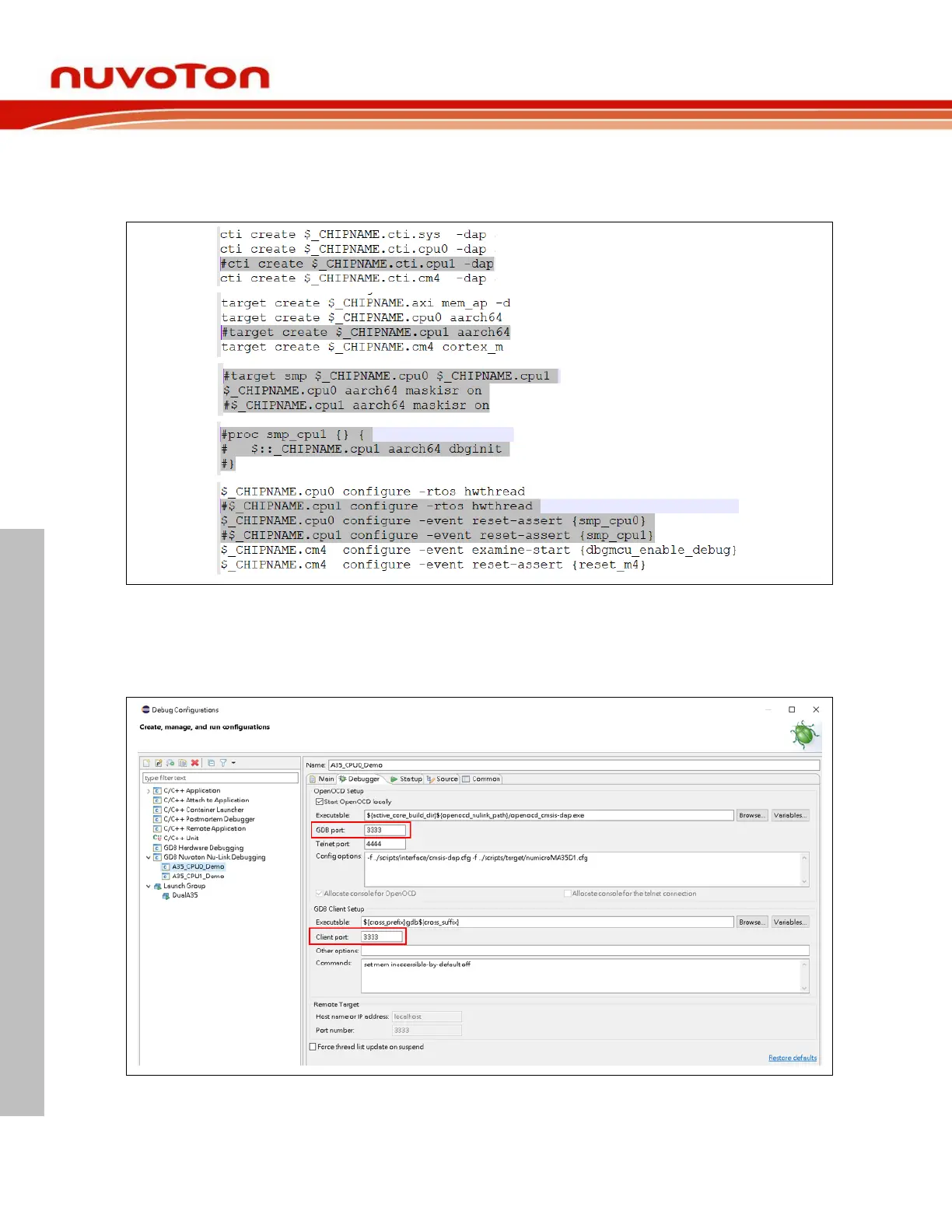
To debug single A35 core, we have to disable CPU1 setting by commenting out the following code in
the numicroMA35D1.cfg. On Windows, the location where numicroMA35D1.cfg resides could be
C:\Program Files (x86)\Nuvoton Tools\ OpenOCD\scripts\target. On GNU/Linux, it could be
/usr/local/OpenOCD/scripts/target.
Figure 4-34 Disable CPU1 Setting
After choosing NuMicro A35 in the Startup tab, the numicroMA35D1.cfg will be automatically updated
in the Config options field of the Debugger tab. Because of single-core debugging, the OpenOCD GDB
port and GDB client port should be the same value, e.g., 3333. When all the settings are done, click the
Apply button to take effect. To launch the application into the debug mode, click the Debug button.



 To Next Page