9. Q: Why does Eclipse fail to update or install new software packs on Windows?
A: One of possible reasons is that the write permission for Windows folders is denied. We
need to find the correct folder and allow the write permission. On Windows, the location where
we place software packs is C:\Program Files (x86)\Nuvoton Tools\Packages.
10. Q: How to adjust output voltage of Nu-Link2?
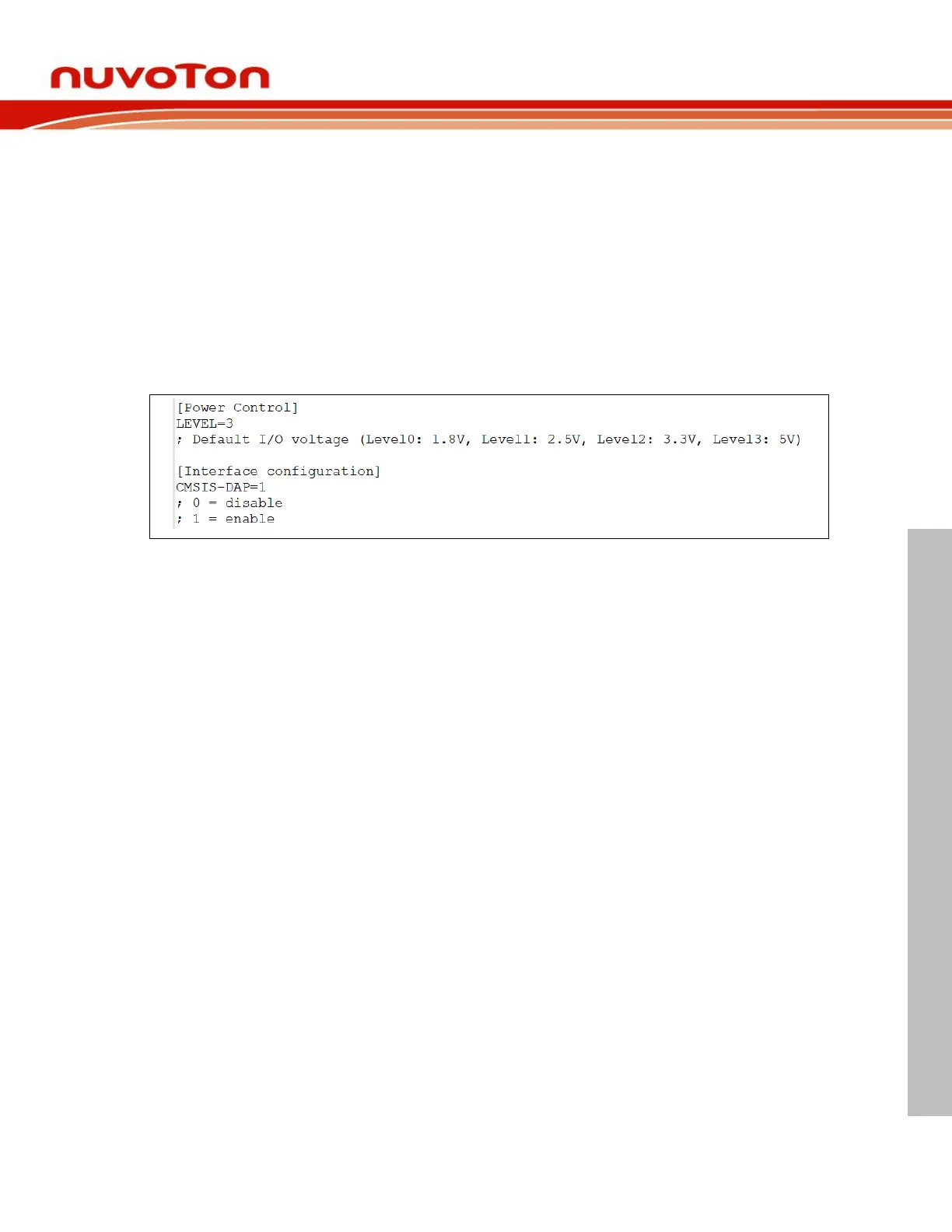
A: Upgrade the NuLink2 firmware greater than version v3.08.7249, open NU_CFG.TXT file in
pop-up "NuMicro MCU" disk, you will see some options in NU_CFG.TXT.
Set CMSIS-DAP=1 then re-plug in USB cable, it presents one more interface HID_CMSIS-
DAP, this is handy if you want to use CMSIS-DAP protocol.
Set LEVEL=3 then re-plug in USB cable, it presents one of output voltage, this is handy if you
want to use 5V voltage.



 To Next Page