4.10.2 Configuration of debugging Single-core Cortex-A
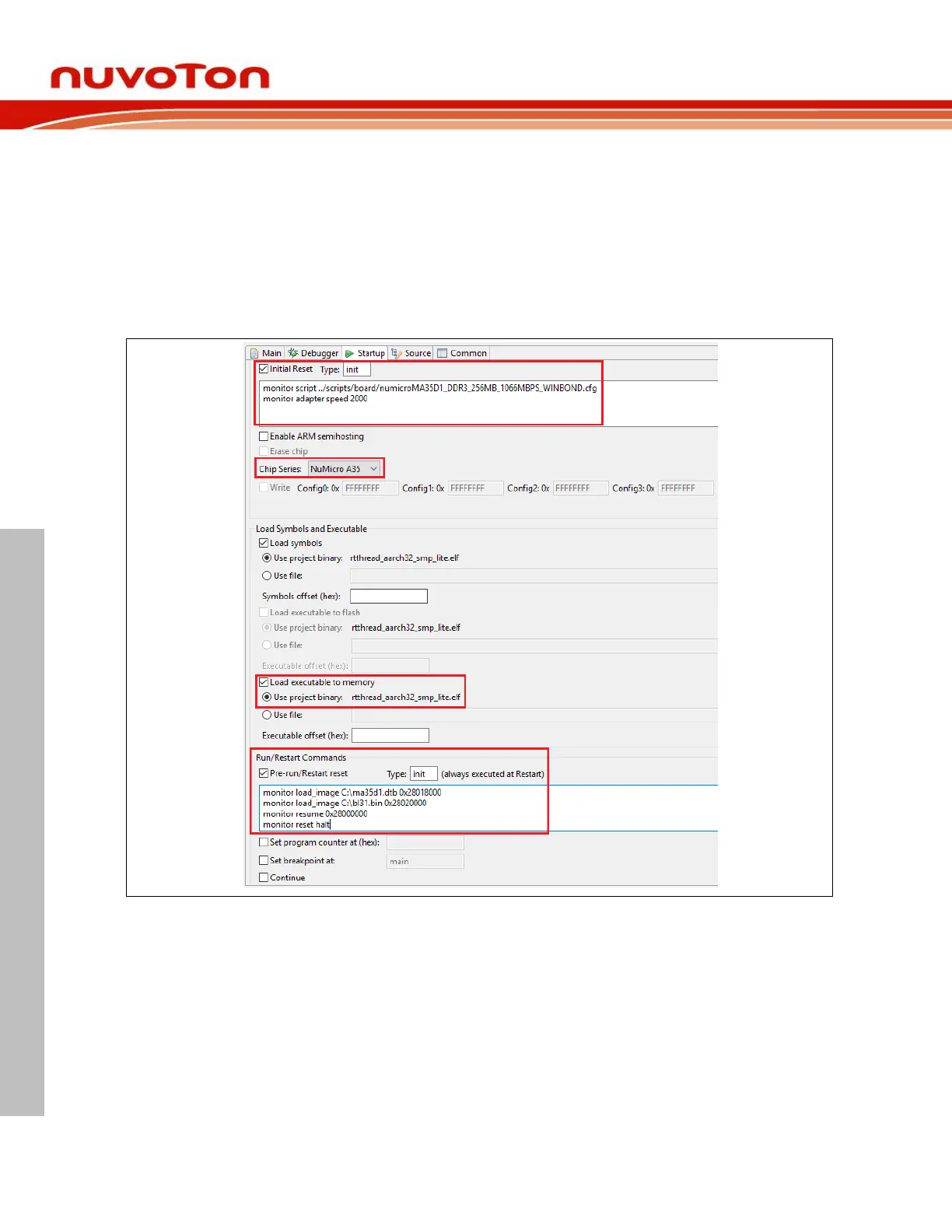
This section describes how to configure a single Cortex-A core debug.
Take Nuvoton MA35D1 as an example, which has dual Arm Cortex-A35 cores and one Arm Cortex-M4
core. To debug it, we should choose NuMicro A35 and resume the target at the position where the
executable starts running in the Startup tab, as follows. For more details, please refer to Section 4.5. To
download other images, the command would be: monitor load_image filename address.
To load other script, the command would be: monitor script filename.
E.g. load DDR initial script or change adapter speed, as follows.



 To Next Page