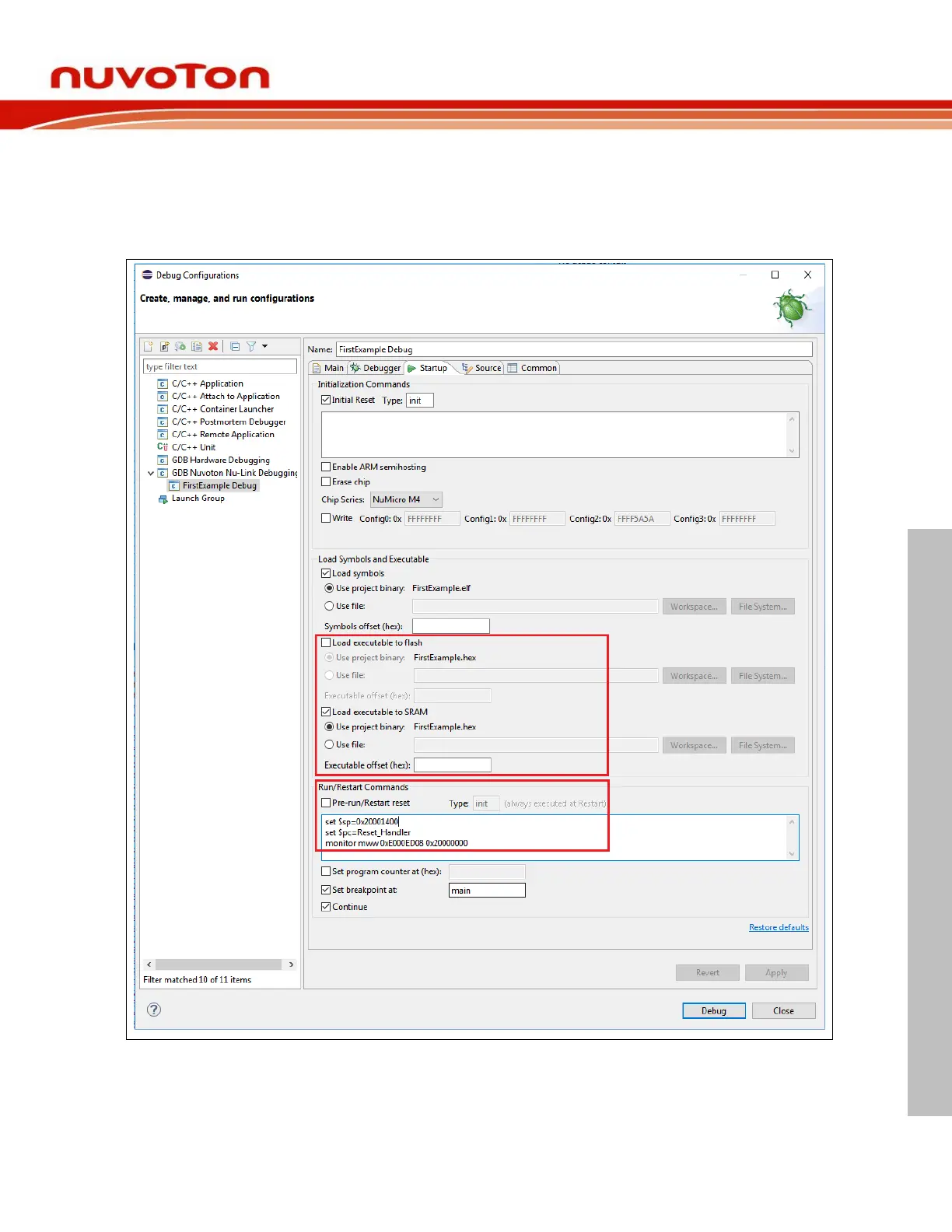
To assign PC and SP to the specific addresses, we need to input them in the debug configuration, as
follows. Based on the previous memory layout, the PC and SP addresses should be Reset_Handler and
0x20001400, respectively. In addition, set Vector Table Offset Register (0xE000ED08) should be
0x20000000 and unselect the Pre-run/Restart reset Button. To download the binary to RAM, we select
the Load executable to SRAM button and unselect the Load executable to flash button. Click the
Debug button to start a debug session.



 To Next Page