4.10.3 Configuration of debugging Dual-core Cortex-A in SMP mode
To debug SMP, e.g. dual A35 core, please refer to Section 4.10.2, but bypass the step that disabling
CPU1 setting.
4.10.4 Configuration of debugging Single-core Cortex-A and Cortex-M in AMP mode
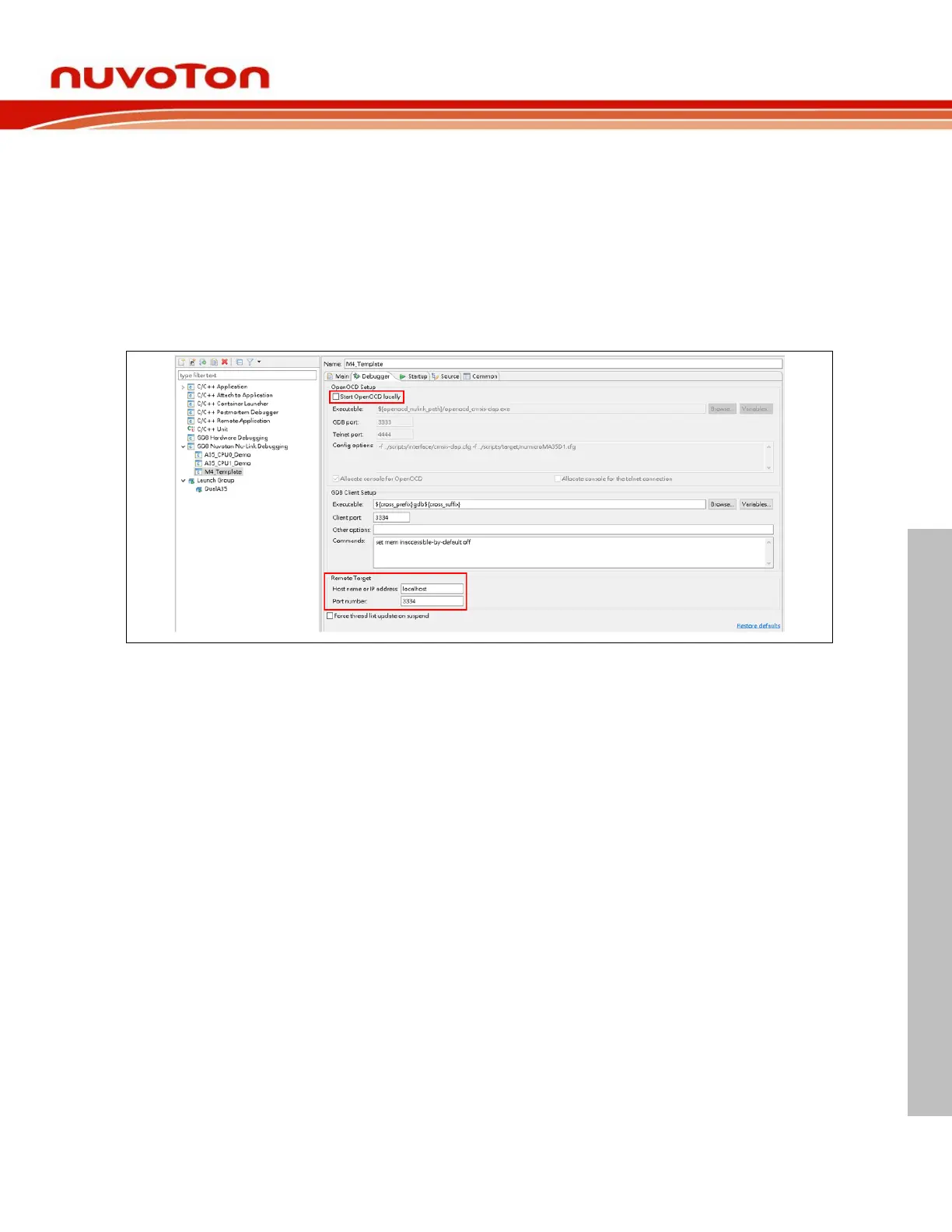
To debug AMP, e.g. one A35 core and M4 simultaneously, we build the A35 and M4 projects and create
the corresponding debug configurations (see Section 4.5). The debug configuration of A35 follows
previous section to complete settings. However, the debug configuration of M4 differs from the Debugger
Tab. Uncheck the Start OpenOCD locally checkbox. The value of GDB Client port and Remote Target
port is set to 3334.



 To Next Page