4.10.5 Configuration of debugging Dual-core Cortex-A and Cortex-M in AMP mode
To debug AMP, e.g. dual A35 core and M4 simultaneously, we have to disable the CPU Symmetric Multi-
Processors (SMP) by commenting out the following code in the numicroMA35D1.cfg. On Windows, the
location where numicroMA35D1.cfg resides could be C:\Program Files (x86)\Nuvoton Tools\
OpenOCD\scripts\target. On GNU/Linux, it could be /usr/local/OpenOCD/scripts/target.
Figure 4-38 How to Disable SMP
The debug configuration of A35 CPU0 follows Section 4.10.2 to complete settings. The debug
configuration of A35 CPU1 and M4 follows Section 4.10.3 to complete settings, but the value of GDB
Client port and Remote Target port differs. That of A35 CPU1 and M4 is 3334 and 3335, respectively.
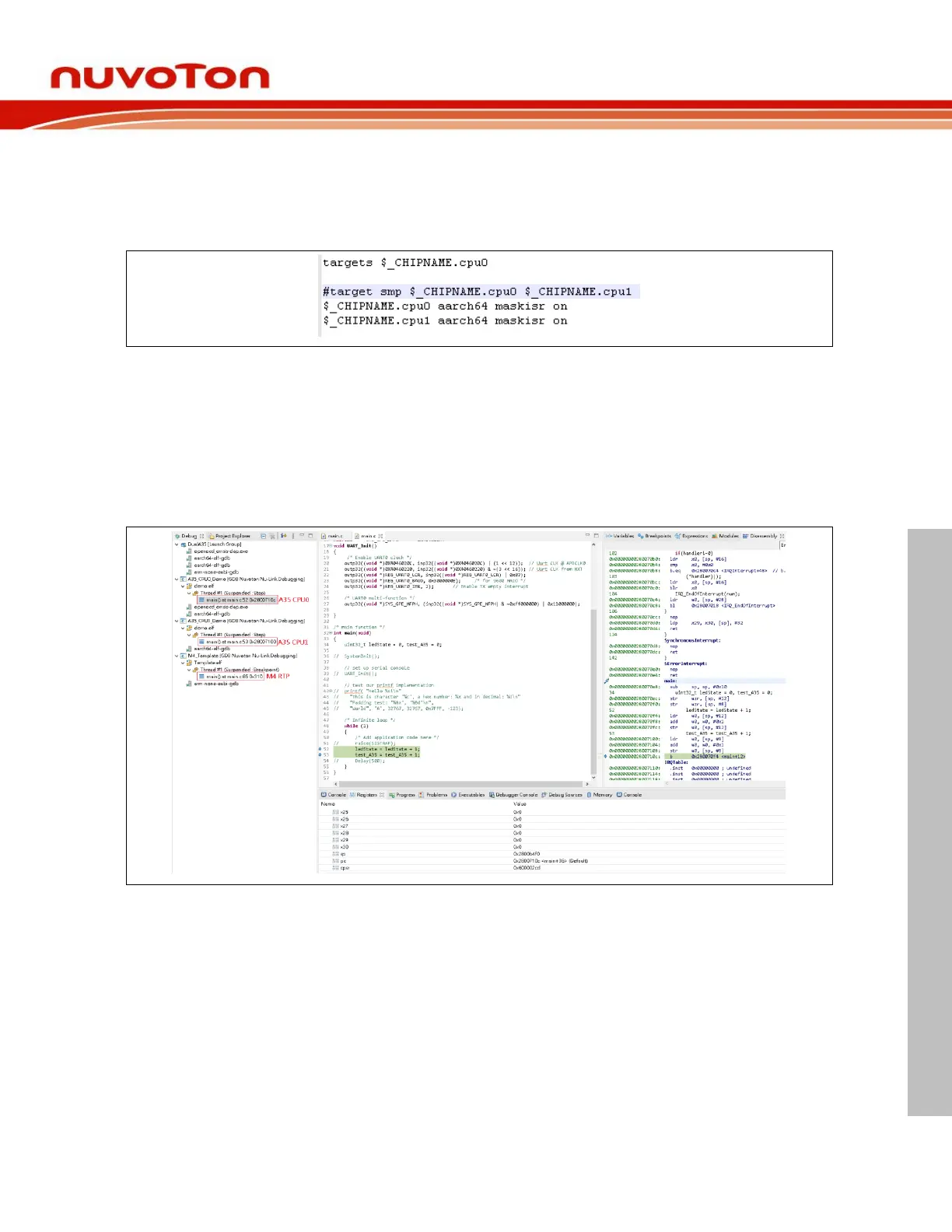
The Launch Group should include the launch configurations of A35 CPU0, CPU1 and M4. Make sure
that the A35 CPU0 launch configuration is in the first sequence order, then press on the Debug button
to run the group launch. While entering the debug mode, we can switch different CPU core to debug by
clicking on the corresponding execution of threads in the Debug view.



 To Next Page