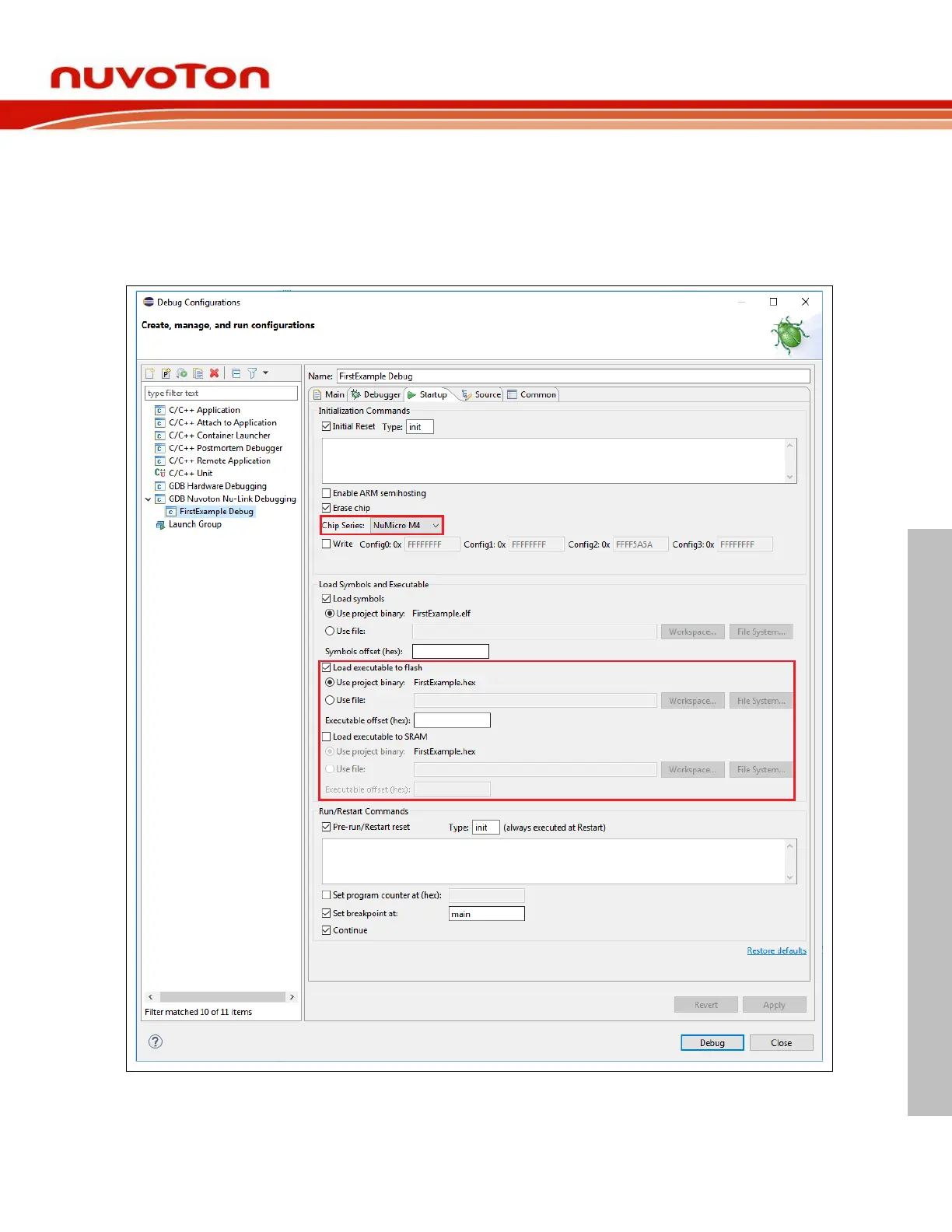
4.5.2 Startup Tab
As the first step, we should choose the right Chip Series in the Startup tab. When done, the
corresponding target configuration file will be automatically written in the Config options field of the
Debugger tab. To load executable to flash, we need to select the Load executable to flash checkbox.
To load executable to RAM, we need to select the Load executable to SRAM checkbox. When all the
settings are done, click the Apply button to take effect. To launch the application into the debug mode,
click the Debug button.



 To Next Page