Debug Configuration
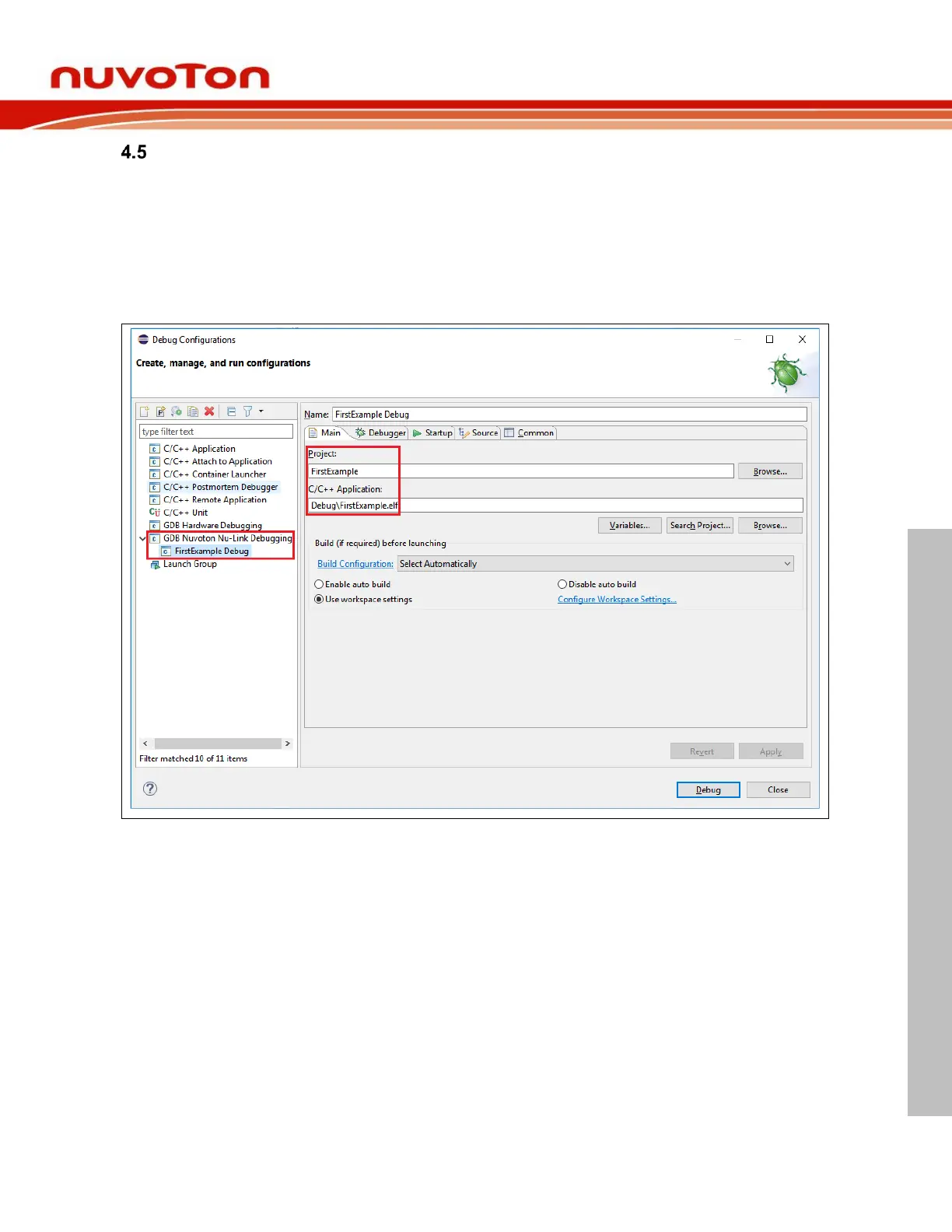
Before launching an application into the debug mode, we have to prepare a debug configuration, which
contains all the necessary information about the debug mode. Click Run > Debug Configuration… to
open the debug configuration dialog. Double click on the GDB Nuvoton Nu-Link Debugging group.
The Nuvoton Nu-Link debug configuration appears on the right-hand side. In the Main tab, the name of
Project should coincide with the project name. The C/C++ Application should point to the elf application
generated by the build process. If the project name or C/C++ Application is incorrect, please select the
expected project first in the project view, build the project to generate the executable, and expand the
tree to make sure the existence of the generated executable. Then repeat the former operations again.



 To Next Page