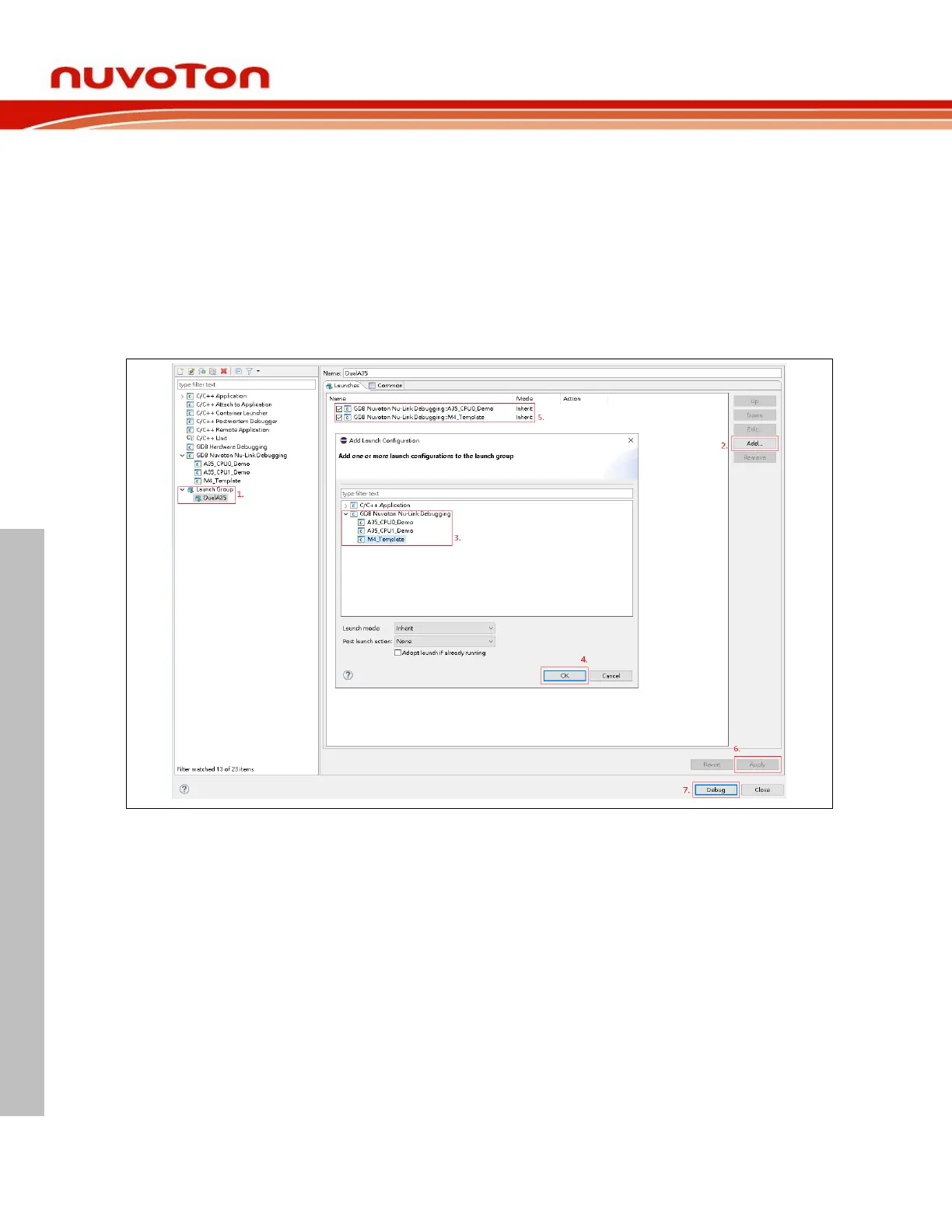
To launch A35 and M4 applications simultaneously, we use Launch Group by the following steps:
1. Give a name to the newly created launch group.
2. Press on the Add button.
3. Add the expected launch configurations to the launch group.
4. Press on the OK button.
5. Move the A35 launch configuration in the first sequence order.
6. Press on the Apply button to take effect.
7. Press on the Debug button to run the group launch.



 To Next Page