61
H.264 4/8/16-channel Networkable DVRs
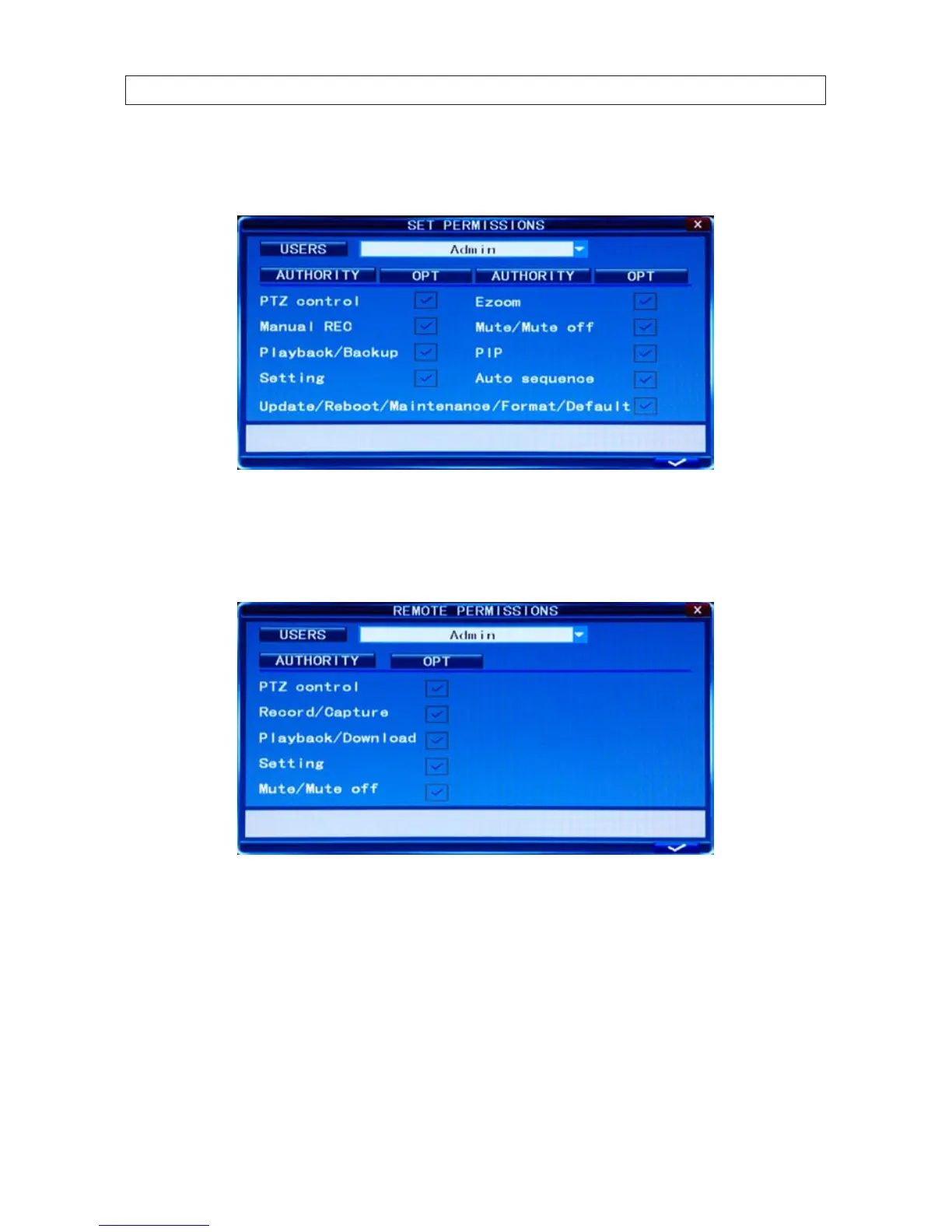
SET PERMISSION: For each user, set the permissions for use of the system. Permissions include: Auto sequence, Manual
REC, Playback/Backup, Ezoom, PIP, Update/Reboot/Maintenance/Format/Default, etc.
REMOTE PERMISSION: This feature must be setup if operating the system remotely. Only users with admin privileges
can set other user’s remote permissions. These permissions include: Record/Capture, Playback/Download, and Setting. If
password verication is enabled (marked ON, i.e. you must login with a password) you can setup seven user passwords and an
administrator password.
Note: When Password is enabled, login to the system as an admin to manage user settings. The administrator’s name
(Admin) cannot be changed. Initially, two users exist: Admin and User1. The default password for Admin is “888888” and the
default password for User1 is “666666”.
If forget your password, you can reset the password by shunting the pin of block J17 on main board for 5 seconds while the
system is running.
SECTION 7: DVR SYSTEM MENUS



 To Next Page