88
APPENDIX C: HDD INSTALLATION
CAUTION
Follow recommended electrostatic discharge (ESD) guidelines while performing this procedure. Install the HDD in a static-free
environment, wearing a certied ESD wrist strap. If a static free environment and ESD wrist strap is not available, touch the bare
metal of the DVR chassis frequently when installing the drive to dissipate the static charge naturally generated on your skin and
clothing and avoid touching electronic components.
1. If your DVR is powered on, follow the recommended procedure to power it o.
2. Disconnect the power adapter from the back of the DVR.
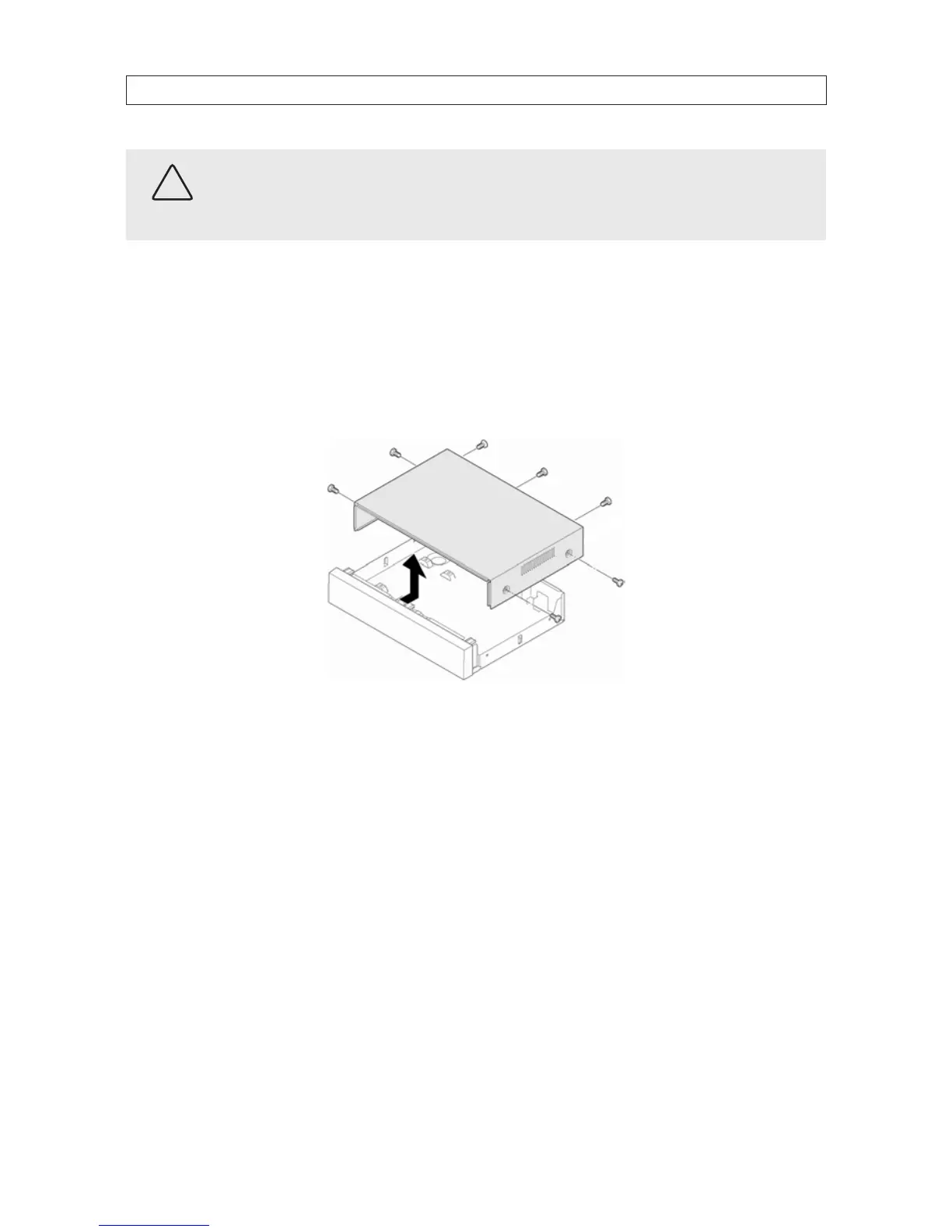
3. Remove the top cover from the DVR by removing the three cover screws on the back of the chassis, and the two on each side.
See the drawing below.
4. Attach the SATA data and power cables in the chassis to the mating connectors on the end of the HDD.



 To Next Page