EN-90 EXPLORER BALANCES
5.3.4 AutoCal™ Adjustment
Use this calibration method to adjust the zero calibration point, without affecting the span or linearity
calibration.
Calibration Adjust may be used to adjust the result of the Internal calibration by +
100 divisions.
Note: Before making a calibration adjustment, perform an Internal Calibration. To verify whether an
adjustment is needed, place a test mass equal to the span calibration value* on the pan and note the
difference (in divisions) between the nominal mass value and the actual Balance reading. If the difference
is within +
1 division, calibration adjustment is not required. If the difference exceeds +1 division,
calibration adjustment is recommended. (*See Table 5-1, below.)
Example:
Actual weight reading: 200.014
Expected weight reading: 200.000 (Test mass value)
Difference Weight (d): 0.014
Difference weight in digits: –14 (Adjust value)
To perform a Calibration Adjustment, touch AutoCal Adjustment from the Calibration Menu; Enter the
value (positive or negative divisions) to match the difference noted earlier in the procedure and press 9.
Recalibrate using Internal Calibration. After calibration, place the test mass on the pan and verify that the
mass value now matches the displayed value. If not, repeat the procedure until Internal Calibration
reading agrees with the test mass.
Once completed, the balance stores the Adjustment value and the display returns to the current
application.
5.3.5 Span Calibration
Span calibration uses two calibration points, one at zero load and the other at specified full load (span).
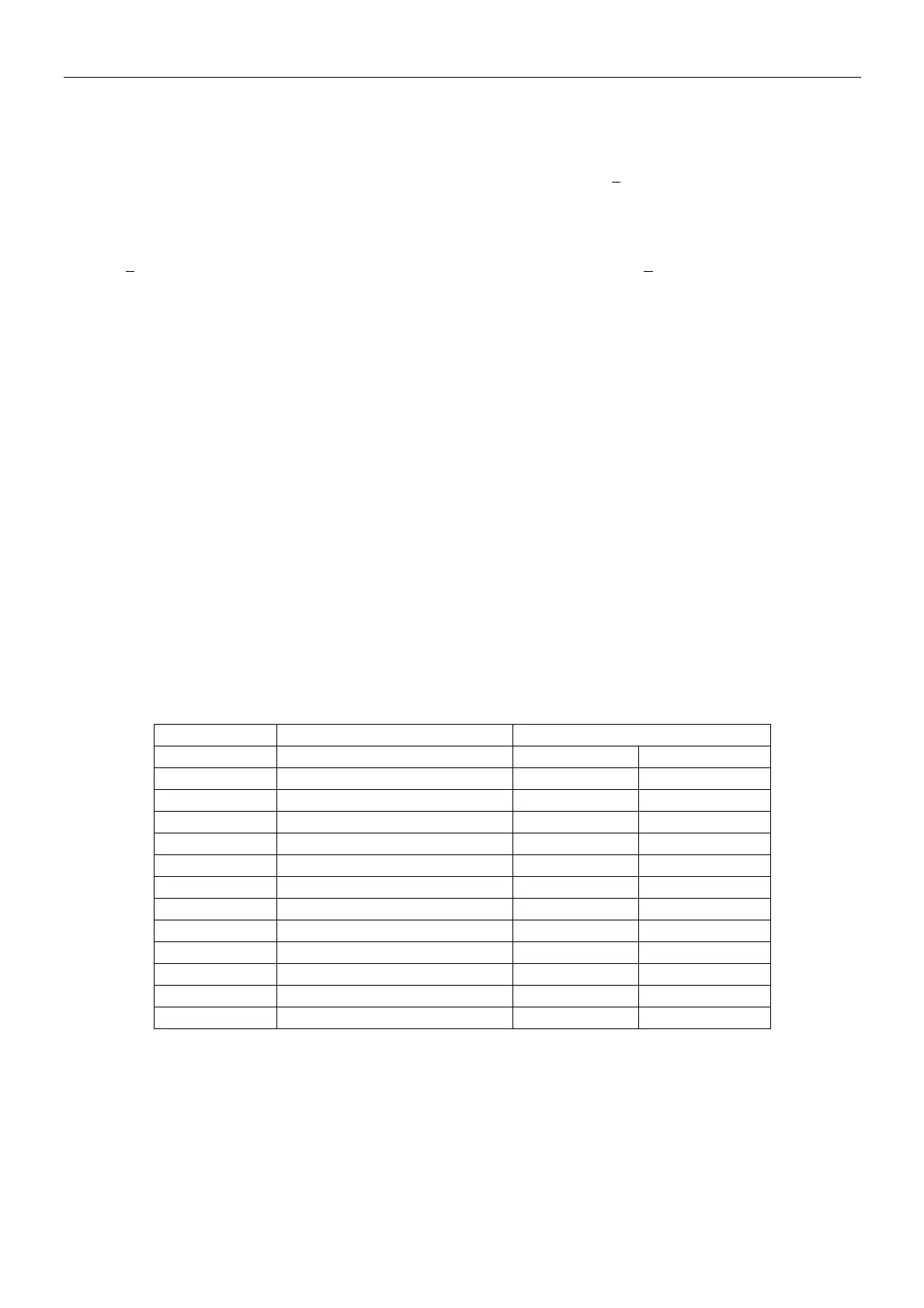
Refer to Table 5.1 for Span values.
Note: Factory default settings are shown in bold.
TABLE 5-1 Calibration Masses
Model Span Calibration Points Weight Class
EX124 50g, 100g ASTM Class 1 OIML E2
EX224 100g, 150g, 200g ASTM Class 1 OIML E2
EX324, M, N 150g, 200g, 300g ASTM Class 1 OIML E2
EX223 100g, 150g, 200g ASTM Class 1 OIML E2
EX423 200g, 300g, 400g ASTM Class 1 OIML E2
EX623 300g, 400g, 500g, 600g ASTM Class 1 OIML E2
EX1103, M, N 500g, 1000g ASTM Class 1 OIML E2
EX2202 1000g, 2000g ASTM Class 1 OIML E2
EX4202 2000g, 3000g, 4000g ASTM Class 1 OIML E2
EX6202 3000g, 4000g, 5000g, 6000g ASTM Class 1 OIML E2
EX10202, M, N 5000g, 10,000g ASTM Class 1 OIML E2
EX6201 3000g, 4000g, 5000g, 6000g ASTM Class 2 OIML F1
EX10201 5000g, 10,000g ASTM Class 1 OIML E2
With the balance turned ON and no load on the pan, touch Span Calibration to initiate the procedure.
Additional calibration values to be used are shown on the display. The best accuracy is achieved using
the mass closest to the full span value.
Note: To change the span calibration point, touch the alternate weight shown on the display.
Follow the screen instructions and place the specified calibration weight on the scale when prompted to
do so. When complete, the display shows the Span calibration status and returns to the current
application.













 To Next Page