EN-92 EXPLORER BALANCES
5.4 User Settings
When using the Balance for the first time, enter this sub-menu to set User-defined values like Language,
Display Settings, Volume, Functions Configuration and the Touchless Sensor setup.
5.4.1 User Settings Sub-menu
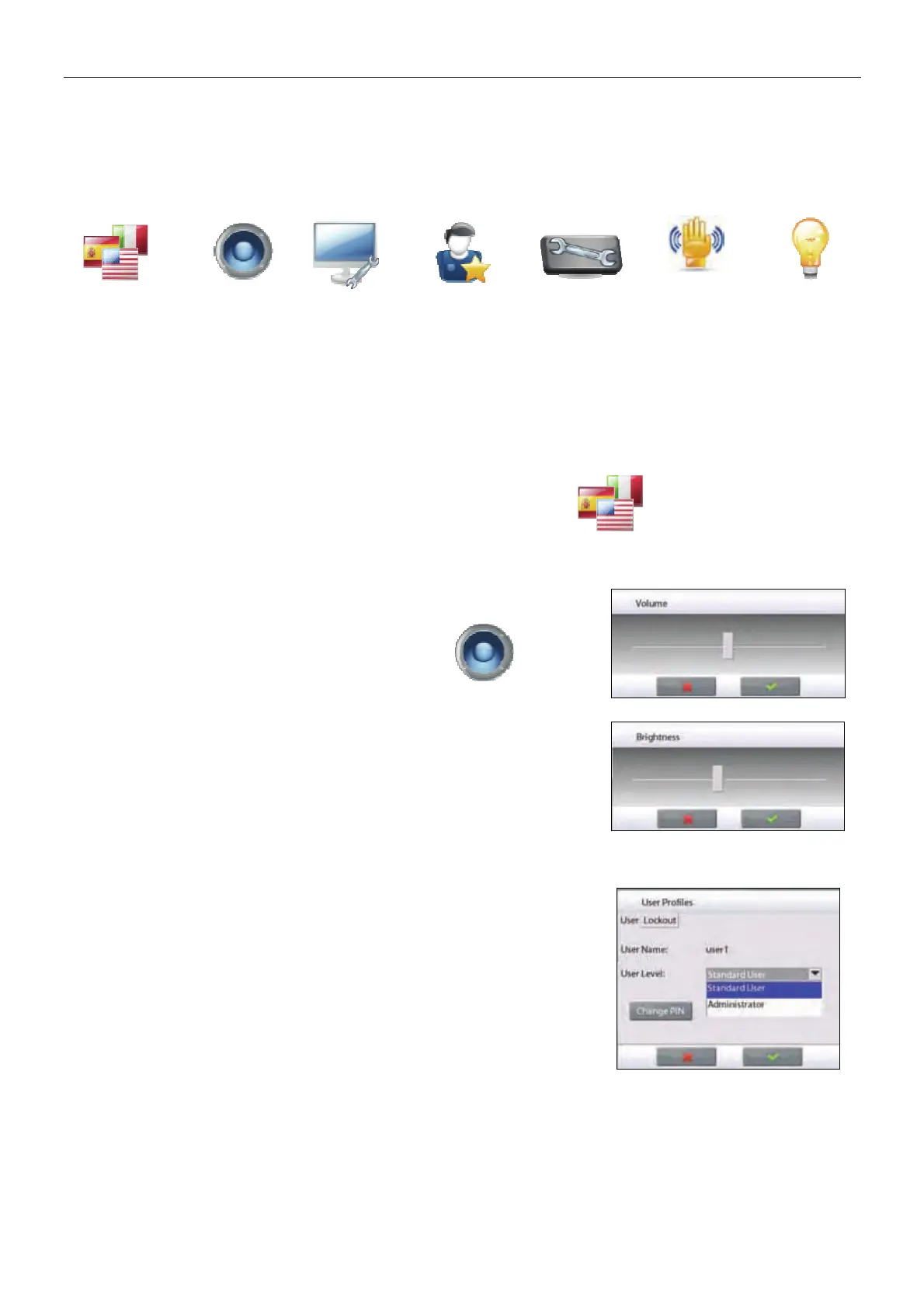
Language Volume Display
Settings
User
Manager
Functions
Configuration
Sensor
Setup
Draft Shield
Light
(Analytical
models)
Factory default settings are shown below in bold.
5.4.2 Language
Set the language displayed for menus and displayed messages.
English (default)
German
French
Spanish
Italian
5.4.3 Volume
Controls the built-in Speaker loudness.
Default value= 5 (mid-level)
0= disabled (Off)
Range is 0 to 10
5.4.4 Display Settings
Use this sub-menu to change the setting for:
Screen Brightness: Default value= 50 (mid-level)
Range is 20 to 100
Touch Calibrate
“Touch the screen at the center of the ring. O Press here.”
(First top-left, then bottom-right.)
Auto Dim (Dims the display if no Screen Activity for x minutes)
Default value = OFF (disabled). Range is 1 to 240 minutes
5.4.5 User Manager
Enter this sub-menu to create user profiles if desired.
User Level: Default is Standard User; Administrator is available.
Change PIN: Set password if desired.
Lockout: Can be used by Administrator to lockout the Menu items of a
named User.













 To Next Page