24
The menu - Section 4
How to access various displays
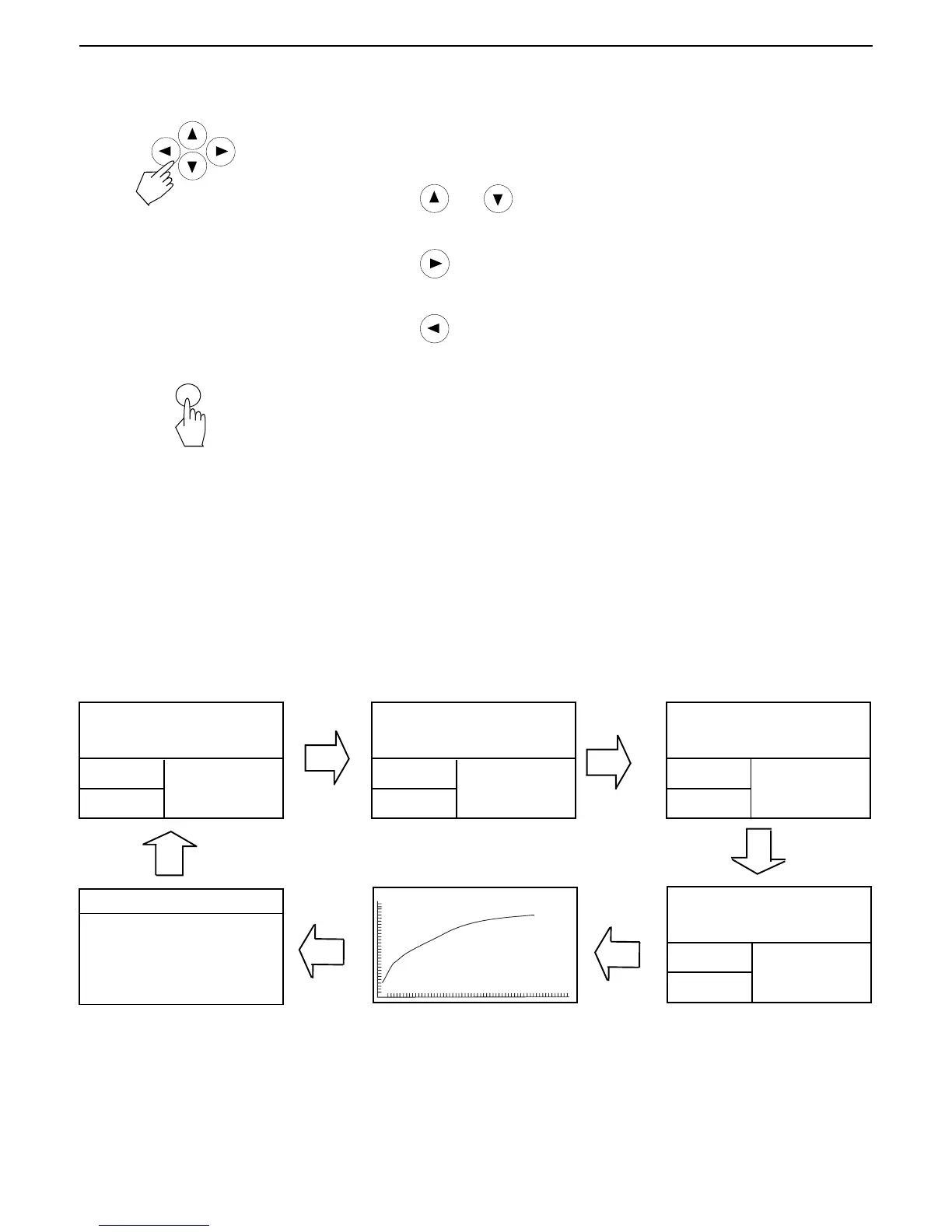
There are six displays available when the Moisture Analyzer is running a test
and at the end of the test. The Display button on the front panel when
pressed repeately accesses each of the six displays during the run mode of
the analyzer and cycles though each display in the order shown below. The
displays indicate the Test ID, Temperature/Time, Initial Weight, actual tem-
perature, elasped time duration of the test, either moisture, solids, percent
regain, grams, a graph representing the actual test progress and statistics.
TEST ID: 071000A
TEMP / TIME: 130°C / MANU
INITIAL WT: 5.266 G
TEST ID: 071000A
TEMP / TIME: 130°C / MANU
INITIAL WT: 5.266 G
TEST ID: 071000A
TEMP / TIME: 130°C / MANU
INITIAL WT: 5.266 G
TEST ID: 071000A
TEMP / TIME: 130°C / MANU
INITIAL WT: 5.266 G
TEST
OVER...
05:44
05:44
05:44
05:44
4.25
* %MOISTURE
95.75
* %SOLIDS
5.042
* GRAMS
-4.44
*% REGAIN
05:44 5.043G 4.25%
How to enter alpha numeric data and make selections
Certain menu options can have names or numerical entries made. When
prompted to enter information, use the arrow buttons as follows:
Press the
and arrow buttons to scroll through numbers or alphabet
and to highlight an item in a menu.
Press the
arrow button to advance to the next character in the display or
it can be used to highlight an item in a menu.
Press the
arrow button to go back to the previous character in the
display or it can be used to highlight an item in a menu.
Press the Enter button to accept entry.
Enter
TEST
OVER...
TEST
OVER...
TEST
OVER...
SAMPLE N: 1
LAST DATA: 4.25
MEAN X: 4.25
STD. DEV S: N<5
MIN X: 4.25
MAX X: 4.25
STATISTICS



 To Next Page