38
Operating your Moisture Analyzer - Section 6
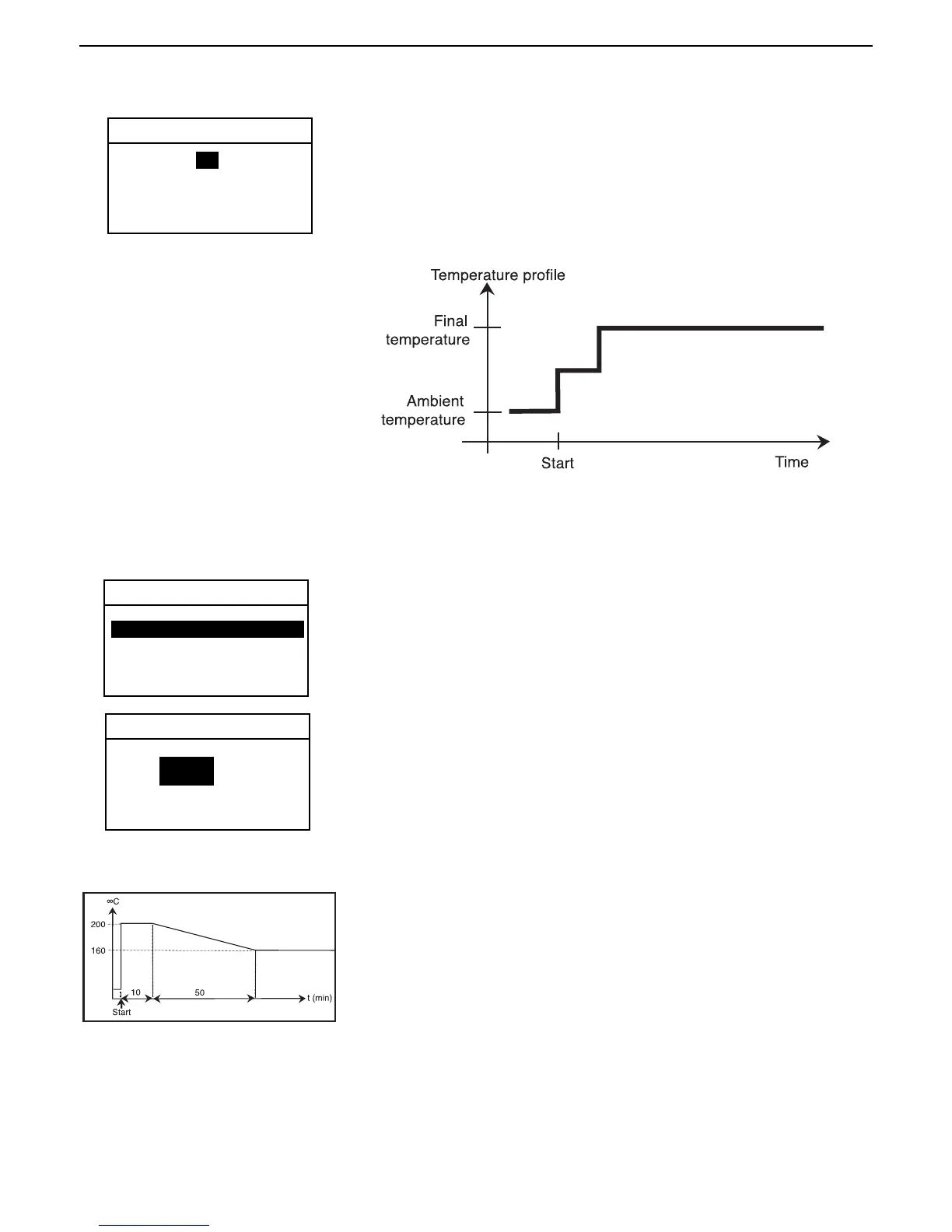
Step drying
STEP PROFILE
For STEP 1, using the arrow buttons, define the temperature. Using the
arrow buttons, scroll to time.
Using the arrow buttons, define the time.
Repeat the above procedure for step 2 and FINAL step and press the Enter
button.
Temperature limitation
The following protective measures have been implemented to protect the
instrument against overheating:
The Moisture Analyzer is equipped with an overheating protection.
At temperatures above 160C, a time limit becomes active. The higher the
temperature, the shorter the time until the instrument starts to lower the
temperature (envelope curve, see adjacent illustration).
EXIT WITHOUT SAVING
6.4 Setting the drying temperature
The drying temperature can be set from 50°C to 200°C. Two of the programs under TEST PARAMETERS -PROFILE
(Standard and Fast) use this temperature setting.
Using the arrow buttons, scroll to DRY TEMP and press the Enter button.
DRYING TEMP
Using the arrow buttons, enter the desired drying temperature and press the
Enter button.
EXIT WITHOUT SAVING
TEST PARAMETERS
TEST ID: -DEFAULT-
PROFILE: STANDARD
DRY TEMP: 130C
SWITCH OFF: AUTO 60
RESULT: MOISTURE %
CUSTOM: OFF
STEP 1: 80 C5 MIN
STEP 2: 100 C 5 MIN
FINAL: 130 C
130 C
Note: If you are working at temperatures above 180C, we advise you to wait 2 to 3 minutes with open instrument lid
between individual measurements to ensure good reproducbility and avoid overheating of the instrument.



 To Next Page