37
Section 6 - Operating your Moisture Analyzer
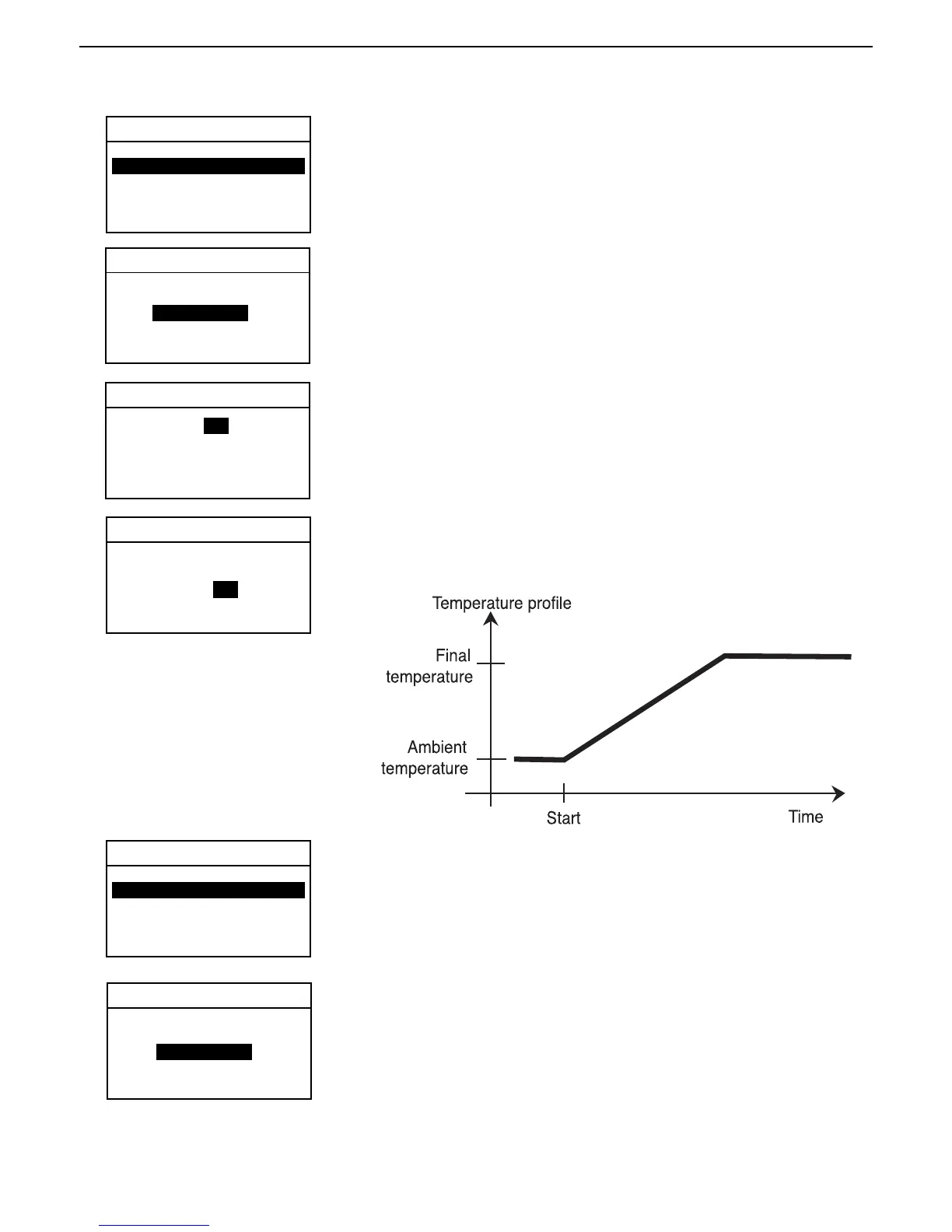
Ramp profile
For this temperature program, the temperature and time elapsed between the
start of drying and the attainment of the final temperature is set.
Using the arrow buttons, scroll to PROFILE and press the Enter button.
DRYING PROFILE
EXIT WITHOUT SAVING
Using the arrow buttons, scroll to RAMP and press the Enter button.
RAMP PROFILE
EXIT WITHOUT SAVING
Enter the desired temperature using the arrow buttons.
Using the arrow buttons, scroll to RAMP TIME. Enter the desired ramp time
using the arrow buttons and press the Enter button.
RAMP PROFILE
EXIT WITHOUT SAVING
Step profile
For this temperature program you define the temperature and the hold time
for each step.
Using the arrow buttons, scroll to PROFILE and press the Enter button.
DRYING PROFILE
Using the arrow buttons, scroll to STEP and press the Enter button.
EXIT WITHOUT SAVING
TEST PARAMETERS
TEST ID: -DEFAULT-
PROFILE: STANDARD
DRY TEMP: 180C
SWITCH OFF: AUTO 60
RESULT: MOISTURE %
CUSTOM: OFF
TEST PARAMETERS
TEST ID: -DEFAULT-
PROFILE: STANDARD
DRY TEMP: 180C
SWITCH OFF: AUTO 60
RESULT: MOISTURE %
CUSTOM: OFF
RAMP
END TEMP: 50 C
RAMP TIME: 3 MIN
END TEMP: 50 C
RAMP TIME: 3 MIN
STEP
Ramp drying



 To Next Page