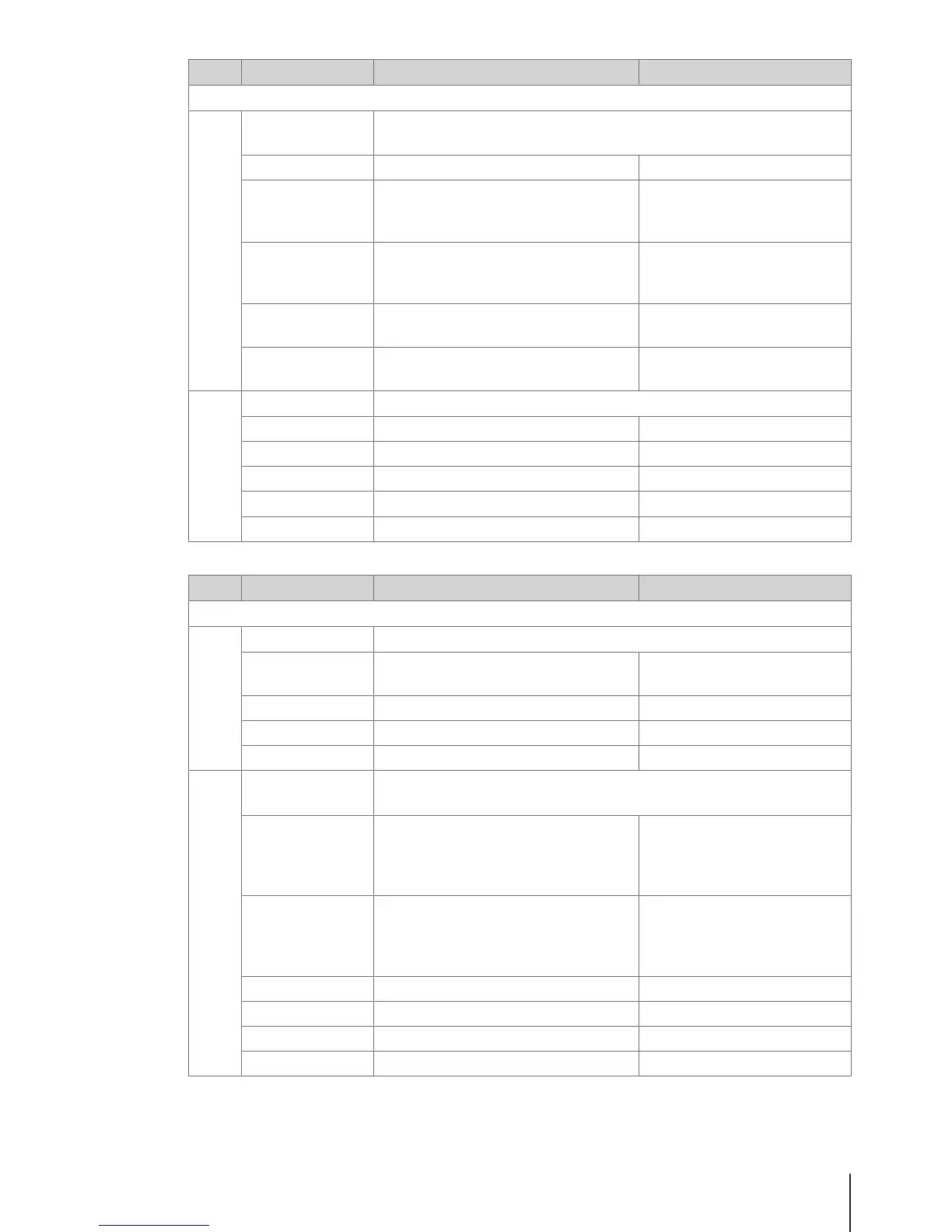
No. Display Description Possible values
F24 Printing
F245 Ticket Configu-
ration
Define ticket printing
Direct Printout Enable/disable direct printout Enable/disable
Copy Tickets Select the method of ticket copy printing Auto print
# On demand
# No
Talon Select the method of talon printing Auto print
# On demand
# No
Ticket Bottom Feed
Length
Enter the length of auto feed 0 … 40
Unit [mm]
Paper Feed Length Enter the length of a manual feed 0 ... 99
Unit [mm]
F246 Ticket Content Define ticket content
Logo Printing a logo on the ticket Yes/No
Header Text Select a header text to print on the ticket 1 ... 99'999'999
Footer Text Select a footer text to print on the ticket 1 ... 99'999'999
VAT Select VAT to print on the ticket
Barcode Select a barcode to print on the ticket
No. Display Description Possible values
F25 Connectivity
F251 Network Network settings
IP Mode Select IP mode 1 Automatic
2 Static
IP Address Enter IP address
Mask Enter mask
Gateway Enter gateway
F256 Transaction Log
Server
Transaction Log Server settings
Forwarding Select forwarding settings None
# Immediate
# Daily
# Overflow
Service Type Select service type None
# Forward Auto
# Forward to IP
# Server
IP Address Enter IP address
Port Enter port number
Overflow action Select overflow action
Forward Start forwarding
Menu 37Skippper 5000



 To Next Page