5238-E P-266
SECTION 12 USER TASK
• Parts with similar contours
When dimensions of points where circular arcs intersect or a circular arc and a tapered
segment intersect each other are not indicated on a part drawing but can be calculated with a
number of expressions, a user task program for these parts can be programmed using
expressions.
• Special fixed or custom cycles for users
As mentioned above, effective use of the user task function can enable various operations and
functions. In addition, complicated programs can be greatly simplified with this function,
assuring accurate and quick programming.
2. Types of User Task Function
2-1. Relationship Between Types of Program Files and User Task
Functions
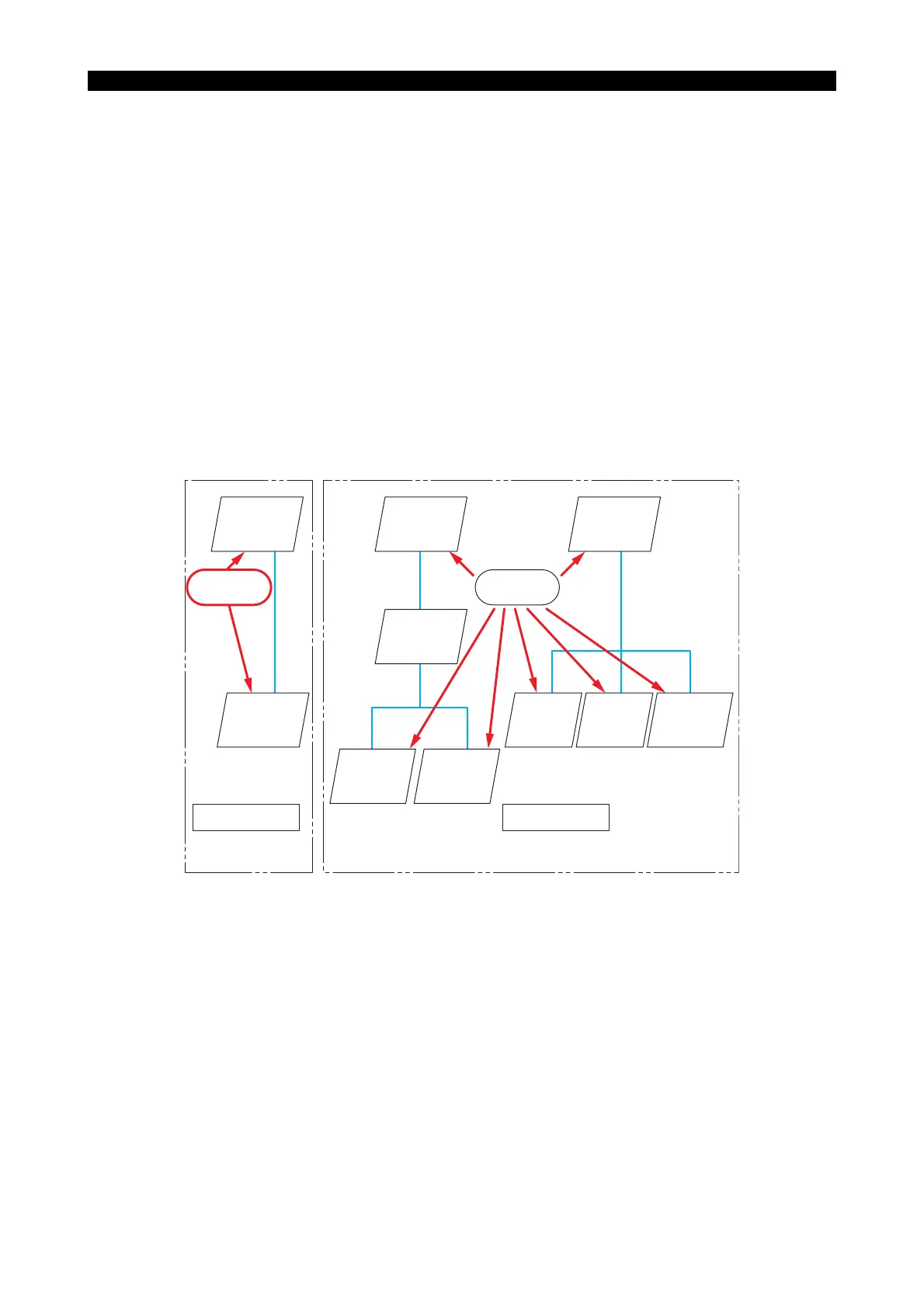
The relationship between the types of program files and user task functions is summarized below.
LE33013R0301400020001
• Programs in left hand frame (User Task 1)
The configuration here comprises a schedule program and main programs; the User Task
function can be used with these two types of programs. The User Task function applicable in
such a configuration is called "User Task 1".
• Programs in the right hand frame (User Task 2)
The configuration here comprises all types of program files and the User Task function can be
used in every type of program. The User Task function applicable in such a configuration is
called "User Task 2".
2-2. Comparison of User Task 1 and User Task 2
User task 1
User task 2
Schedule
program
file
User task
function
Main
program
file
Schedule
program
file
User task
function
Schedule
program
file
Main
program
file
Subprogram
file
System
subprogram
file
Main
program
file
Subprogram
file
System
subprogram
file



 To Next Page