5238-E P-284
SECTION 12 USER TASK
<Method of obtaining logical I/O address>
Reading an input status
Procedure :
1 Search for the I/O signal that you want to refer to from the I/O bit table, and check its label.
If, for example, you want to check "Door close confirmation", find the label "iDRCL".
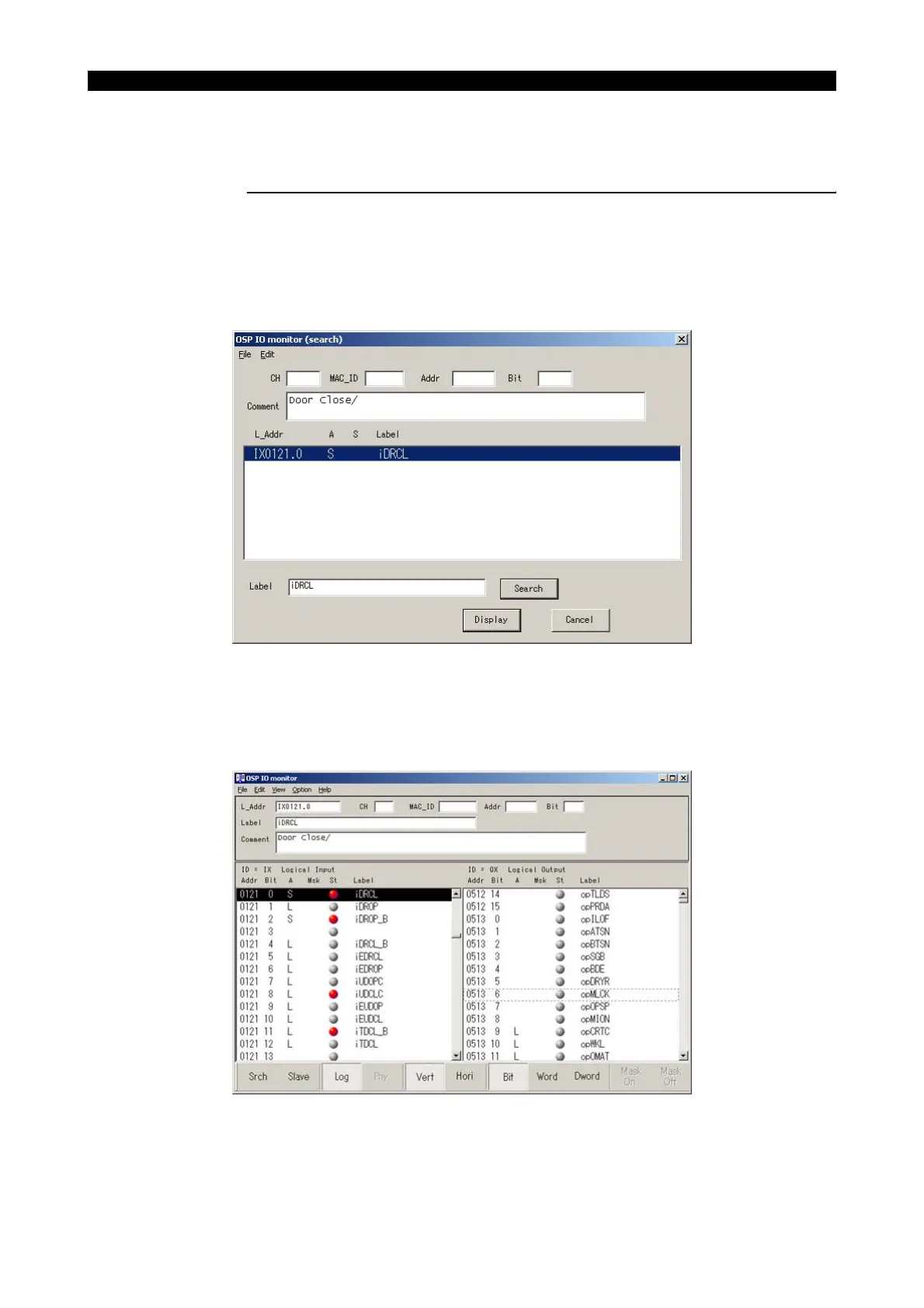
2 Activate the I/O monitor and press the function key "Srch" to display the following screen.
Enter the found label name "iDRCL" at Label, and then press "Search" or "Display" button
LE33013R0301400260003
3 When the searching is completed, the following screen appears.
The address IX0121.0 indicated at L_addr shows that the logical address is 121 and its bit
number is 0. This means that you can read the door close confirmation status by specifying
VIRD[1210].
LE33013R0301400260004



 To Next Page