28
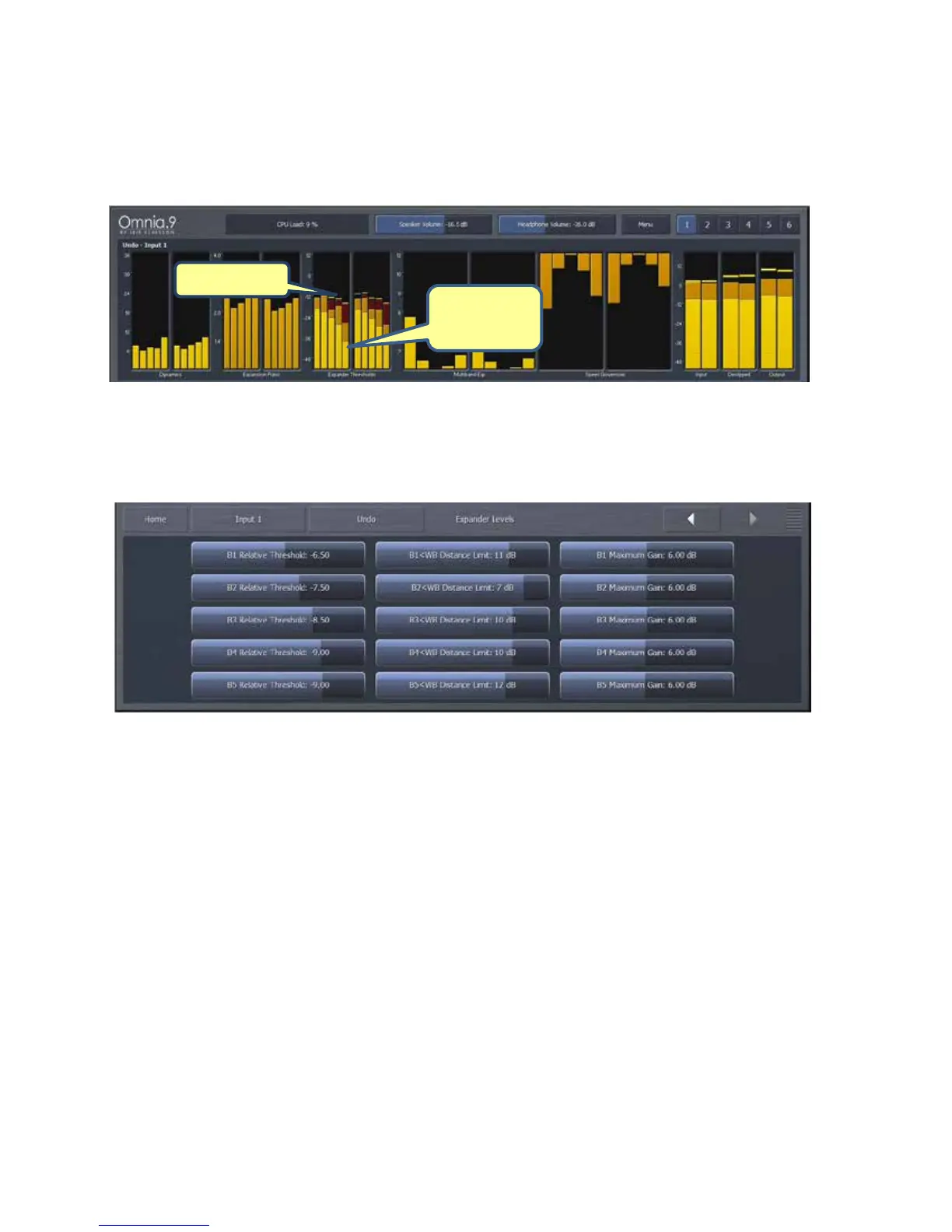
Theeffectof thePeakDetectorsettingsis representedbythe peak“blips”at thetopofthedark
orangepeaklevelbarswithintheExpanderThresholdmetersintheUndoMeterwindow.Average
levelsareindicatedbythebrightorangebars.
ExpanderLevelsMenu
The Expander Levels menu gives you access to the Relative Threshold, Band<Wideband Distance
Limit,andMaximumGaincontrolsofeachbandofUndo’sexpanders.
The Relative Threshold control for each band determines how far below the currently
detectedpeaktheexpanderthresholdsits.Lowerthresholds(movingtheslidertotheright)
result in a greater peaktothreshold distance and therefore provide more expansion.
Higherthresholds(movingtheslidertotheleft)narrowthepeaktothresholddistanceand
providelessexpansion.
In addition to an adjustable perband peak detector with adjustable attack and release
speeds (whose function is described above in the Peak Detector menu section), each
expanderbandalsohasawidebandpeakdetectorwithfixedattackandreleasespeeds.The
Band<WB Distance Limit controls determine the greatestdistanceby which an individual
band’speakdetectorcanfallrelativetothewidebandlevelandkeepsanyonebandfrom
being expanded if there are insufficient levels to begin with. For example, if the current
widebandpeakis0dBandthiscontrolissetto10dB,thepeakdetectorforthatindividual
bandwillnotfallbelow10dB.TheDistanceLimitisrepresentedbythedarkredbarsinthe
ExpanderThresholdsmeterintheUndoMeterwindow.
Average


 To Next Page
 Loading...