58
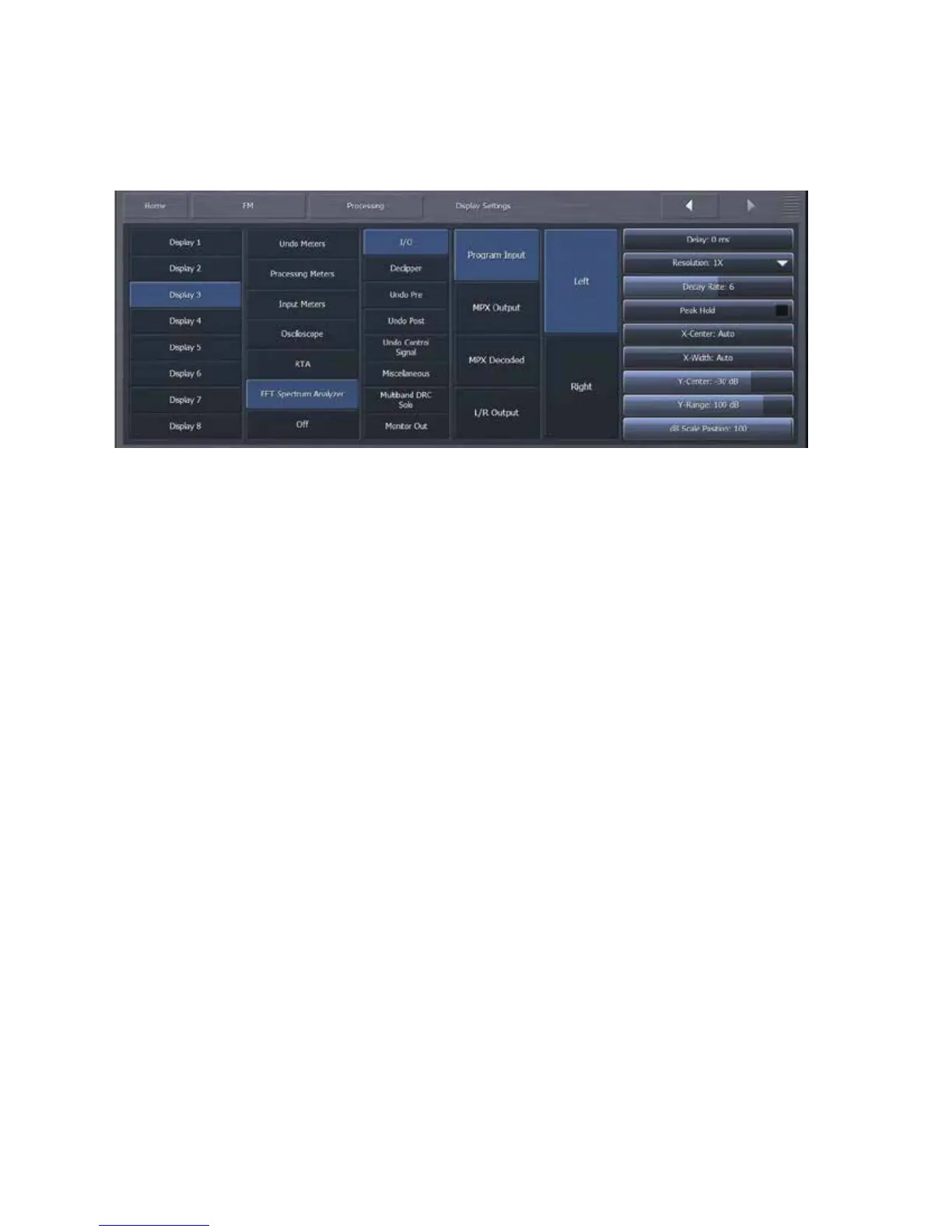
FFTSpectrumAnalyzerMenu
The RTA menu allows you to monitor the same sources as those mentioned in the Oscilloscope
menusection.
TheDelaycontrolworksthesamehereasitdoespreviousandsubsequentdisplaysections.
The Resolution control selects the number of frequency bands into which the audio is
divided.1xresolutiongivesyouarefreshrateofapproximately48framespersecondanda
frequencyresolutionsufficientforviewingtheentireaudiospectrum.8xresolutionsgives
you a refresh rate of approximately 6 frames per second, but a much finer frequency
resolution.
The Decay Rate control adjusts how quicklythe display willfallafter a peak is displayed.
Lowersettingsaretheslowest,whilethehighestsettingisinstantaneous.
ThePeakHoldcontrolenablesordisablestheabilitytoindicateandholdthehighestpeak
achieved.PeakHoldisdisplayedinthedarkgreenbackgroundlayer.
TheXCentercontrolcentersthedisplayattheselectedfrequency.
TheXWidthcontrolsetsthedisplayedfrequencyrangeinkHz.
TheYCentercontrolcentersthedisplayverticallyaroundtheselectedlevelindB.
TheYRangecontrolsetsthedisplayedlevelrangeindB.
ThedBScalePositioncontrolallowsyoutomovethedBscalehorizontallytoadifferentplaceinthe
display.Advancingthecontrolcompletelytotherightplacesitinfrontofthegraphatalltimes.


 To Next Page
 Loading...