55
TheUndoPremenuallowsyoutoviewtheaudiosignalfromeachofthe5individualbands
ofthe Undosectionafter thedeclipper butbeforeUndo’s multibandexpansionin either
theleftorrightchannel.
TheUndoPostmenuallowsyoutoviewtheaudiosignalfromeachindividualbandorthe
combined output of all bands of the Undo section after the declipper AND after Undo’s
multibandexpansionineithertheofrightchannel.
The Undo Control Signal menu allows you to view the control signal from each of the
individualbandsineithertheleftorrightchannel.
TheMiscellaneousmenuallowsyou toviewthe audiosignalfromvariousother pointsin
the signalpath, includingafter inputfiltering,after themultibandsection,afterthe static
bassclipper,beforeandafterthefinalclipper,andthetotalprogramthroughputofeither
theleftorrightchannels.ThefollowingadditionalMPXinformationisalsoavailable:
o The MPX PreClipper menu allows you to view the multiplex, left demodulated;
right demodulated, left deemphasized, and right deemphasized audio signal as
wellasthepilottonebeforethefinalclipper.
o The MPX PreSafety menu allows you to view the multiplex, left demodulated;
right demodulated, left deemphasized, and right deemphasized audio signal as
wellasthepilottonebeforethesafetyclipper.
TheMonitorOutmenuallowsyoutoviewtheinput(source)andoutputaudiosignalsofthe
SpeakerorHeadphonemonitorpointsineithertheleftorrightchannel.
ExamplesandRecommendedSettingsfortheOscilloscope
HighFrequencyHeadroomMonitor
o DisplaytheLeftorRightDemodsignalfromtheMPXOutputmenu
o SetOversamplingto“On”
o SetPhosphorPersistenceto50
o SetGainto3
o SetLinesto1
o SetZoomto4x
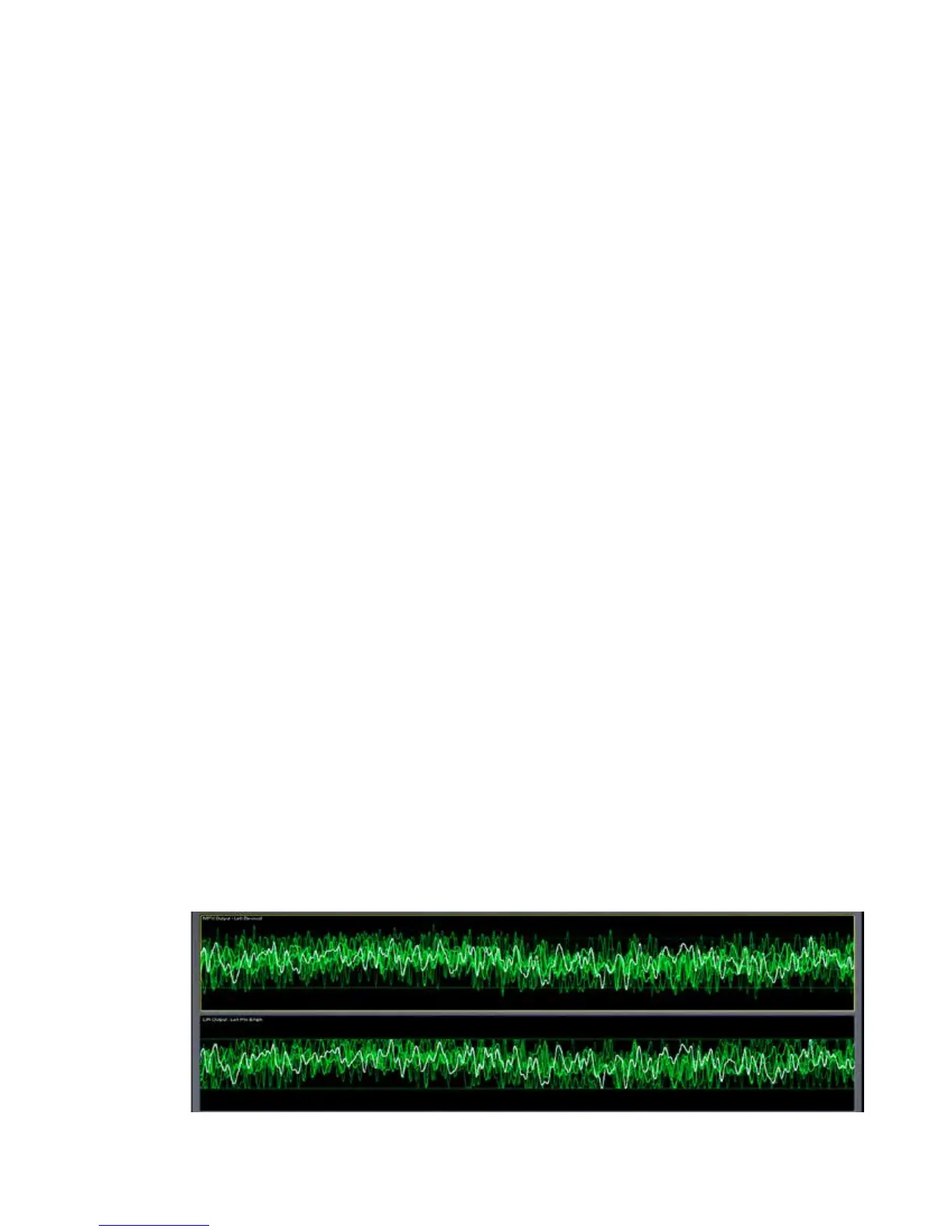
o Belowisacomparisonof thissignaltothepreemphasizedoutputsoyou cansee
justhowmuchadditionalHFheadroomOmnia.9’sclipperprovides!


 To Next Page