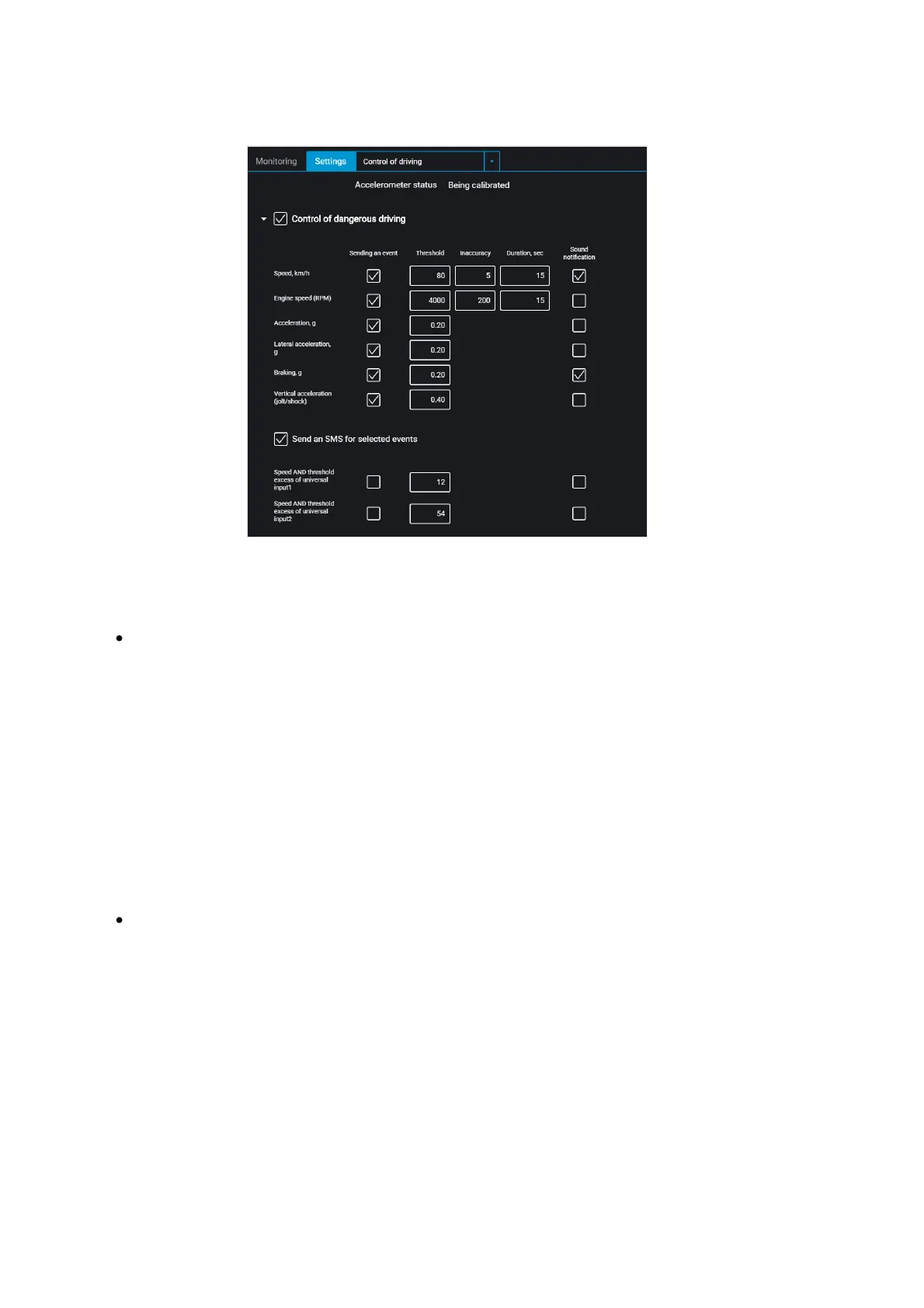
Select monitored parameters:
“Event reporting” – enable/disable event sending to Omnicomm Online.
“Speed” – vehicle speed control
Threshold – enter the maximum permissible speed, upon exceeding which dangerous
driving will be registered. Possible values: from 0 to 150 km/h. Default value: 80 km/h.
Deviation – enter the speed value that can be exceeded by maximum permissible
speed without triggering dangerous driving registration. Possible values: from 0 to 50
km/h. Default value: 5 km/h.
Duration – enter the period of time allowed to exceed maximum permissible speed
without triggering dangerous driving registration. Possible values: from 0 to 300 s.
Default value: 15 s.
“RPM” – engine RPM monitoring
Threshold – enter the maximum permissible engine RPM, upon exceeding which
dangerous driving will be registered. Possible values: from 0 to 10,000 rpm. Default
value: 4,000 rpm.
Deviation – enter the RPM value that can be exceeded by maximum permissible RPM
without registration of violation. Possible values: from 0 to 1000 rpm. Default value:
200 rpm.
Duration – enter the period of time allowed to exceed maximum permissible engine
RPM without registration of dangerous driving. Possible values: from 0 to 300 s.



 To Next Page