field “Enable sound reminder” – “Yes”/”No”, respectively.
iButton readout device connection and installation
Determine the correspondence of the wire colours to the readout device contacts,
ringing out the wires and readout device body contacts with each other using
multimeter.
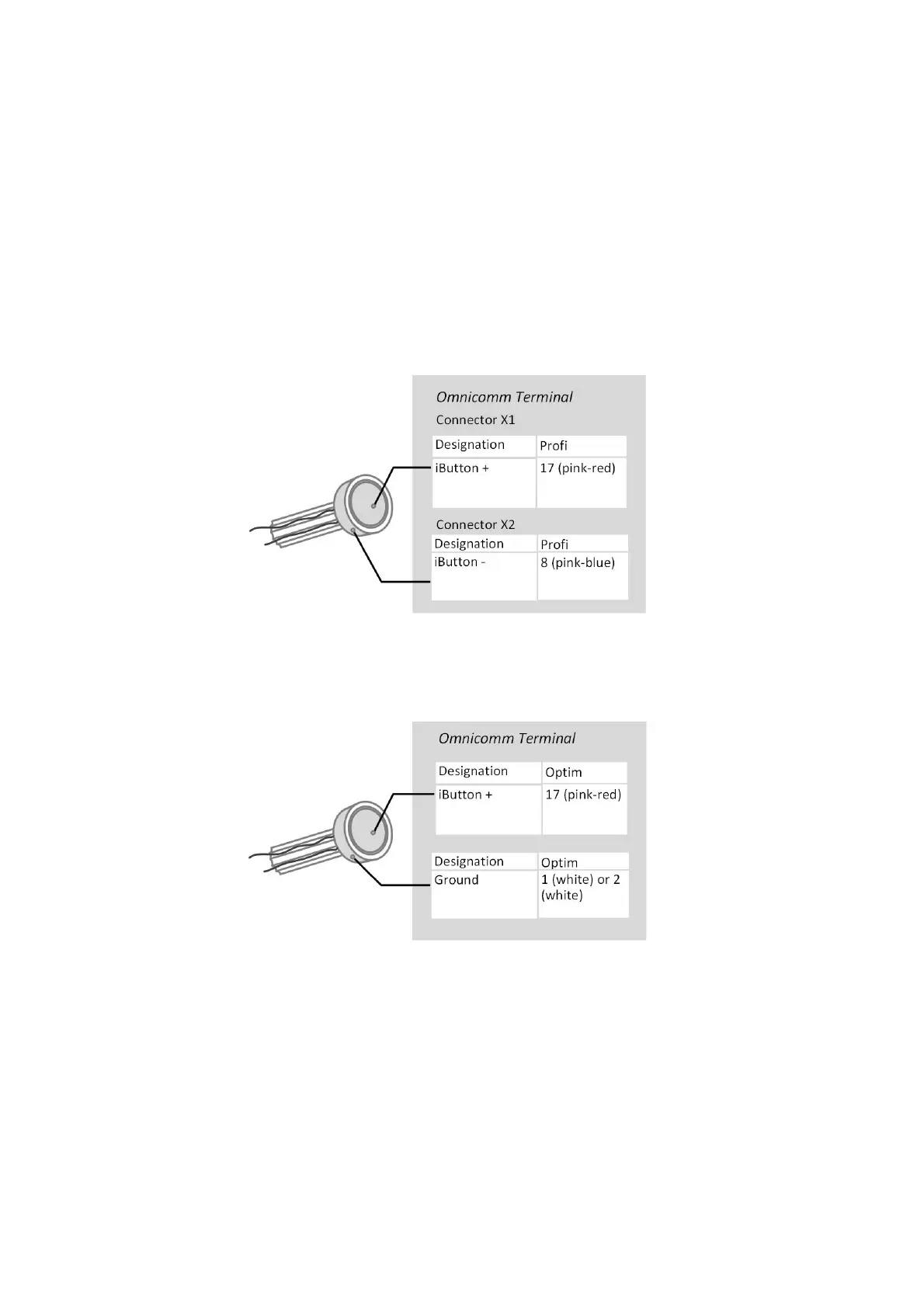
Connect iButton readout device to the Omnicomm Profi, Profi Wi-Fi Terminal
according to the diagram:
Connect iButton readout device to the Omnicomm Optim Terminal according to the
diagram:
iButton readout device must be installed on the vehicle front panel or in the service
cover on the vehicle front panel.
At the installation site, drill a hole Ø9 mm, install the iButton readout device, put on
the ring and lock washer.
Connect the sound emitter:
1. Connect the yellow-red wire of the sound emitter to the controlled output of the
terminal, connect the brown wire to +12 V /(+24 V) vehicle network



 To Next Page