Use a shielded cable. Up to 15m cable length.
Signal name Color
V430-W8□
HOST_RxD Black
HOST_TxD Purple
0V *1 Blue
Signal name Pin No.
External device
to connect
RxD (RD) *2
TxD (SD) *2
GND *2
*
1. 0V is shared with the 0V for V430-F power supply supply, so
please branch it.
*
2. Connect according to your device specifications.
Signal name Pin No.
CJ1W-SCU22
RxD (RD) 3
TxD (SD) 2
GND 9
Example: When using OMRON Serial Communication Unit
5-1-3
Communication Settings (Serial (RS-232C))
RS-232C Communication Settings on the Code Reader
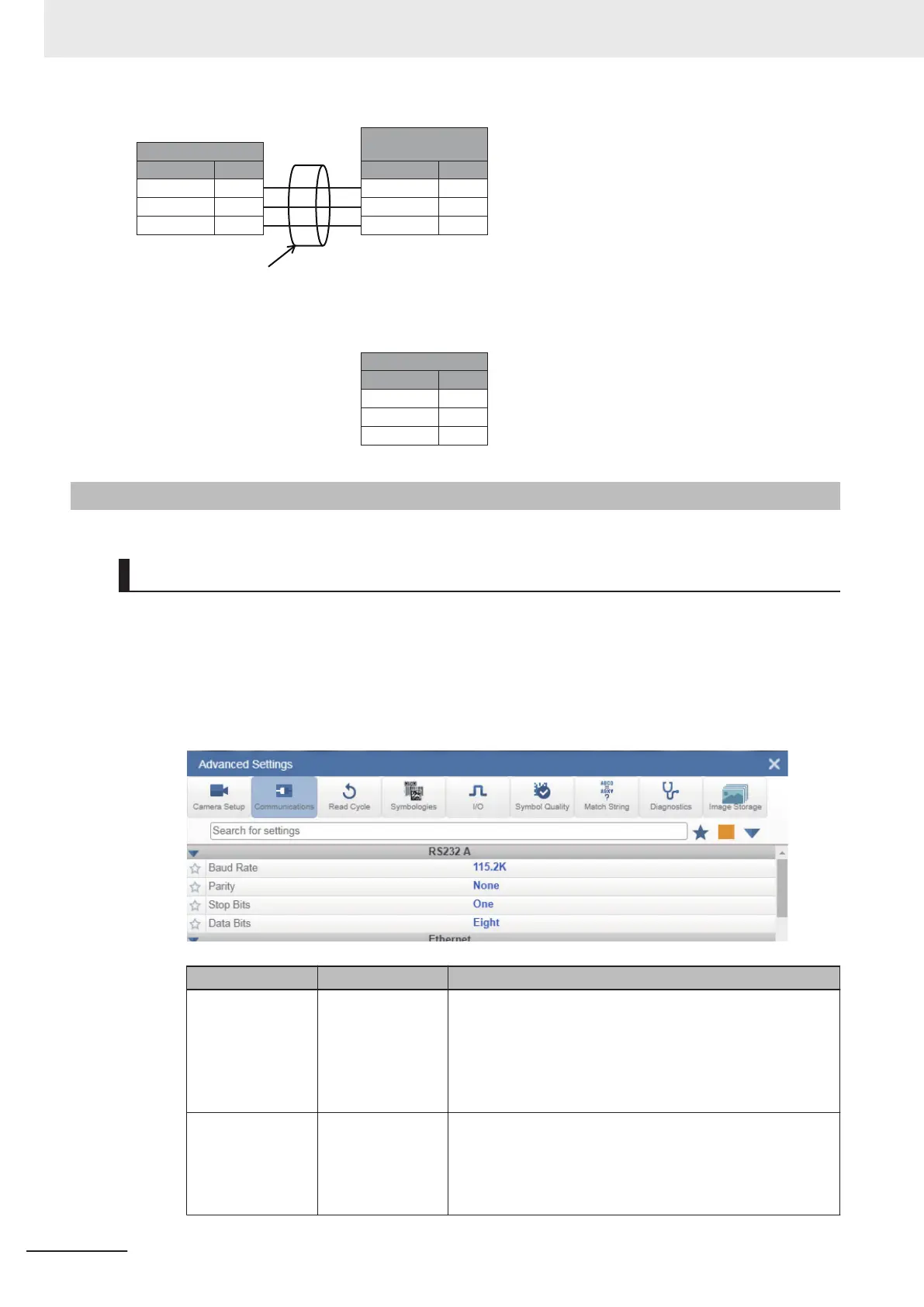
Set the RS-232C communications settings on the code reader according to the settings on the PLC or
other external device.
• WebLink - Setup - Gear Icon - Advanced Settings - Communications - RS-232C
1 Set the Baud Rate, Parity, Stop Bit, and Data Length according to the RS-232C communication
settings of the external device to connect to.
Setting Item Setting Value Description
Baud Rate 600、1200、
2400、4800、
9600、19200、
38400、57600、
115200、230400
(Default: 115200)
Set the transmission speed for RS-232C communications.
Set it to match the communications specifications of the ex-
ternal device.
Parity
• None
(default)
• Odd
• Even
An error detection routine that sets 1 data bit per character to
1 or 0 so that the total number of bits in the data field is even
or odd.
Set it to match the communications specifications of the ex-
ternal device.
5 Controlling Operation and Data Output with RS-232C
5 - 4
V430-F Series Autofocus Multicode Reader User Manual for Communication Settings



 To Next Page
 Loading...


