3. Check and Preparation
3-25
3.8 Attaching Dedicated CT to Measurement Target
Attach the dedicated CT on the wire to the measurement target.
When using a Clamp-on CT (ZN-CT51A), refer to the instruction sheet of the Clamp-on
C T.
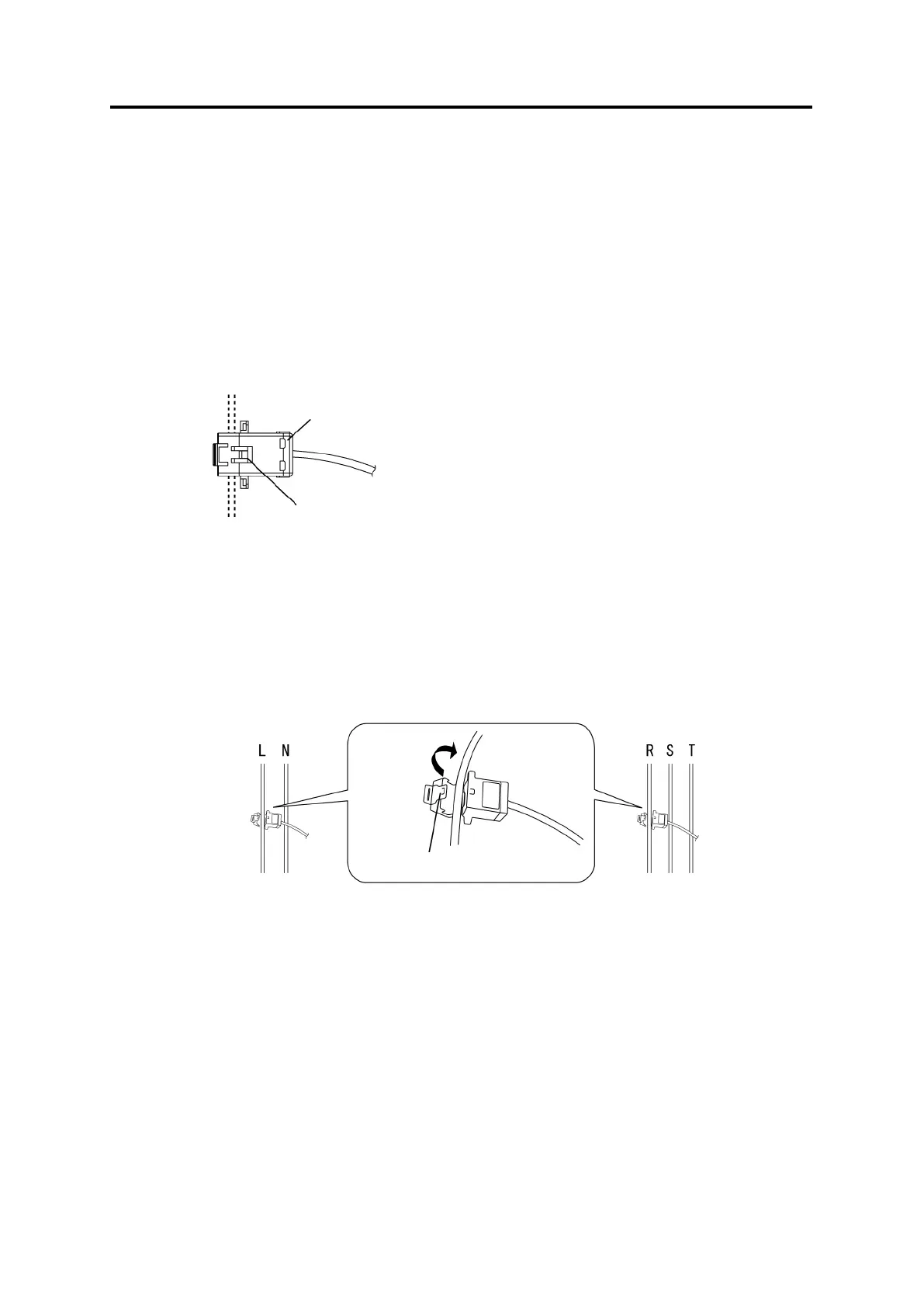
(1) Align the sides of the dedicated CT to the power supply side (K) and load side (L)
correctly. In the figure below, the CT top corresponds to the power supply side and the
bottom to the load side, with the branching/fixing hook facing up.
(2) Spread the CT branching/fixing hook and insert the measurement target wire into the
hook cavity. Let the hook clamp the wire by pressing it until it clicks.
If the number of channels is "1CH", clamp the CT at phase L for a single-phase
two-wire circuit; and clamp at phase R for a three-phase three-wire circuit.
If the number of channels is "2CH", clamp CH1 at phase R and CH3 at phase S for a
single-phase three-wire circuit; and clamp CH1 at phase R and CH3 at phase T for a
three-phase three-wire circuit.
Power Supply Side (K)
Dedicated CT
Load Side (L)
<Single-phase Two-wire> <Three-phase Three-wire>
Power Supply Side (K) Power Supply Side (K)
Load Side (L) Load Side (L)
Branching/Fixing Hook



 To Next Page