OpenText Tableau Forensic TX1 Imager
The Information Company 23
The maximum allowed MTU settings for each link speed are as follows:
• 100 Mbps: 1,500
• 1 Gbps: 9,000
• 10 Gbps: 65,280
Each network device in the end-to-end communication path should use the same MTU
value to achieve optimum and reliable performance. Contact your network administrator
to verify the network configuration.
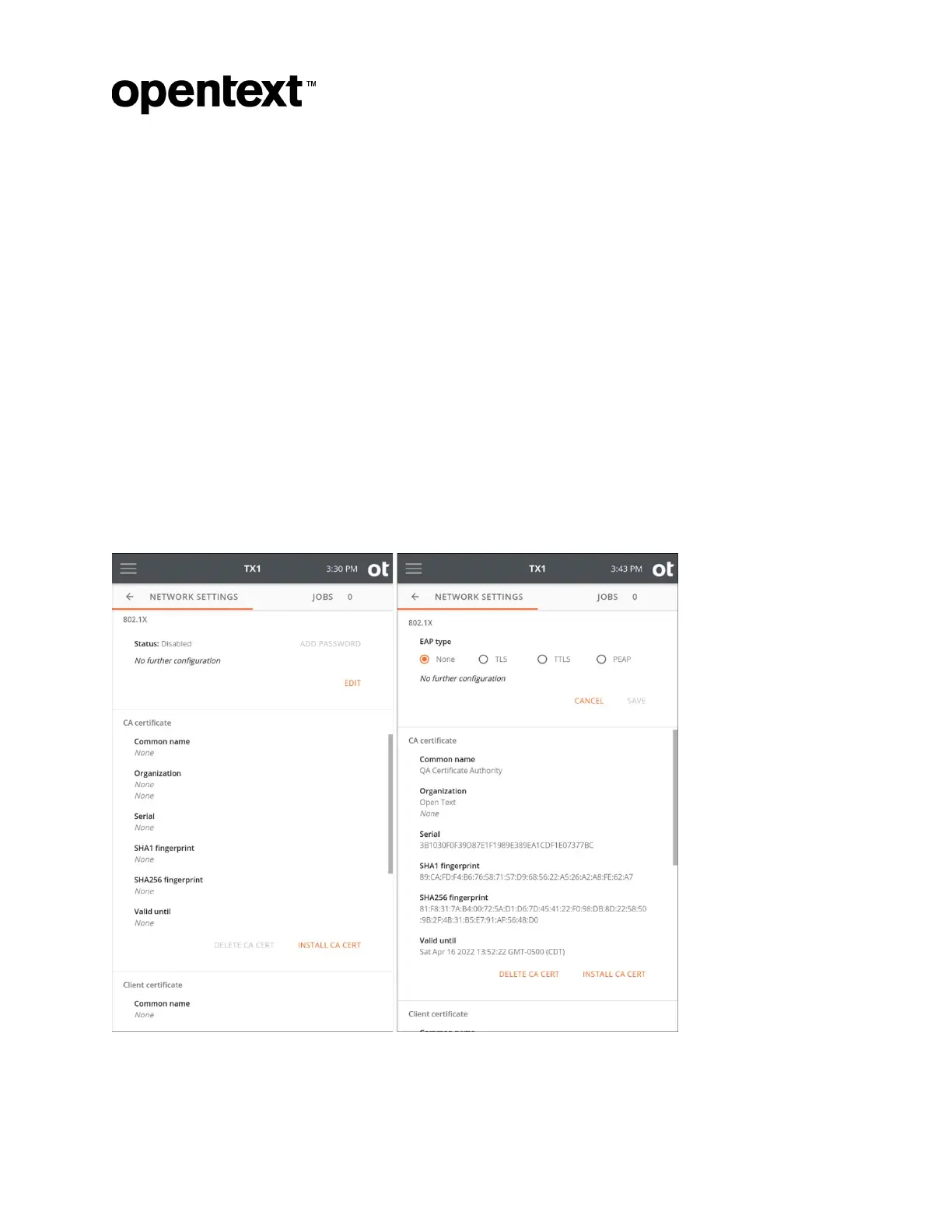
3.2.2.1 Configuring 802.1X network authentication
TX1 can be configured to connect to a network using IEEE 802.1X port-based
authentication. This standard is designed to provide greater control over which physical
devices are allowed on a given network, which greatly improves overall network security.
A typical 802.1X network consists of an authentication server (RADIUS), an authenticator
(LAN switch), and supplicants (network client devices).
To begin setting up your TX1 for use on a network with 802.1X authentication, tap the
Edit button in the bottom right of the 802.1X settings area to choose one of the three EAP
types (TLS, TTLS, or PEAP).
Copyright © 2022 Open Text. All rights reserved. Trademarks owned by Open Text.



 To Next Page