OpenText Tableau Forensic TX1 Imager
The Information Company 53
• The protocol information area shows the fact that no sectors are currently hidden, as
well as how many were exposed when the HPA was removed.
TX1 never makes automatic changes to any drive capacity limiting configurations on
destination drives. TX1 was designed to give the forensic practitioner complete control
over the destination drive. If you choose to restrict the destination drive capacity using
HPA, DCO, or AMA TX1 will not override that decision.
3.3.6.2 Non-volatile HPA/DCO/AMA removal
The HPA/DCO/AMA Disable media utility permanently disables the HPA, DCO, or
AMA configurations on the source drive. Note that for HPA/DCO, you cannot remove a
DCO-protected region on a drive without also removing any HPA-protected region, as
defined by the ATA specification.
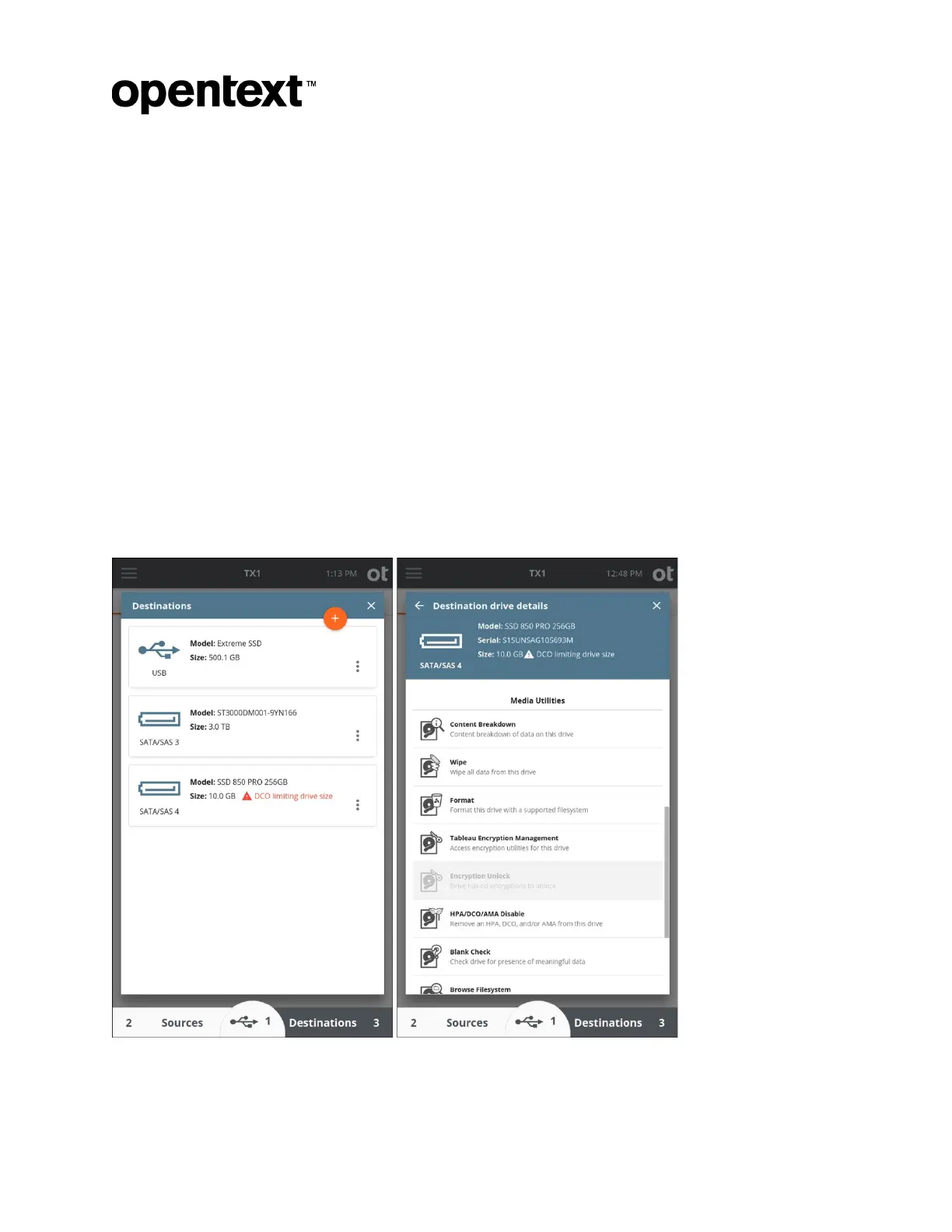
If a drive has a DCO or ACA configured, a red warning message is displayed on the drive
tile indicating DCO or AMA is limiting the drive size (as shown in the DCO example
below). Permanently disabling a DCO (and any HPA on that drive) or AMA is done from
the media utilities portion of the drive details screen for a given drive. Drive details can be
viewed through the Sources and Destinations areas of the main Home page or from the
Select a Source or Select a Destination areas during duplication job setup.
Copyright © 2022 Open Text. All rights reserved. Trademarks owned by Open Text.



 To Next Page