78 The Information Company
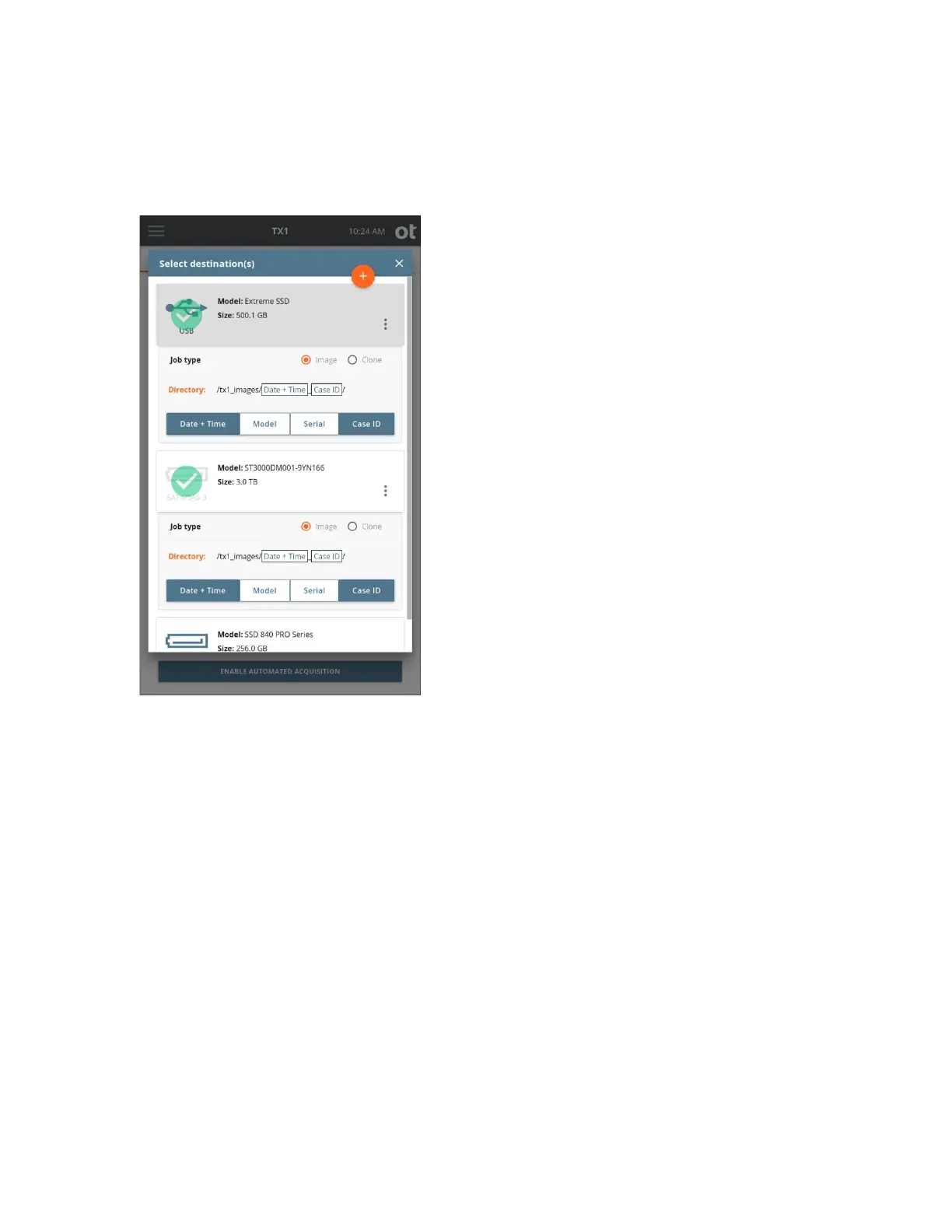
5. To change or add the destination drive(s) tap the 3 or Destination(s) heading. From
the destination list modal that is displayed, select one or more drives from the list.
For eac
h selected destination drive, a Job type panel expands below the Drive tile.
Note: Make sure to select Image as the job type for each destination drive. While it is
possible to set a Clone job type here, that is not an option for automated acquisition
jobs.
For image job types, the default destination directory path is displayed. To change
the destination base directory, tap the orange Directory label to enter a Browse
modal where you can select a different destination base directory, create and select a
new directory, or delete a directory. Tap one or more of the four buttons (Date and
Time, Model, Serial, or Case ID) under the directory path to add variables as names
for a destination sub-directory. Each variable can only be selected once.
Underscores are printed as separators between multiple variable names.
The Image option in the Job type panel will be disabled if the destination drive does
not have a recognized filesystem. If an image destination is desired, format the
destination drive by selecting the details option from the additional options menu
Copyright © 2022 Open Text. All rights reserved. Trademarks owned by Open Text.



 To Next Page