OpenText Tableau Forensic TX1 Imager
The Information Company 79
(three vertical dots at the right side of the drive tile) or from the Destinations button
on the Home screen.
To make a network share visible in the Source or Destination selection lists in a job
setup screen, first add and mount the share from the Sources or Destinations
buttons on the Main screen.
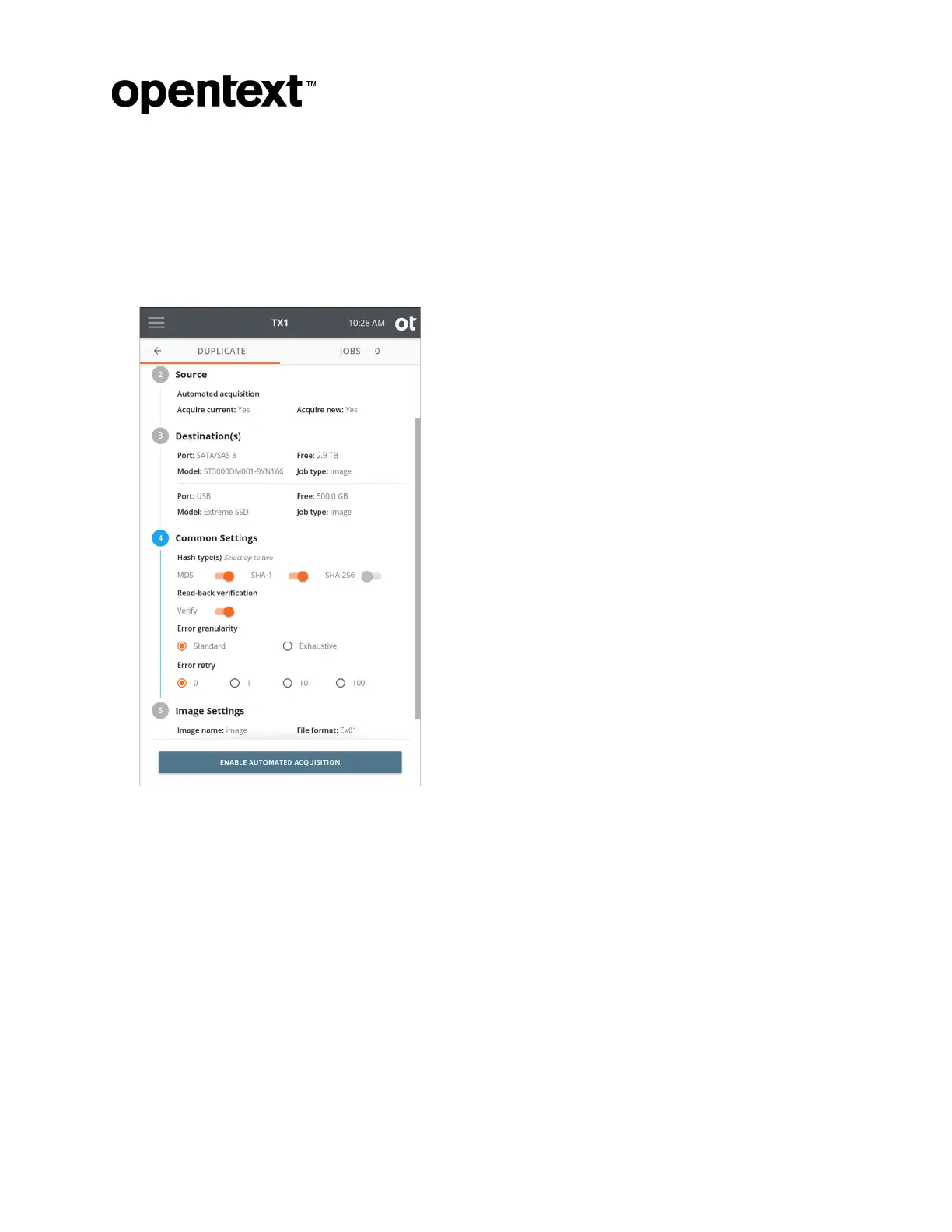
6. To change the common settings, tap the 4 or Common Settings heading.
Select
up to two hash types of MD5, SHA-1, and SHA-256. Some hash types will be
disabled for certain image file formats such as ex01 and e01.
Error Granularity defines the granularity of failed reads from the source drive. The
default setting of Standard attempts to recover data down to a 32 kB resolution. The
Exhaustive setting attempts to recover data down to a single sector.
Note: The default error granularity setting is Standard, which will result in a minimum
chunk of 32kB of source data (64 sectors for a 512B sector drive) that will get
skipped and filled with zeros upon completion of the attempted reads (assuming no
reads were successful). If this condition is encountered, consider changing the error
granularity setting to be Exhaustive, which will result in repeated read attempts of
the error region with decreasing sector sizes. This will maximize the amount of
recoverable data and minimize the sectors that get skipped and filled with zeros.
Copyright © 2022 Open Text. All rights reserved. Trademarks owned by Open Text.



 To Next Page