OpenText Tableau Forensic TX1 Imager
The Information Company 81
If any source drives were previously connected to the system and the Acquire
Currently Connected option was set in step 3 above, then a job will be started or
queued for each of the connected drives.
If no source drives were previously connected to the system or the Acquire
Currently Connected option was disabled in step 3 above, then no automated jobs
will be started until a new source drive is detected by the system.
It is important to note that, while in Automated Acquisition mode, new jobs can still be
manually added, and they will run as soon as their required resources are available.
Any jobs that were automatically started by the system will show (Auto) next to the
checkmark on the drive tile that indicates a drive was acquired (or is being acquire, in
the case of a hollow checkmark). This helps you keep track of which jobs were
manually or automatically initiated.
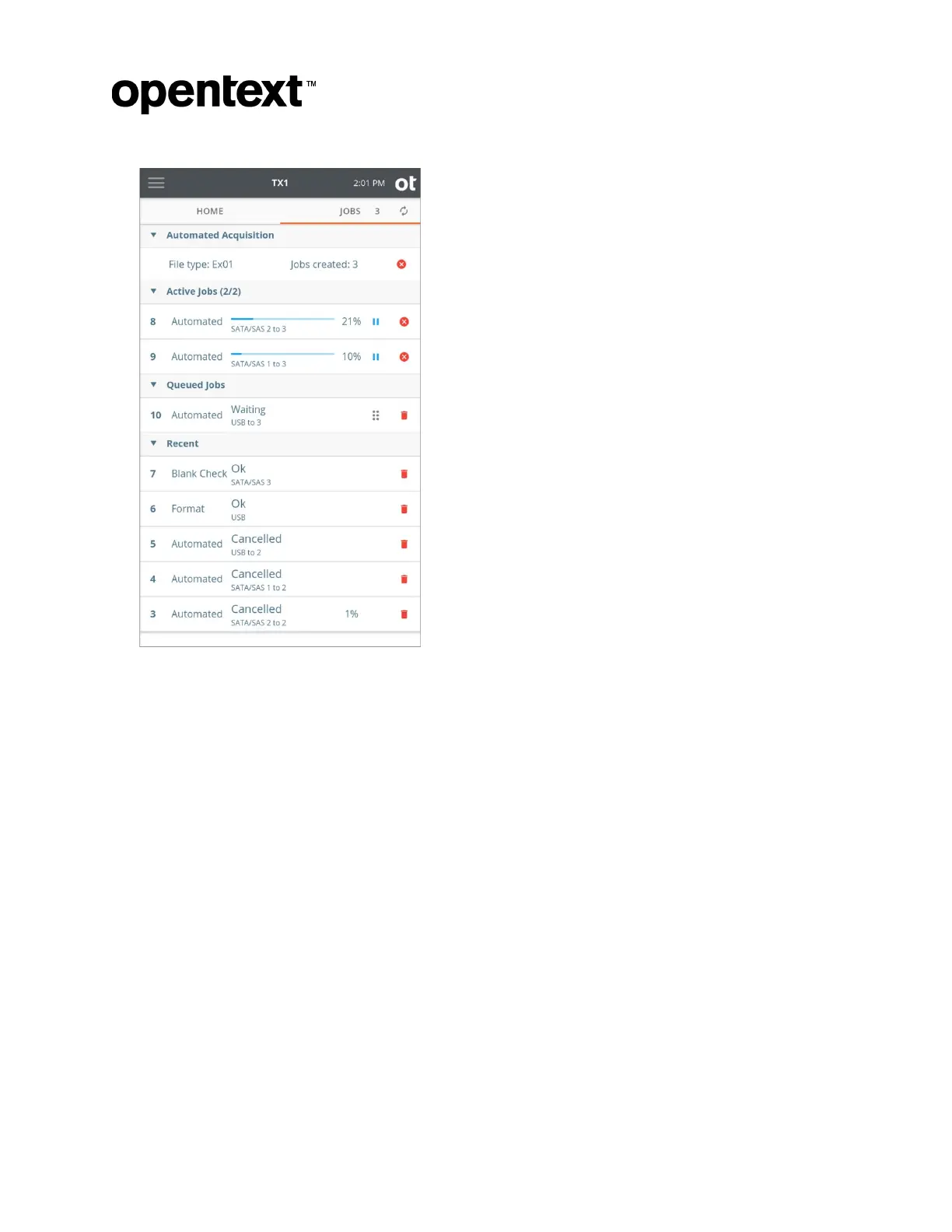
Note that automated acquisition jobs will never take you directly to the Job Status
screen. These jobs are always shown in the Jobs tab as Automated (instead of
Duplication or Logical), and their Job Status screen can be viewed at any time by
tapping on the job row in the Jobs tab.
Copyright © 2022 Open Text. All rights reserved. Trademarks owned by Open Text.



 To Next Page