244
Power check
[Function specic to LP-Z series / LP-SxxxW type]
* This function is not implemented in the LP-M series /LP-Sxxx type.
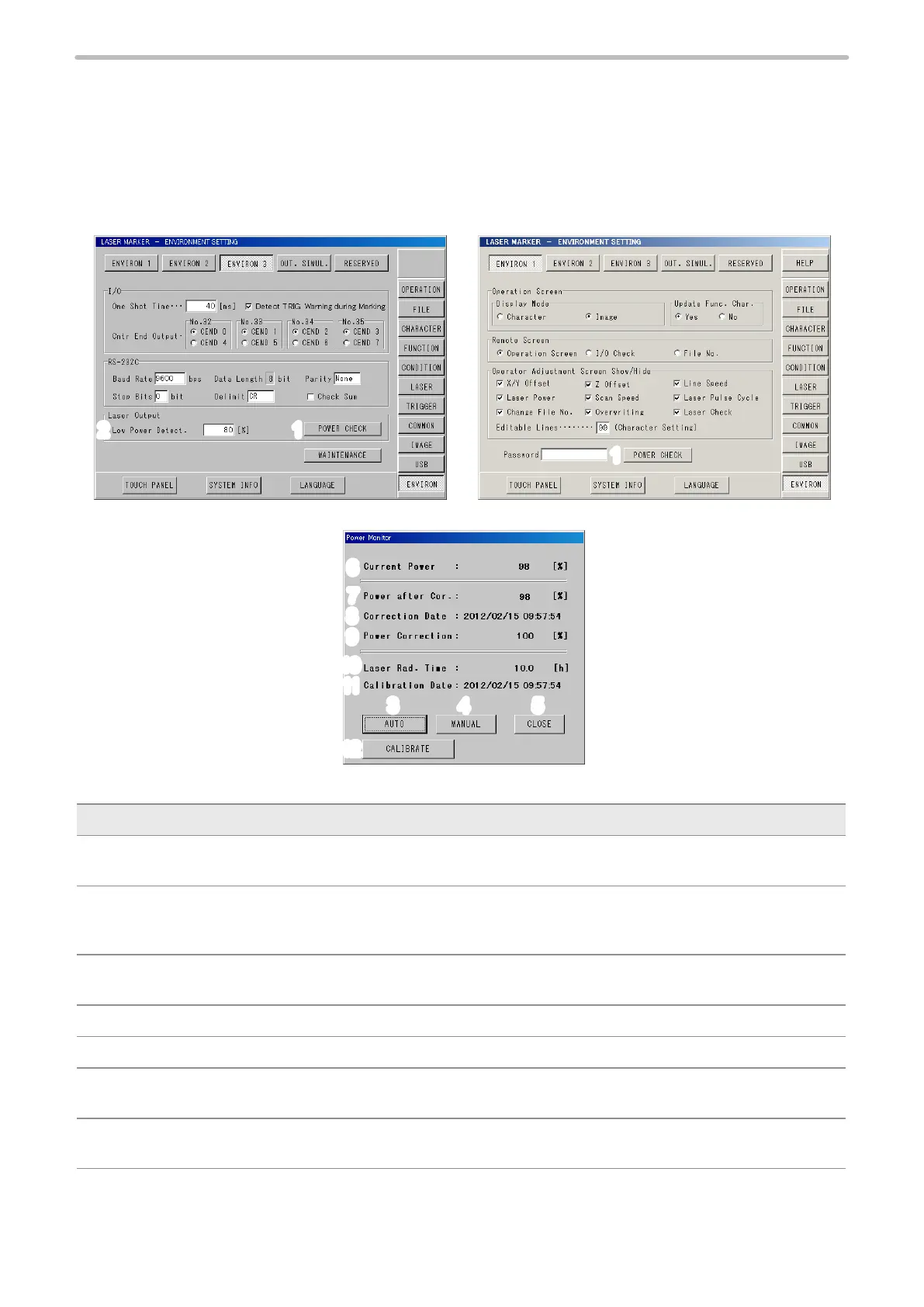
The current power of the laser marker against the output of the laser marker at shipping is possible to be checked. If the
laser power decreases from the delivery state, the power setting value can be adjusted.
12
1
LP-SxxxW type LP-Z series
3
6
7
8
9
10
11
12
4
5
Measurement result window
Item Description
1 Power Check : By pressing the button, Power Check Start screen will appear, and after executing the
power check, the measurement result screen above will be displayed.
2 Low alarm limit
(LP-SxxxW type
only)
: Set the decay percentage relative to the initial output of the laser oscillator. If the
measurement falls below the preset limit during the Power check, an error message
appears.
3 Auto Correction : If the laser power decreases from the delivery state, adjust the power setting value
based on the auto calculated ratio.
4 Manual Correction : The power correction rate can be set arbitrarily.
5 Close : Returns to the environment setting screen.
6 Current Power : The current laser power ratio [%] relative to initial power is displayed. If this value is less
than 100, correct the laser power.
7 Corrected Power : The laser power ratio [%] after power correction is displayed. Make correction so that the
value is as close to 100 as possible.


 To Next Page
 Loading...



