33
1. Set the lot.
1.
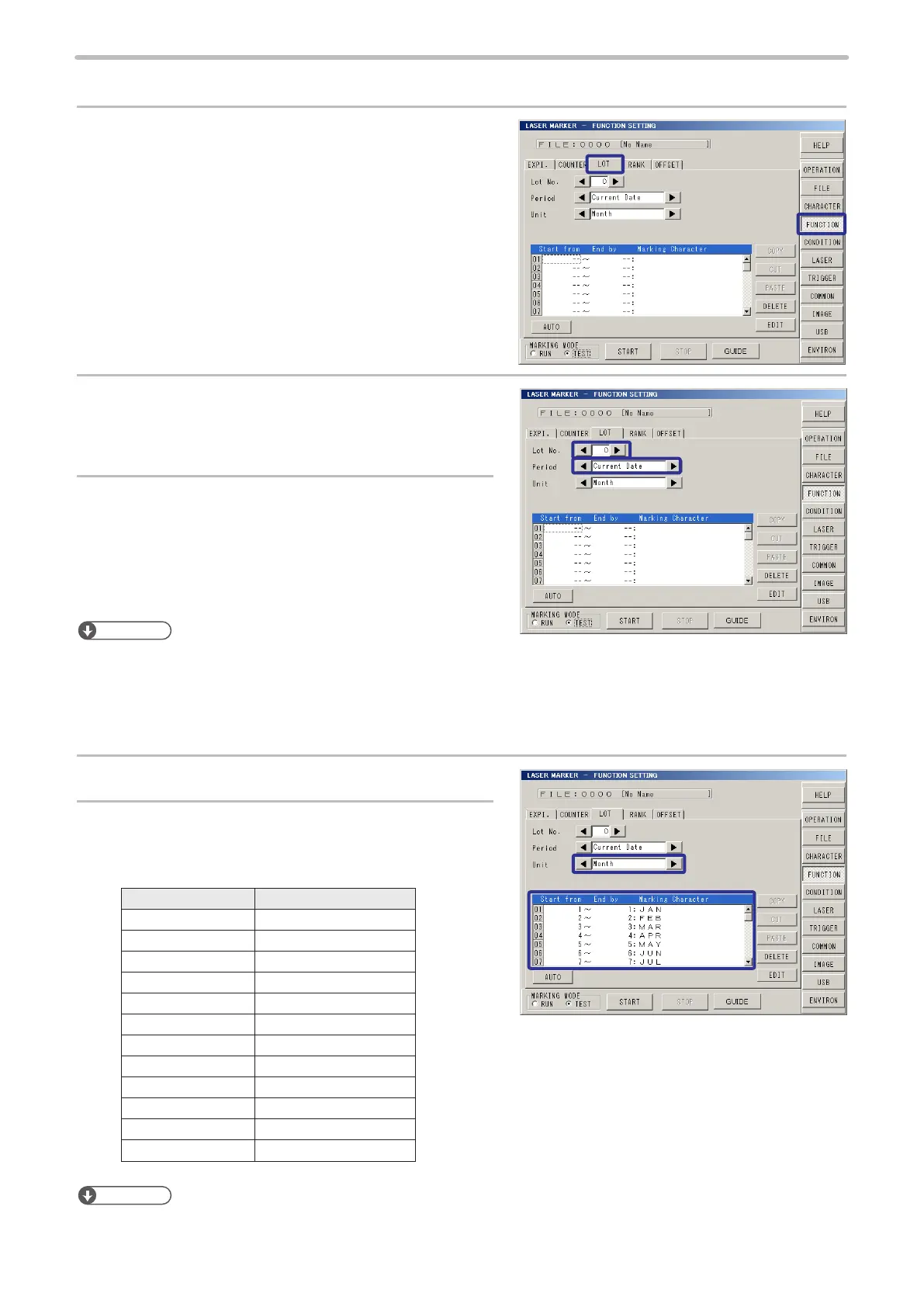
Press [FUNCTION] , and press [LOT].
2.
Set “0” to [Lot No.].
3.
Set “Current Date” to [Period].
Reference
• The lot is settable up to 4 per le (0 to 3). Other than this setting, the setting for “common lot” (4 to 7) that are common to
all les are available. Refer to “2-13 Common Setting” (P.205).
• The period of the lot is selectable among “Expiry 1” to “Expiry 8”, “Counter 0” to “Common Counter 7” other than “Current
Date”. Refer to “2-9-3 Lot” (P.122).
4.
Set “Month” to [Unit].
5.
Dene [Start from], [End by] and [Marking
Character].
Set the period and marking character as follows:
Period Marking Character
1 to 1 JAN
2 to 2 FEB
3 to 3 MAR
4 to 4 APR
5 to 5 MAY
6 to 6 JUN
7 to 7 JUL
8 to 8 AUG
9 to 9 SEP
10 to 10 OCT
11 to 11 NOV
12 to 12 DEC
Reference
• Set the both period of start and end.



 To Next Page