34
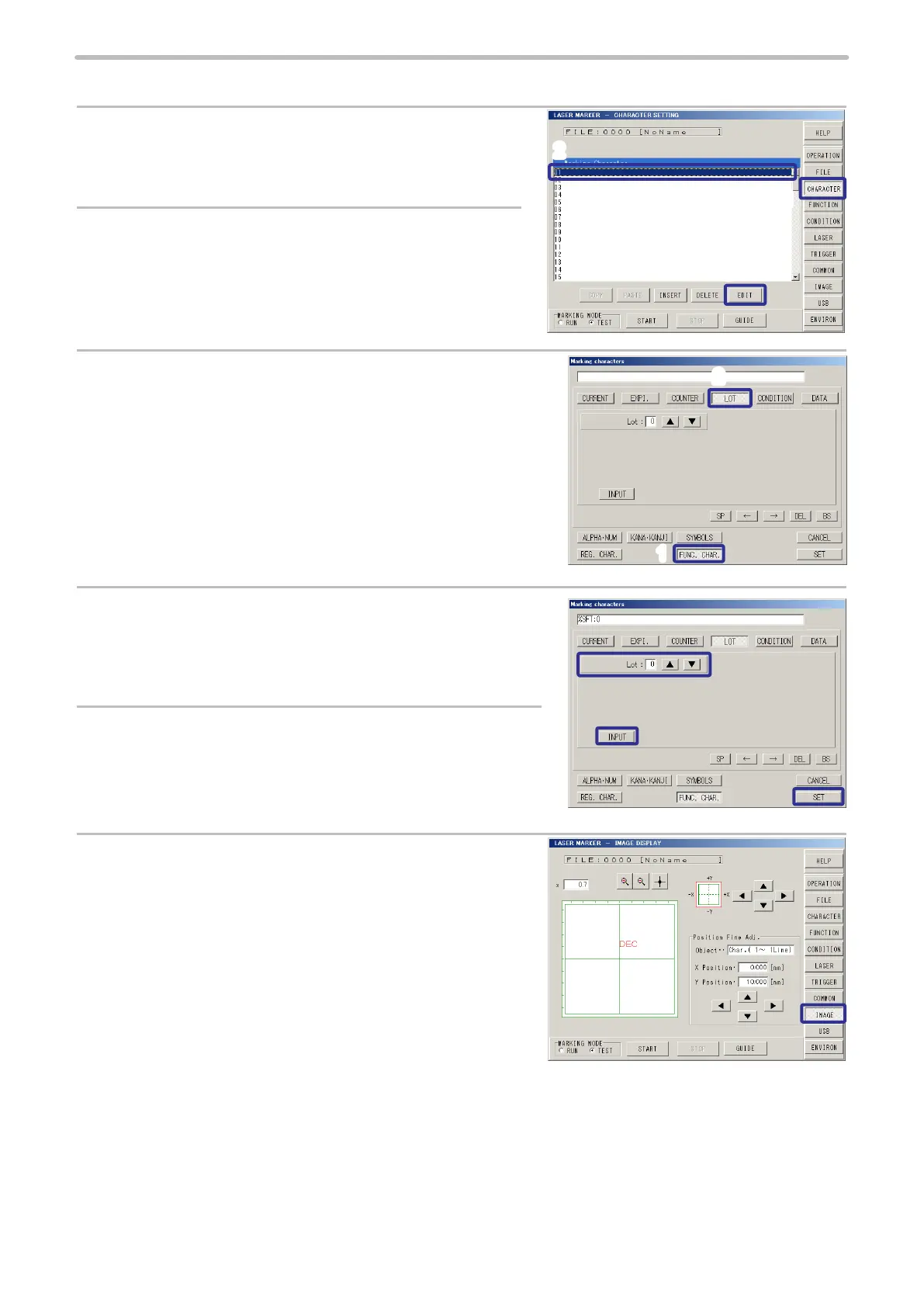
2. Input the function character of the lot.
1.
Press [CHARACTER].
2.
Select the rst line (01), and press [EDIT].
Or double-click the rst line (01).
3.
Press [FUNC. CHAR.] (FUNCTION CHARACTER), and
press [LOT].
4.
Set “0” to [Lot] (Lot No.).
5.
Press [INPUT], and then press [SET].
The “%SFT:0” is input to rst line of the marking character string.
6.
Press [IMAGE] to check the marking layout.
3
2
1
2
1



 To Next Page