46
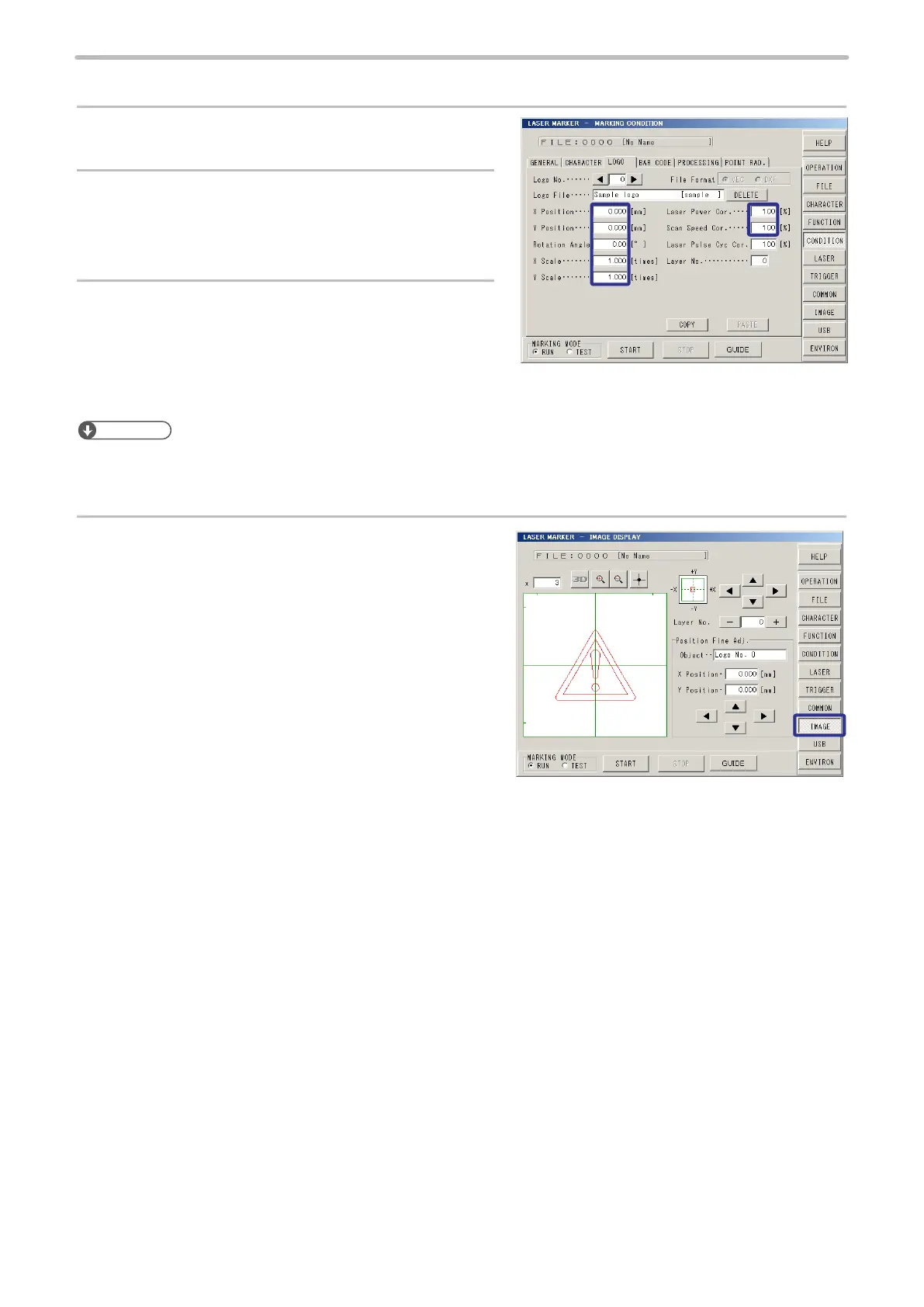
2. Set condition for logo.
1.
Set “1” to both [X Scale] and [Y Scale].
2.
Set “0.000 mm” to [X Position].
Set “0.000 mm” to [Y Position].
Set “0.00 degree” to [Rotation Angle].
3.
Set “100%” to [Laser Power Cor.] (Laser Power
Correction).
Set “100%” to [Scan Speed Cor.] (Scan Speed
Correction).
Reference
• To adjust the laser power and/or scan speed set in the laser setting screen only for the logo data, input the correction
ratio in this screen. Refer to “2-10-3 Logo Condition” (P.155).
4.
Press [IMAGE] to check the marking layout.



 To Next Page