49
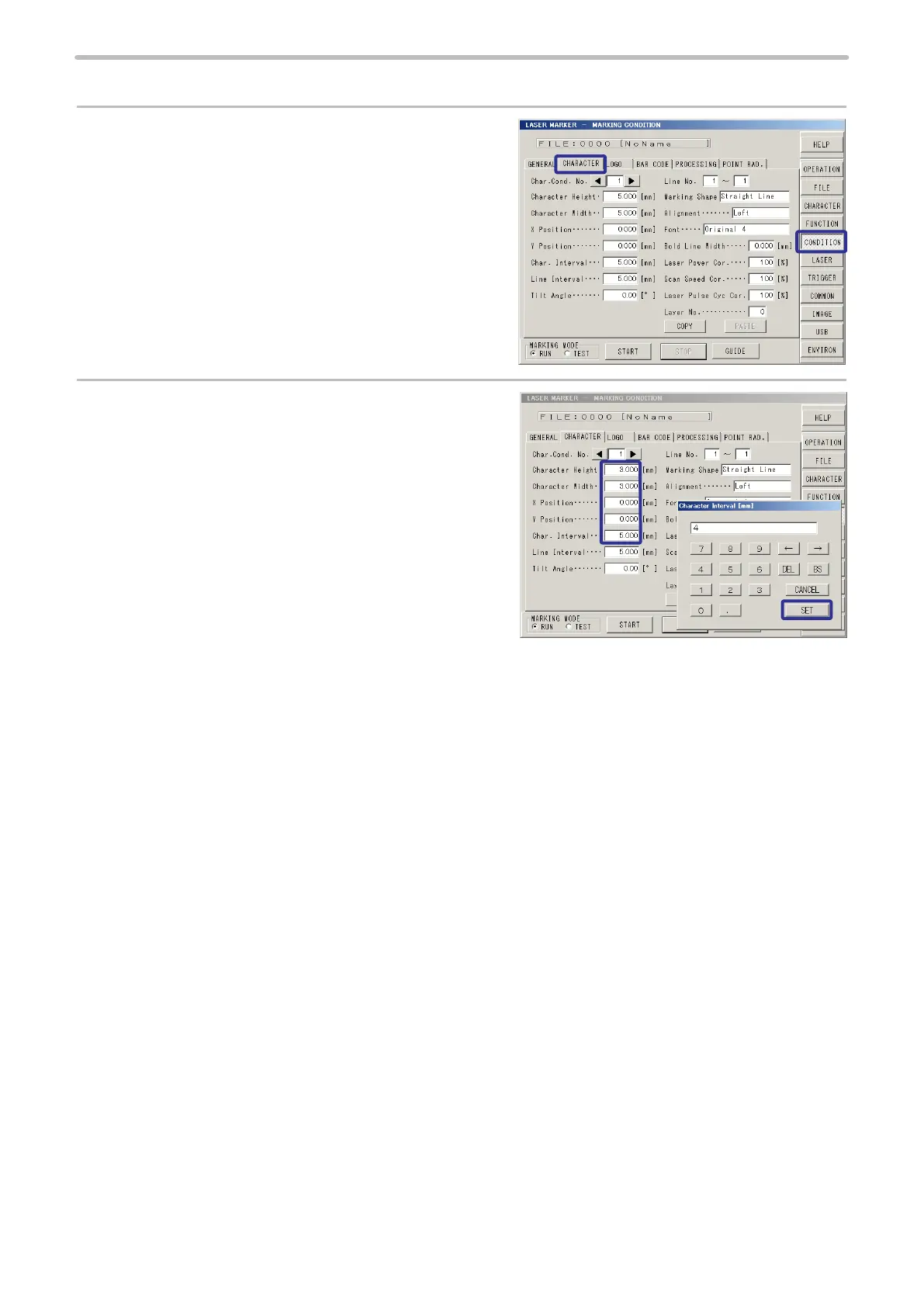
2. Set character condition.
1.
Press [CONDITION].
Then, press [CHARACTER].
2.
Set “3.000 mm” to [Character Height].
Set “3.000 mm” to [Character Width].
Set “0.000 mm” to [X Position].
Set “0.000 mm” to [Y Position].
Set “4.000 mm” to [Char. Interval] (Character
Interval).



 To Next Page