50
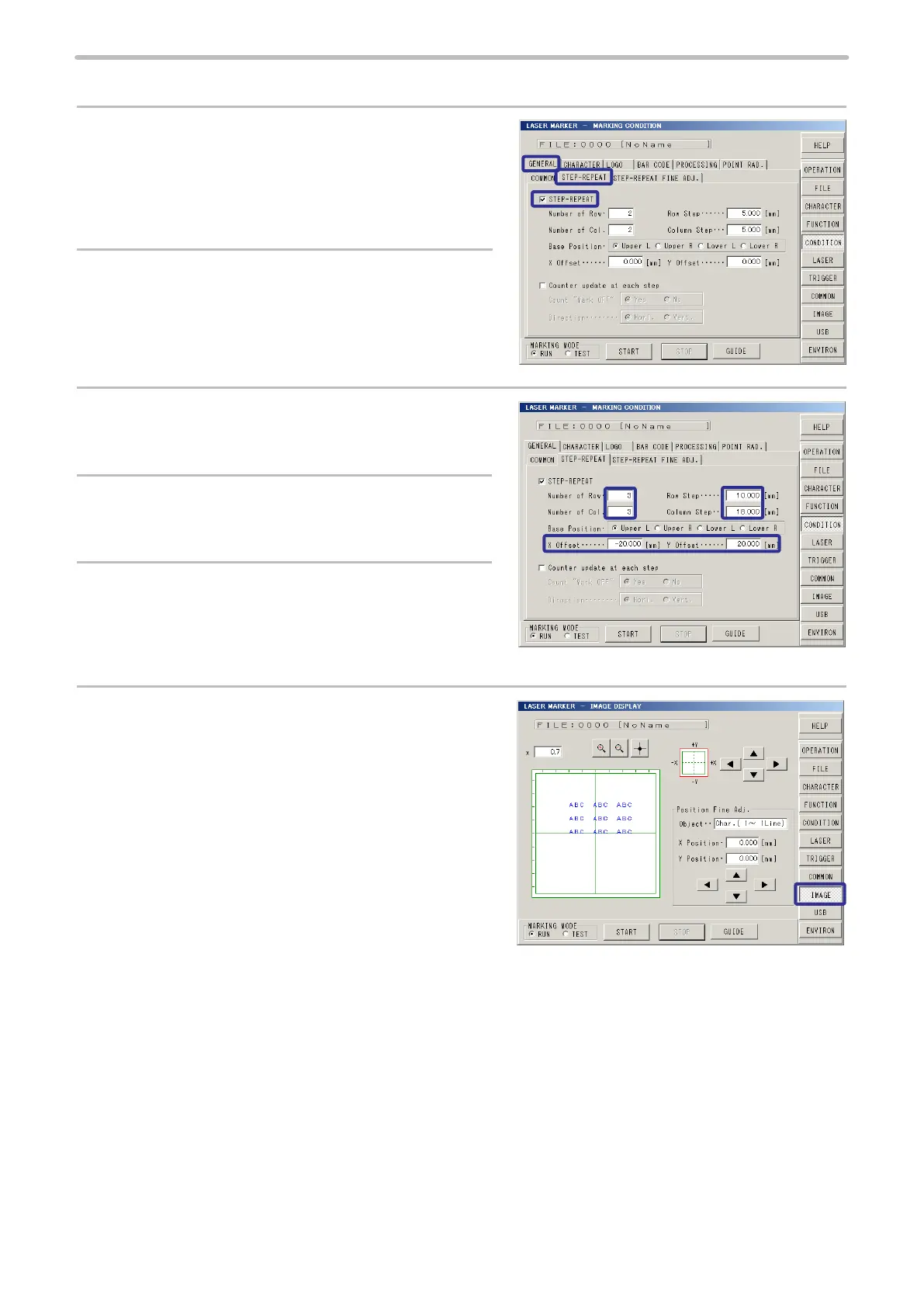
3. Set the conditions for Step & Repeat.
1.
Press [GENERAL].
Then, press [STEP-REPEAT].
2.
Check [STEP-REPEAT].
3.
Set “3” to [Number of Row].
Set “3” to [Number of Col.] (Number of Column).
4.
Set “10 mm” to [Row Step].
Set “18 mm” to [Col. Step] (Column Step).
5.
Set “-20.000 mm” to [X Offset].
Set “20.000 mm” to [Y Offset].
6.
Press [IMAGE] to check the marking layout.



 To Next Page