EasyManua.ls Logo

Panasonic NV-RX37A - Attaching the Charged Battery.12

Panasonic NV-RX37A
79 pages
Print Icon
To Next Page IconTo Next Page
To Previous Page IconTo Previous Page
Loading...
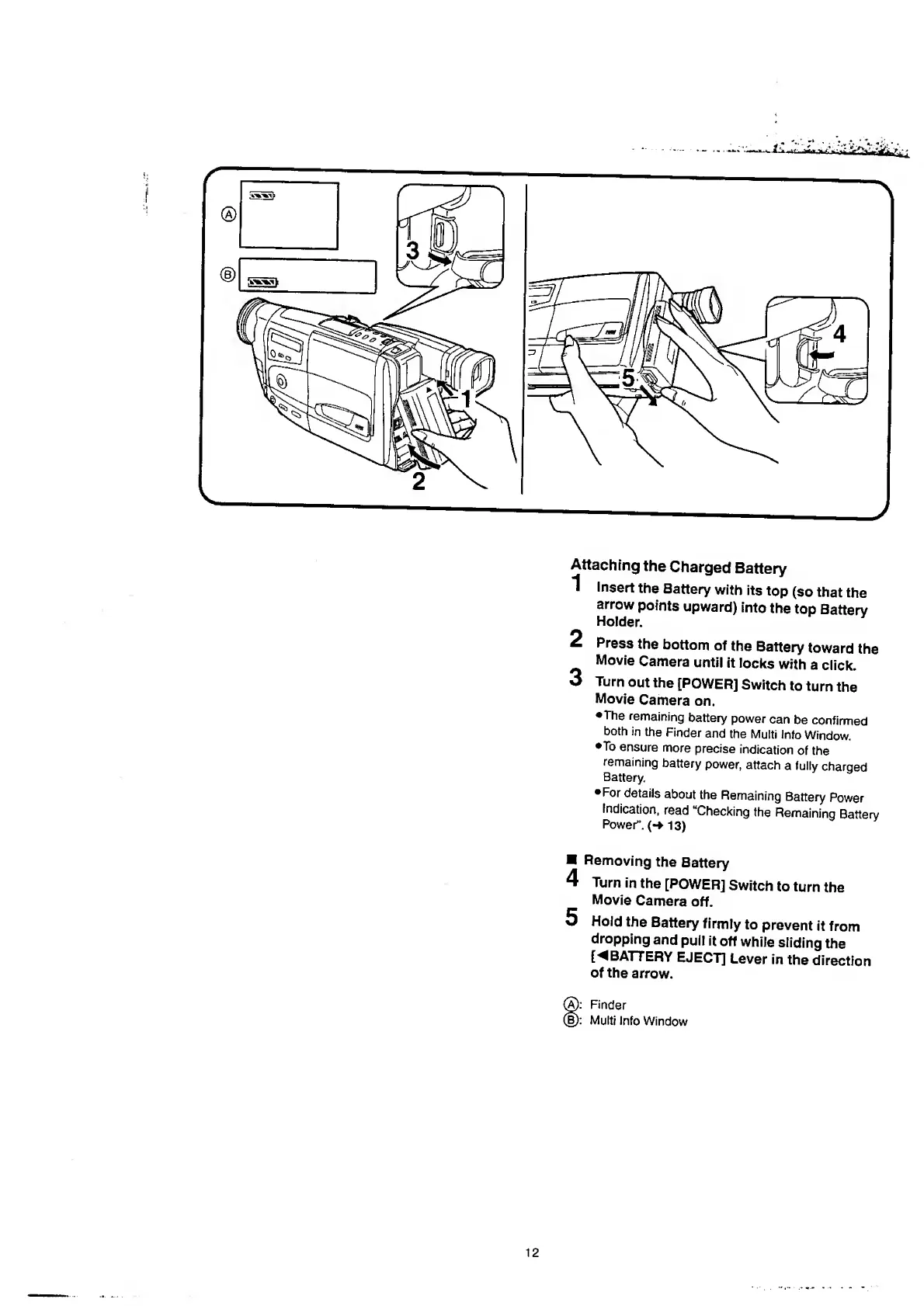
Attaching
the
Charged
Battery
1
Insert
the
Battery
with
its
top
(so
that
the
arrow
points
upward)
into
the
top
Batterv
Holder.
2
Press
the
bottom
of
the
Battery
toward
the
Movie
Camera
until
it
locks
with
a
click.
3
Turn
out
the
[POWER]
Switch
to
turn
the
Movie
Camera
on.
•The
remaining
battery
power
can
be
confirmed
both
in
the
Finder
and
the
Multi
Info
Window.
•To
ensure
more
precise
indication
of
the
remaining
battery
power,
attach
a
fully
charged
Battery.
•For
details
about
the
Remaining
Battery
Power
Indication,
read
“Checking
the
Remaining
Battery
Power”.
(*
1
3
)
Removing
the
Battery
4
Turn
in
the
[POWER]
Switch
to
turn
the
Movie
Camera
off.
5
Hold
the
Battery
firmly
to
prevent
it
from
dropping
and
pull
it
off
while
sliding
the
[
B
ATTERY
EJECT]
Lever
in
the
direction
of
the
arrow.
®:
Finder
(b):
Multi
Info
Window

Table of Contents

Related product manuals