EasyManua.ls Logo

Panasonic NV-RX37A - Multi Info Window

Panasonic NV-RX37A
79 pages
Print Icon
To Next Page IconTo Next Page
To Previous Page IconTo Previous Page
Loading...
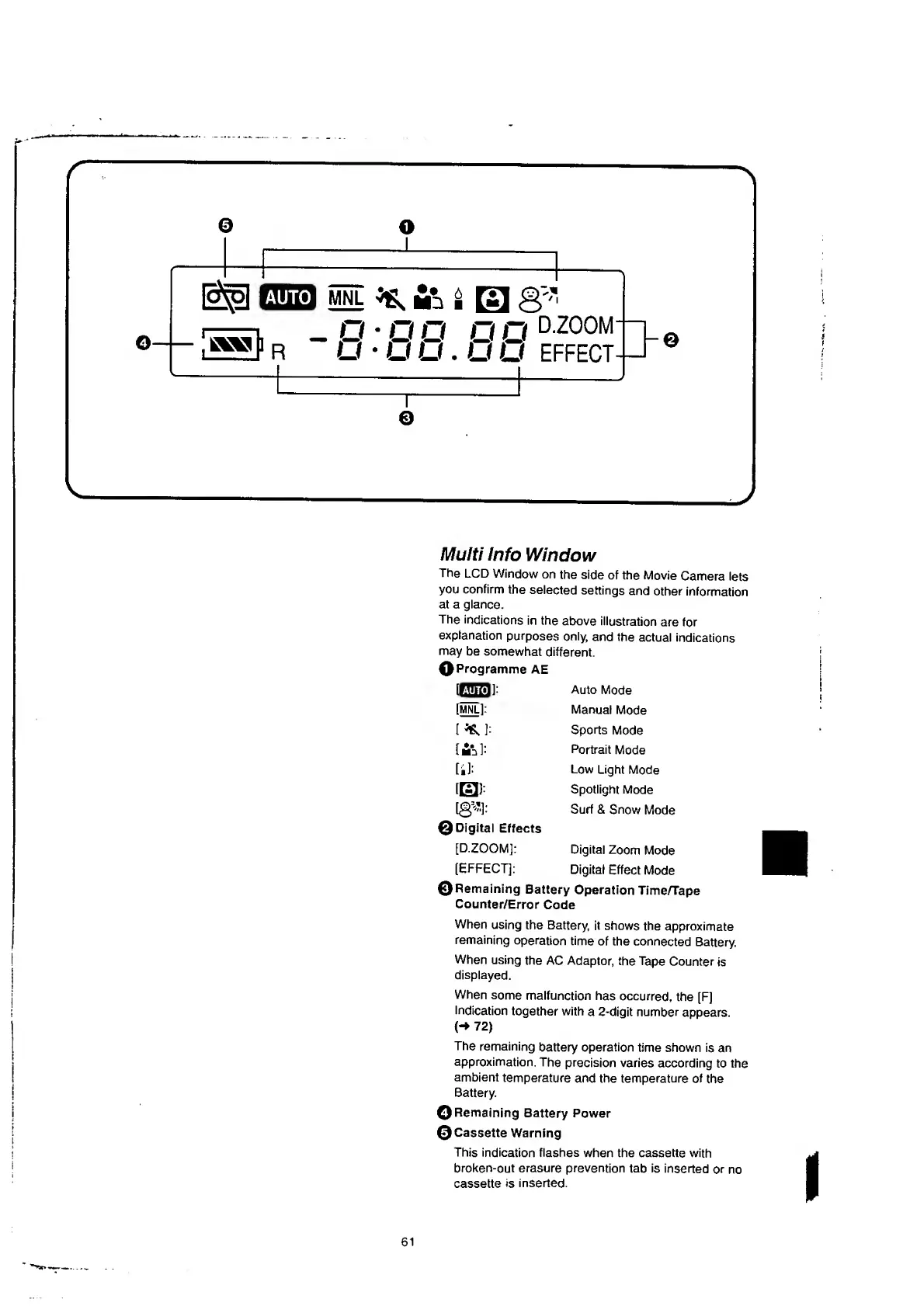
Multi
Info
Window
The
LCD
Window
on
the
side
of
the
Movie
Camera
lets
you
confirm
the
selected
settings
and
other
information
at
a
glance.
The
indications
in
the
above
illustration
are
for
explanation
purposes
only,
and
the
actual
indications
may
be
somewhat
different.
O
Programme
AE
[|iliU!|]
:
Auto
Mode
[
MNL
l:
Manual
Mode
[
^
]:
Sports
Mode
[
]:
Portrait
Mode
tb):
Low
Light
Mode
[
El
):
Spotlight
Mode
[0^]:
Surf
&
Snow
Mode
©
Digital
Effects
[D.ZOOM]:
Digital
Zoom
Mode
[EFFECT]:
Digital
Effect
Mode
©Remaining
Battery
Operation
Time/Tape
Counter/Error
Code
When
using
the
Battery,
it
shows
the
approximate
remaining
operation
time
of
the
connected
Battery.
When
using
the
AC
Adaptor,
the
Tape
Counter
is
displayed.
When
some
malfunction
has
occurred,
the
[F]
Indication
together
with
a
2-digit
number
appears.
<->
72)
The
remaining
battery
operation
time
shown
is
an
approximation.
The
precision
varies
according
to
the
ambient
temperature
and
the
temperature
of
the
Battery.
©
Remaining
Battery
Power
©Cassette
Warning
This
indication
flashes
when
the
cassette
with
broken-out
erasure
prevention
tab
is
inserted
or
no
cassette
is
inserted.
61

Table of Contents

Related product manuals