EasyManua.ls Logo

Panasonic NV-RX37A - Inserting the Cassette.zzzl

Panasonic NV-RX37A
79 pages
Print Icon
To Next Page IconTo Next Page
To Previous Page IconTo Previous Page
Loading...
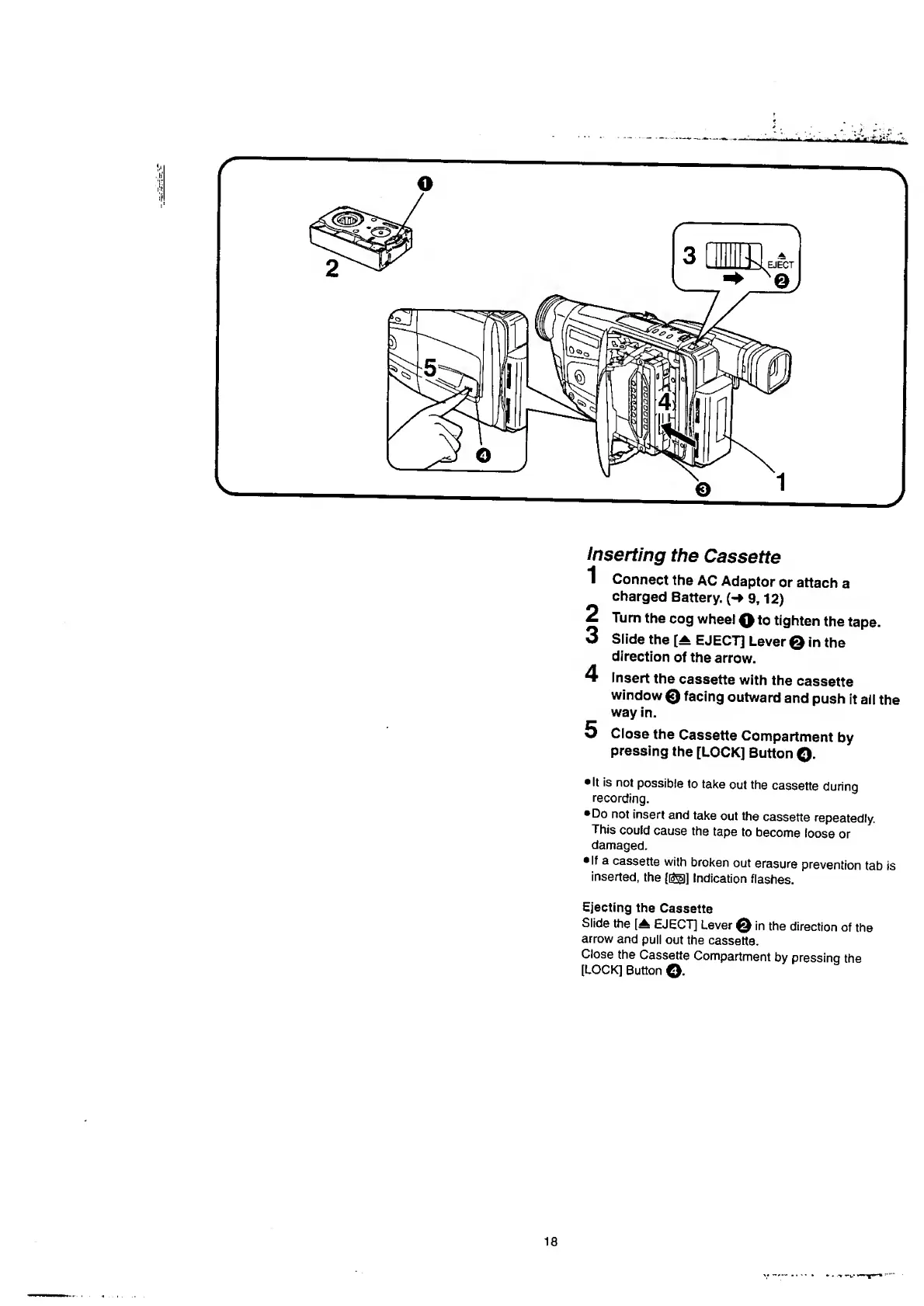
inserting
the
Cassette
1
Connect
the
AC
Adaptor
or
attach
a
charged
Battery.
(-
9,
1
2
)
2
Turn
the
cog
wheel
Q
to
tighten
the
tape.
3
Slide
the
EJECT]
Lever
0
in
the
direction
of
the
arrow.
4
Insert
the
cassette
with
the
cassette
window
0
facing
outward
and
push
it
ail
the
way
in.
5
Close
the
Cassette
Compartment
by
pressing
the
[LOCK]
Button
©.
It
is
not
possible
to
take
out
the
cassette
during
recording.
Do
not
insert
and
take
out
the
cassette
repeatedly.
This
could
cause
the
tape
to
become
loose
or
damaged.
If
a
cassette
with
broken
out
erasure
prevention
tab
is
inserted,
the
([£§]]
Indication
flashes.
Ejecting
the
Cassette
Slide
the
[A
EJECT]
Lever
0
in
the
direction
of
the
arrow
and
puli
out
the
cassette.
Close
the
Cassette
Compartment
by
pressing
the
[LOCK]
Button
©

Table of Contents

Related product manuals