EasyManua.ls Logo

Panasonic NV-RX37A - Digital Fade

Panasonic NV-RX37A
79 pages
Print Icon
To Next Page IconTo Next Page
To Previous Page IconTo Previous Page
Loading...
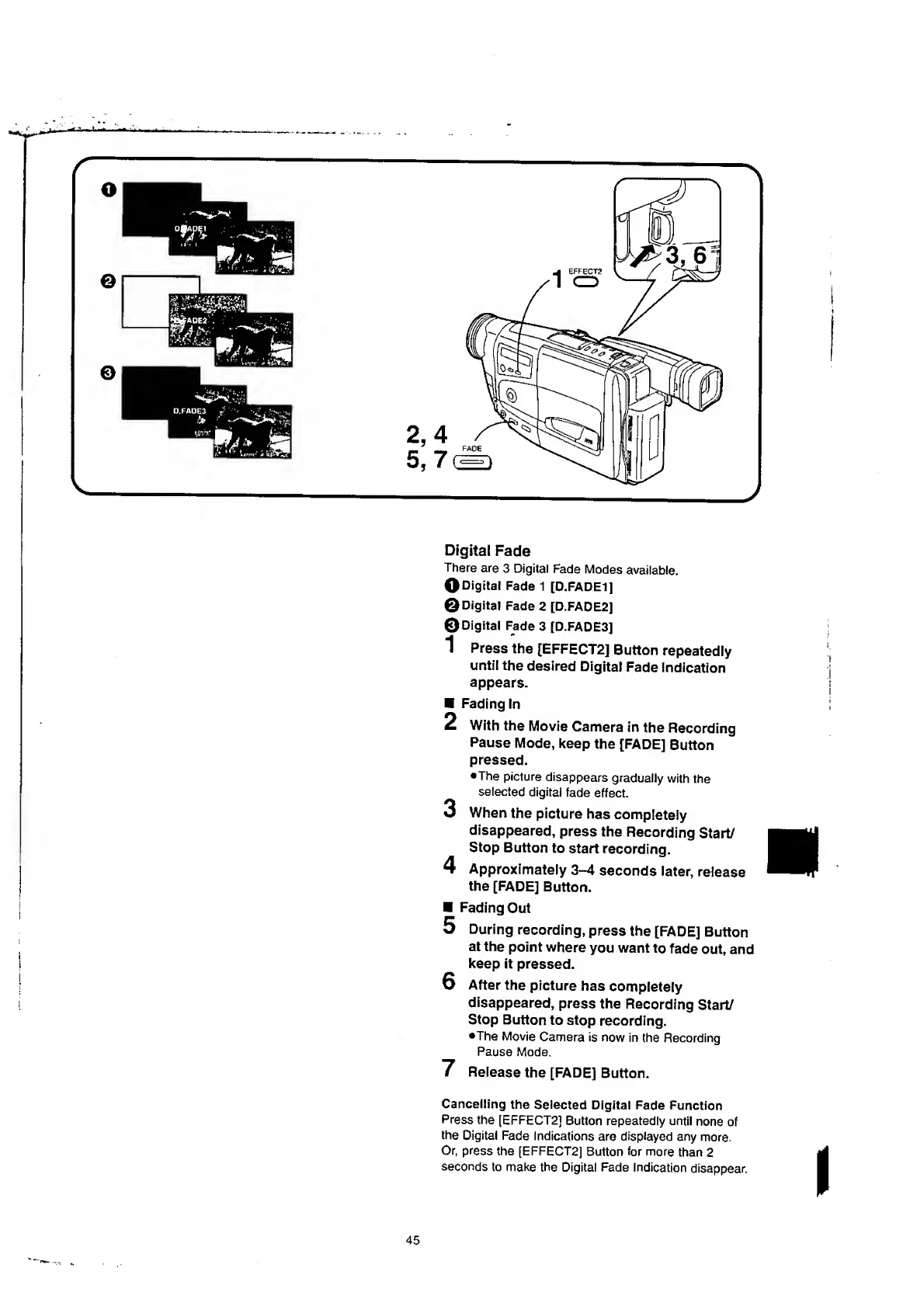
Digital
Fade
There
are
3
Digital
Fade
Modes
available.
O
Digital
Fade
1
[D.FADE1]
©Digital
Fade
2
[D.FADE2]
©Digital
Fade
3
[D.FADE3]
1
P
ress
the
[EFFECT2]
Button
repeatedly
until
the
desired
Digital
Fade
indication
appears.
Fading
In
2
With
the
Movie
Camera
in
the
Recording
Pause
Mode,
keep
the
[FADE]
Button
pressed.
•The
picture
disappears
gradually
with
the
selected
digital
fade
effect.
3
When
the
picture
has
completely
disappeared,
press
the
Recording
Start/
Stop
Button
to
start
recording.
4
Approximately
3-4
seconds
later,
release
the
[FADE]
Button.
Fading
Out
5
During
recording,
press
the
[FADE]
Button
at
the
point
where
you
want
to
fade
out,
and
keep
it
pressed.
6
After
the
picture
has
compietely
disappeared,
press
the
Recording
Start/
Stop
Button
to
stop
recording.
•The
Movie
Camera
is
now
in
{he
Recording
Pause
Mode.
7
Release
the
[FADE]
Button.
Cancelling
the
Selected
Digital
Fade
Function
Press
the
[EFFECT2]
Button
repeatedly
until
none
of
the
Digital
Fade
Indications
are
displayed
any
more.
Or,
press
the
[EFFECT2]
Button
for
more
than
2
seconds
to
make
the
Digital
Fade
Indication
disappear.
45

Table of Contents

Related product manuals