EasyManua.ls Logo

Panasonic NV-RX37A - Zooming In;Out.z Z

Panasonic NV-RX37A
79 pages
Print Icon
To Next Page IconTo Next Page
To Previous Page IconTo Previous Page
Loading...
•Li
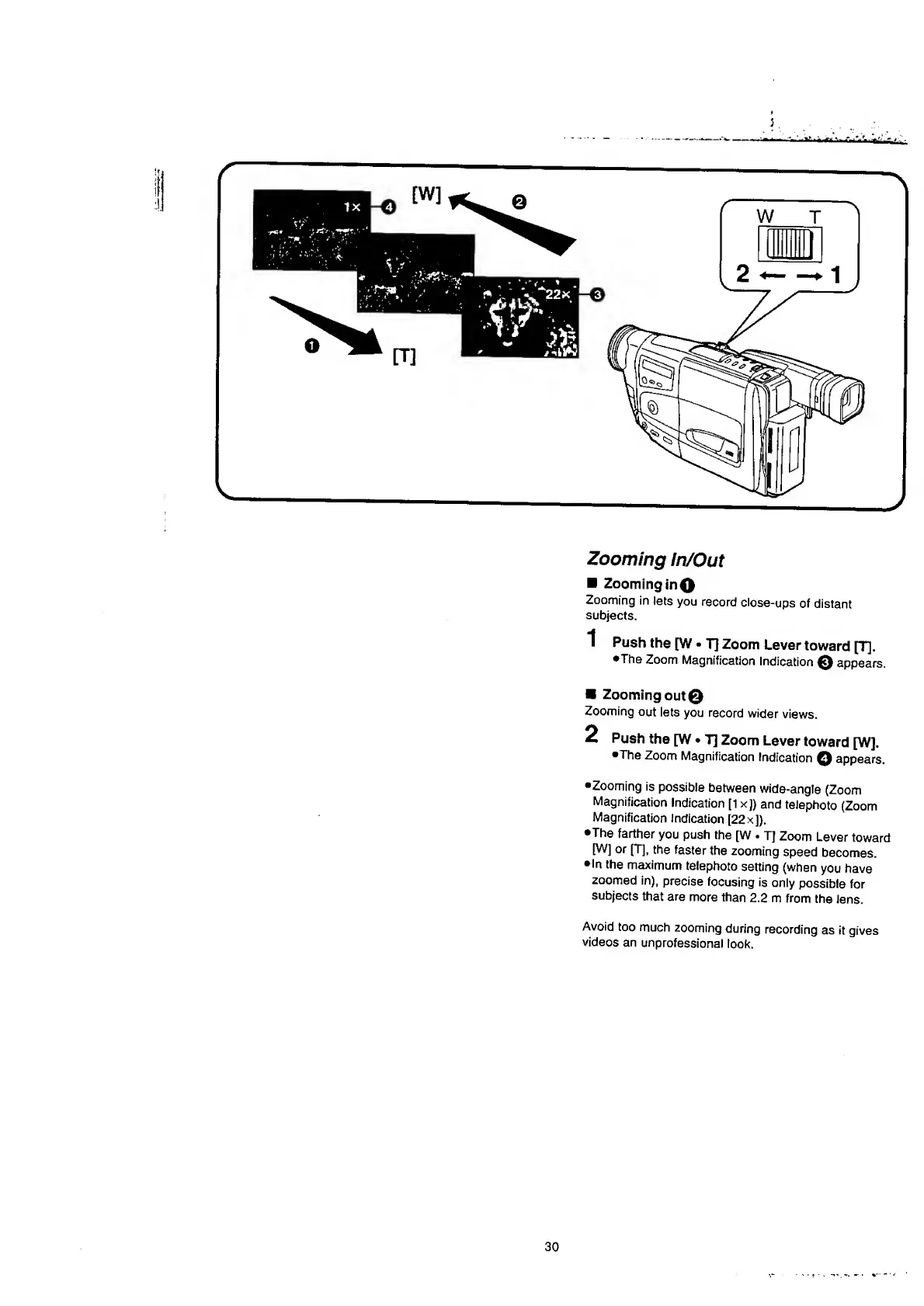
Zooming
In/Out
Zooming
in
O
Zooming
in
lets
you
record
close-ups
of
distant
subjects.
1
Push
the
[W
T]
Zoom
Lever
toward
[T],
•The
Zoom
Magnification
Indication
0
appears.
Zooming
out©
Zooming
out
lets
you
record
wider
views.
2
Push
the
[W
T]
Zoom
Lever
toward
[W].
•The
Zoom
Magnification
Indication
Q
appears.
•Zooming
is
possible
between
wide-angle
(Zoom
Magnification
Indication
[1
x])
and
telephoto
(Zoom
Magnification
Indication
[22
x]).
•The
farther
you
push
the
[W
.
T]
Zoom
Lever
toward
[W]
or
[T],
the
faster
the
zooming
speed
becomes.
•In
the
maximum
telephoto
setting
(when
you
have
zoomed
in),
precise
focusing
is
only
possible
for
subjects
that
are
more
than
2.2
m
from
the
lens.
Avoid
too
much
zooming
during
recording
as
it
gives
videos
an
unprofessional
look.
30

Table of Contents

Related product manuals