EasyManua.ls Logo

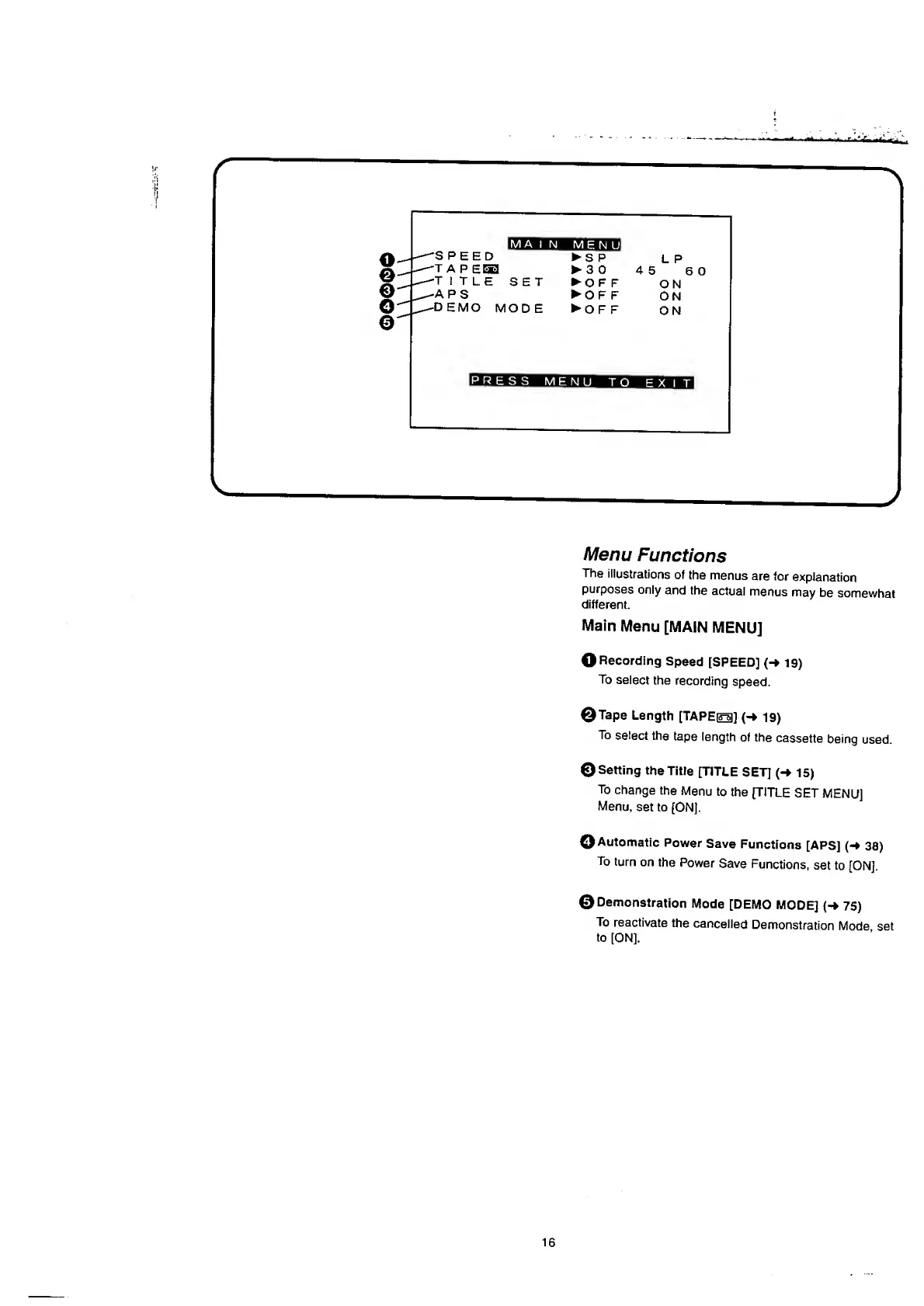
Panasonic NV-RX37A - Main Menu [MAIN MENU].16; Menu Functions

Panasonic NV-RX37A
79 pages
Print Icon
To Next Page IconTo Next Page
To Previous Page IconTo Previous Page
Loading...
r
WBWBma
i
n
menu!
6
0
PRESS
MENU
TO
EXIT
J
Menu
Functions
The
illustrations
of
the
menus
are
for
explanation
purposes
only
and
the
actual
menus
may
be
somewhat
different.
Main
Menu
[MAIN
MENU]
O
Recording
Speed
[SPEED]
(-»
19)
To
select
the
recording
speed.
©Tape
Length
[TAPEio]
(-»
19)
To
select
the
tape
length
of
the
cassette
being
used.
©Setting
the
Title
[TITLE
SET]
(-*
15)
To
change
the
Menu
to
the
[TITLE
SET
MENU]
Menu,
set
to
[ON].
©Automatic
Power
Save
Functions
[APS]
(-»
38)
To
turn
on
the
Power
Save
Functions,
set
to
[ON],
©
Demonstration
Mode
[DEMO
MODE]
(-
75)
To
reactivate
the
cancelled
Demonstration
Mode
set
to
[ON].
16

Table of Contents

Related product manuals