EasyManua.ls Logo

Panasonic NV-RX37A - Recording with Manual White Balance Adjustment

Panasonic NV-RX37A
79 pages
Print Icon
To Next Page IconTo Next Page
To Previous Page IconTo Previous Page
Loading...
r
Recording
with
Manual
White
Balance
Adjustment
With
this
Movie
Camera,
you
can
also
adjust
the
white
balance
manually.
Use
this
mode
for
special
subjects
and
recording
conditions,
such
as
listed
(-
46),
for
which
the
Full
Auto
Mode
is
not
suitable,
and
for
light
sources
outside
the
range
O
("
48).
Use
it
also
when
you
want
to
manually
adjust
the
white
balance
for
each
new
scene
as
professionals
do.
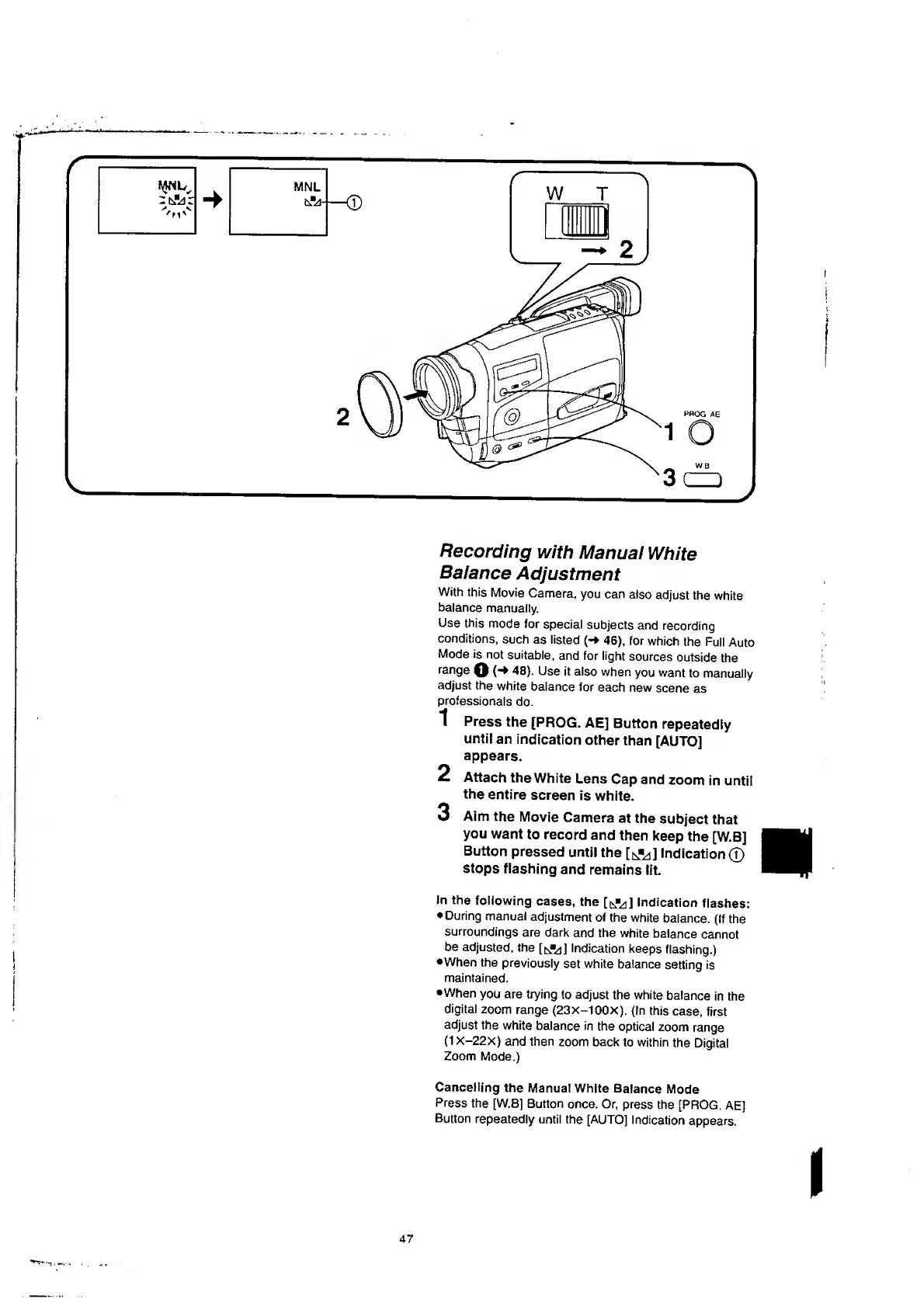
Press
the
[PROG.
AE]
Button
repeatedly
until
an
indication
other
than
[AUTO]
appears.
Attach
the
White
Lens
Cap
and
zoom
in
until
the
entire
screen
is
white.
Aim
the
Movie
Camera
at
the
subject
that
you
want
to
record
and
then
keep
the
[W.B]
Button
pressed
until
the
[^]
Indication©
stops
flashing
and
remains
lit.
Jn
the
following
cases,
the
[t^]
Indication
flashes:
During
manual
adjustment
of
the
white
balance.
(If
the
surroundings
are
dark
and
the
white
balance
cannot
be
adjusted,
the
[tAd]
Indication
keeps
flashing.)
•When
the
previously
set
white
balance
setting
is
maintained.
•When
you
are
trying
to
adjust
the
white
balance
in
the
digital
zoom
range
(23X-100X).
(In
this
case,
first
adjust
the
white
balance
in
the
optical
zoom
range
(1X-22X)
and
then
zoom
back
to
within
the
Digital
Zoom
Mode.)
1
2
3
Cancelling
the
Manual
White
Balance
Mode
Press
the
[W.B]
Button
once,
Or,
press
the
[PROG.
AE]
Button
repeatedly
until
the
[AUTO]
Indication
appears,

Table of Contents

Related product manuals