EasyManua.ls Logo

Panasonic NV-RX37A - (Programme AE)

Panasonic NV-RX37A
79 pages
Print Icon
To Next Page IconTo Next Page
To Previous Page IconTo Previous Page
Loading...
r
*
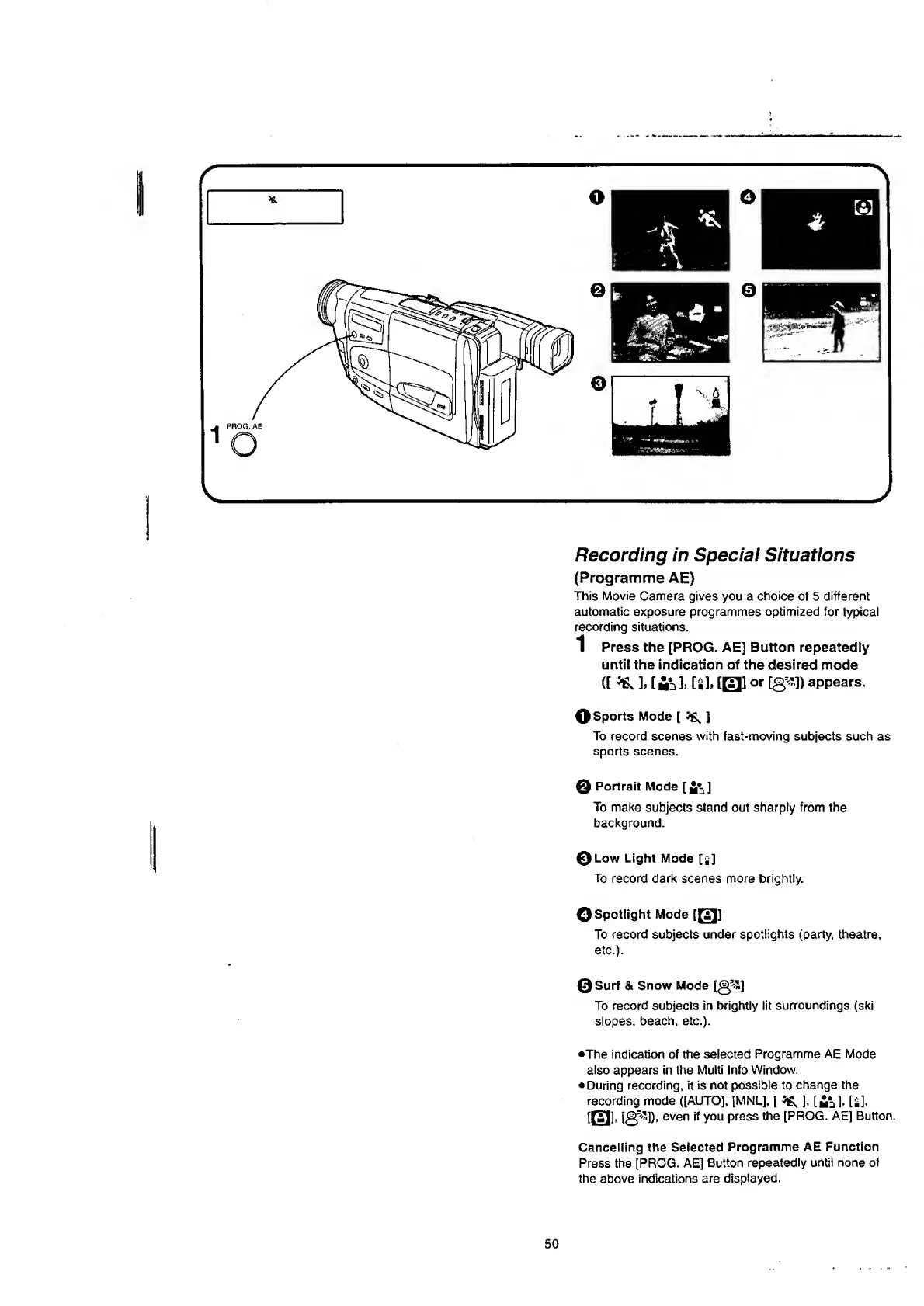
Recording
in
Speciai
Situations
(Programme
AE)
This
Movie
Camera
gives
you
a
choice
of
5
different
automatic
exposure
programmes
optimized
for
typical
recording
situations.
1
Press
the
[PROG.
AE]
Button
repeatedly
until
the
indication
of
the
desired
mode
(I
^
]>
[fcl.
UL
[HI
or
tgFD
appears.
O
Sports
Mode
[
^
]
To
record
scenes
with
fast-moving
subjects
such
as
sports
scenes.
©
Portrait
Mode
[
]
To
make
subjects
stand
out
sharply
from
the
background.
e
Low
Light
Mode
[£]
To
record
dark
scenes
more
brightly.
0
Spotlight
Mode
[
[£]
]
To
record
subjects
under
spotlights
(party,
theatre,
etc.).
0
Surf
&
Snow
Mode
[g^]
To
record
subjects
in
brightly
lit
surroundings
(ski
slopes,
beach,
etc.).
•The
indication
of
the
selected
Programme
AE
Mode
also
appears
in
the
Multi
Info
Window.
During
recording,
it
is
not
possible
to
change
the
recording
mode
([AUTO],
[MNL],
[
^
],
[fifc],
[j],
[J5J],
[
<
Q
)
~"'«]),
even
if
you
press
the
[PROG.
AE]
Button.
Cancelling
the
Selected
Programme
AE
Function
Press
the
[PROG.
AE]
Button
repeatedly
until
none
of
the
above
indications
are
displayed.
50

Table of Contents

Related product manuals