EasyManua.ls Logo

Panasonic NV-RX37A - Using Special Effects {Digital Effects); Selecting a Desired Digital Effect.41

Panasonic NV-RX37A
79 pages
Print Icon
To Next Page IconTo Next Page
To Previous Page IconTo Previous Page
Loading...
you
a
total
of
9
different
digital
effect
modes
to
make
it
easy
to
enhance
your
scenes
in
many
creative
ways.
These
effects
are
divided
into
two
groups:
Digital
Effects
1
and
Digital
Effects
2.
It
is
possible
to
select
one
effect
from
the
Digital
Effects
1
and
another
from
the
Digital
Effects
2.
Selecting
a
Desired
Digital
Effect
1
Press
the
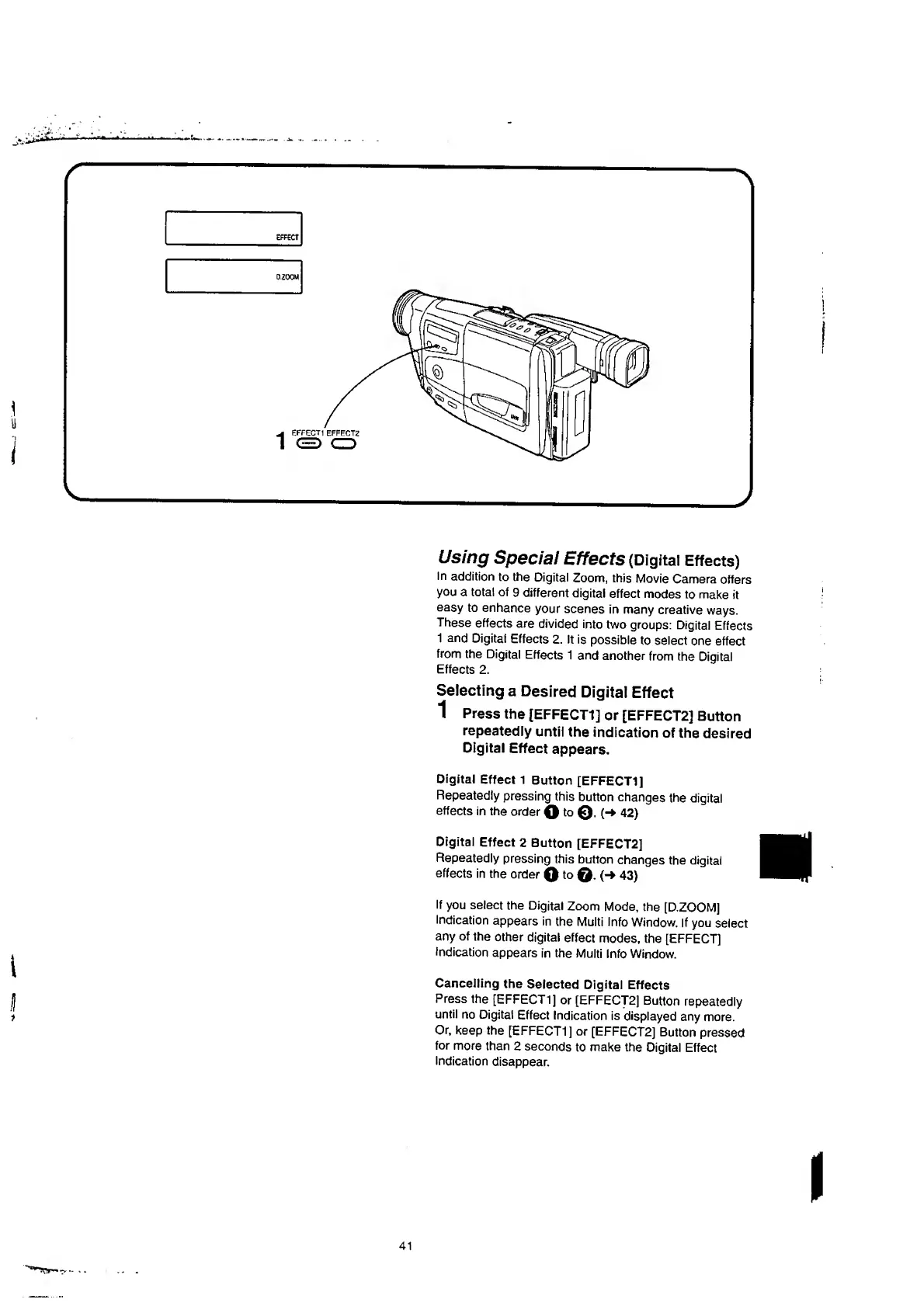
[EFFECT1]
or
[EFFECT2J
Button
repeatedly
until
the
indication
of
the
desired
Digital
Effect
appears.
Digital
Effect
1
Button
[EFFECT1]
Repeatedly
pressing
this
button
changes
the
digital
effects
in
the
order
Q
to
©•
(“>
42)
Digital
Effect
2
Button
[EFFECT2]
Repeatedly
pressing
this
button
changes
the
digital
effects
in
the
order
Q
to
(-*
43)
If
you
select
the
Digital
Zoom
Mode,
the
[D.ZOOM]
Indication
appears
in
the
Multi
Info
Window.
If
you
select
any
of
the
other
digital
effect
modes,
the
[EFFECT)
Indication
appears
in
the
Multi
Info
Window.
Cancelling
the
Selected
Digital
Effects
Press
the
[EFFECT1]
or
[EFFECT2]
Button
repeatedly
until
no
Digital
Effect
Indication
is
displayed
any
more.
Or,
keep
the
[EFFECT1]
or
[EFFECT2]
Button
pressed
for
more
than
2
seconds
to
make
the
Digital
Effect
Indication
disappear.

Table of Contents

Related product manuals