EasyManua.ls Logo

Panasonic NV-RX37A - Watching the Picture on a TV

Panasonic NV-RX37A
79 pages
Print Icon
To Next Page IconTo Next Page
To Previous Page IconTo Previous Page
Loading...
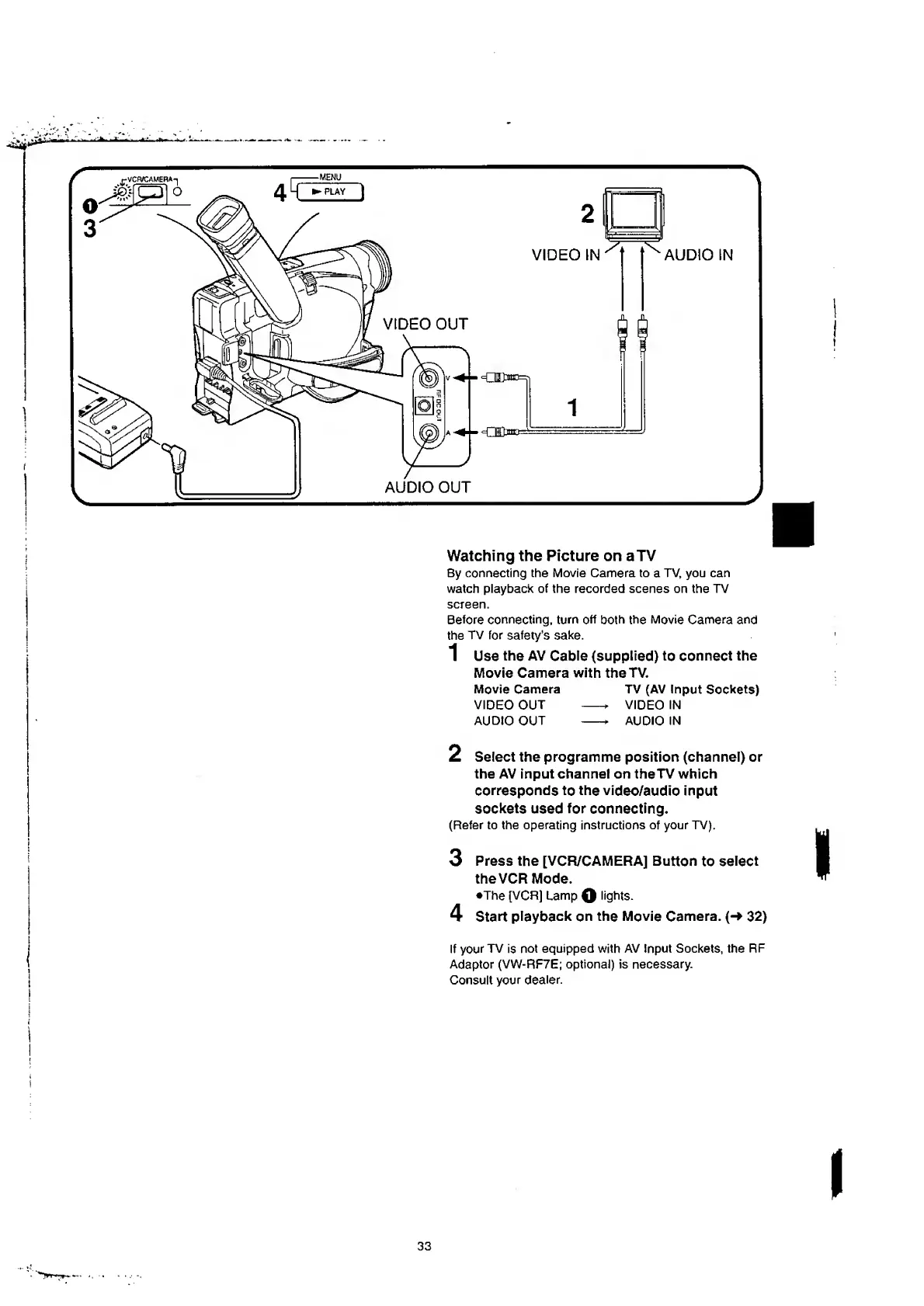
Watching
the
Picture
on
a
TV
By
connecting
the
Movie
Camera
to
a
TV,
you
can
watch
playback
of
the
recorded
scenes
on
the
TV
screen.
Before
connecting,
turn
off
both
the
Movie
Camera
and
the
TV
for
safety’s
sake.
1
Use
the
AV
Cable
(supplied)
to
connect
the
Movie
Camera
with
the
TV.
Movie
Camera
TV
(AV
Input
Sockets)
VIDEO
OUT
-*
VIDEO
IN
AUDIO
OUT
AUDIO
IN
2
Select
the
programme
position
(channel)
or
the
AV
input
channel
on
theTV
which
corresponds
to
the
video/audio
input
sockets
used
for
connecting.
(Refer
to
the
operating
instructions
of
your
TV).
3
Press
the
[VCR/CAMERA]
Button
to
select
the
VCR
Mode.
•The
[VCR]
Lamp
Q
lights.
4
Start
playback
on
the
Movie
Camera.
(-*
32)
If
your
TV
is
not
equipped
with
AV
Input
Sockets,
the
RF
Adaptor
(VW-RF7E;
optional)
is
necessary.
Consult
your
dealer.
33

Table of Contents

Related product manuals