EasyManua.ls Logo

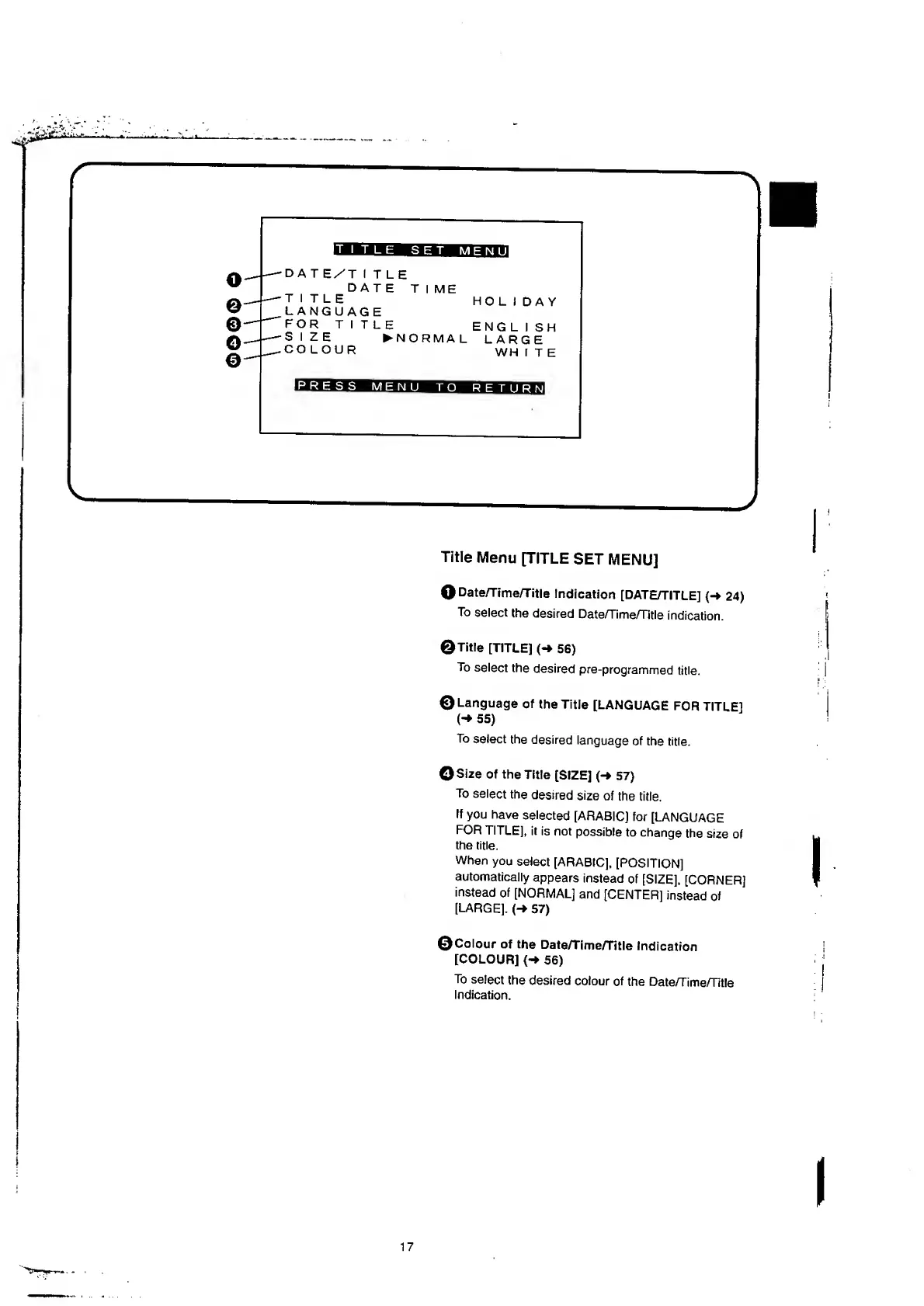
Panasonic NV-RX37A - Title Menu [TITLE SET MENU].17

Panasonic NV-RX37A
79 pages
Print Icon
To Next Page IconTo Next Page
To Previous Page IconTo Previous Page
Loading...
o
o
o
o
©
•DAT
E/'T
I
T
L
E
DATE
TIME
TITLE
LANGUAGE
FOR
TITLE
SIZE
N
O
R
M
A
L
COLOUR
HO
L
I
DAY
ENGL
I
SH
LARGE
WH
I
T
E
PRESS
MENU
RETURN
Title
Menu
[TITLE
SET
MENU]
Q
Date/Time/Title
Indication
[DATE/TITLE]
{-*
24)
To
select
the
desired
Date/Time/Title
indication.
©Title
[TITLE]
(-»
56)
To
select
the
desired
pre-programmed
title.
©Language
of
the
Title
[LANGUAGE
FOR
TITLE]
(
*
55)
To
select
the
desired
language
of
the
title.
©Size
of
the
Title
[SIZE]
(-»
57)
To
select
the
desired
size
of
the
title.
If
you
have
selected
[ARABIC]
for
[LANGUAGE
FOR
TITLE],
it
is
not
possible
to
change
the
size
of
the
title.
When
you
select
[ARABIC],
[POSITION]
automatically
appears
instead
of
[SIZE],
[CORNER]
instead
of
[NORMAL]
and
[CENTER]
instead
of
[LARGE].
(->
57)
©Colour
of
the
Date/Time/Title
Indication
[COLOUR]
{-»
56)
To
select
the
desired
colour
of
the
Date/Time/Title
Indication.
17

Table of Contents

Related product manuals