EasyManua.ls Logo

Panasonic NV-RX37A - Checking the End of a Recorded Scene (Recording Check Function).28

Panasonic NV-RX37A
79 pages
Print Icon
To Next Page IconTo Next Page
To Previous Page IconTo Previous Page
Loading...
Checking
the
End
of
a
Recorded
Scene
(Recording
Check
Function)
By
automatically
playing
back
the
final
approximately
2
seconds
of
the
last
recorded
scene,
this
function
lets
you
check
if
a
just
finished
scene
has
been
recorded
correctly.
When
you
then
start
recording
the
next
scene,
it
is
automatically
joined
with
a
smooth
transition
free
from
picture
distortion.
For
especially
important
scenes,
use
this
function
from
time
to
time
for
confirmation.
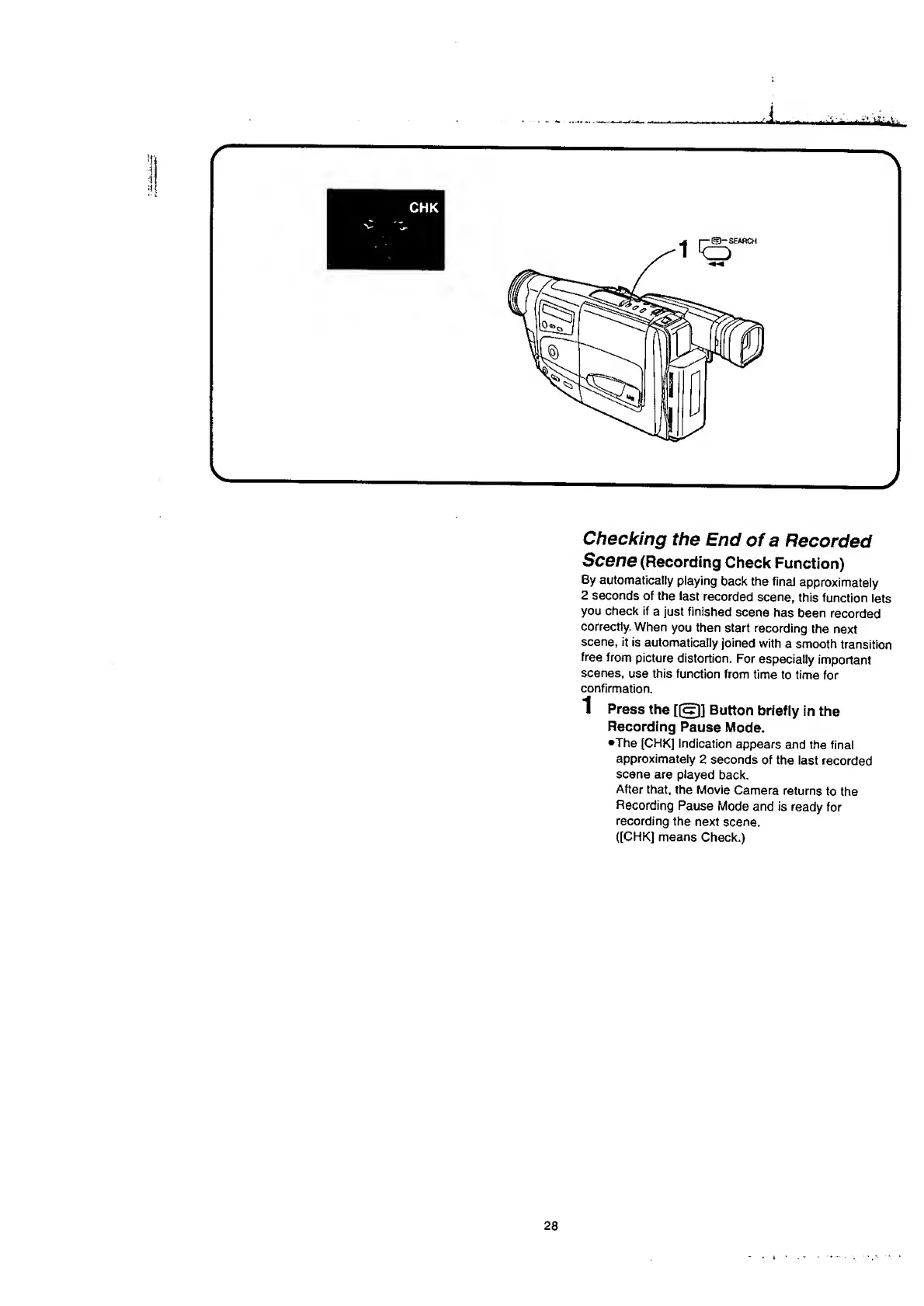
1
Press
the
[jap]
Button
briefly
in
the
Recording
Pause
Mode.
•The
[CHK]
Indication
appears
and
the
final
approximately
2
seconds
of
the
last
recorded
scene
are
played
back.
After
that,
the
Movie
Camera
returns
to
the
Recording
Pause
Mode
and
is
ready
for
recording
the
next
scene.
([CHK]
means
Check.)
28

Table of Contents

Related product manuals