EasyManua.ls Logo

Panasonic NV-RX37A - Adjustment; Recording with Manual Focus Adjustment.49

Panasonic NV-RX37A
79 pages
Print Icon
To Next Page IconTo Next Page
To Previous Page IconTo Previous Page
Loading...
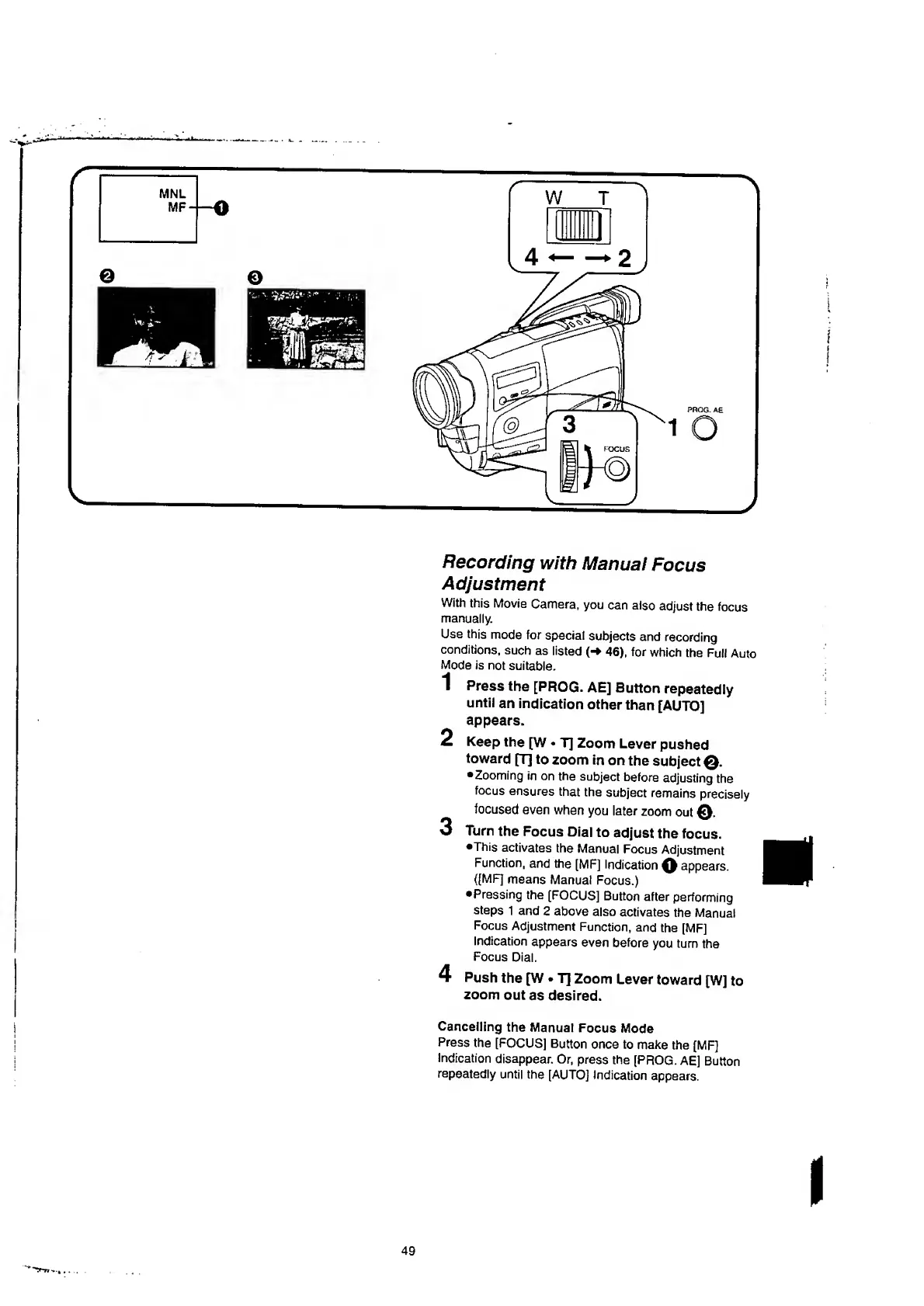
Recording
with
Manual
Focus
Adjustment
With
this
Movie
Camera,
you
can
also
adjust
the
focus
manually.
Use
this
mode
for
special
subjects
and
recording
conditions,
such
as
listed
(-»
46),
for
which
the
Full
Auto
Mode
is
not
suitable.
Press
the
[PROG.
AE]
Button
repeatedly
until
an
indication
other
than
[AUTO]
appears.
Keep
the
[W
T]
Zoom
Lever
pushed
toward
[T]
to
zoom
in
on
the
subject
0.
Zooming
in
on
the
subject
before
adjusting
the
focus
ensures
that
the
subject
remains
precisely
focused
even
when
you
later
zoom
out
0
.
Turn
the
Focus
Dial
to
adjust
the
focus.
•This
activates
the
Manual
Focus
Adjustment
Function,
and
the
[MF]
Indication
0
appears.
([MF]
means
Manual
Focus.)
Pressing
the
[FOCUS]
Button
after
performing
steps
1
and
2
above
also
activates
the
Manual
Focus
Adjustment
Function,
and
the
[MF]
Indication
appears
even
before
you
turn
the
Focus
Dial.
Push
the
[W
T]
Zoom
Lever
toward
[W]
to
zoom
out
as
desired.
Cancelling
the
Manual
Focus
Mode
Press
the
[FOCUS]
Button
once
to
make
the
[MF]
Indication
disappear.
Or,
press
the
[PROG.
AE]
Button
repeatedly
until
the
[AUTO]
Indication
appears.
1
2
3
4

Table of Contents

Related product manuals